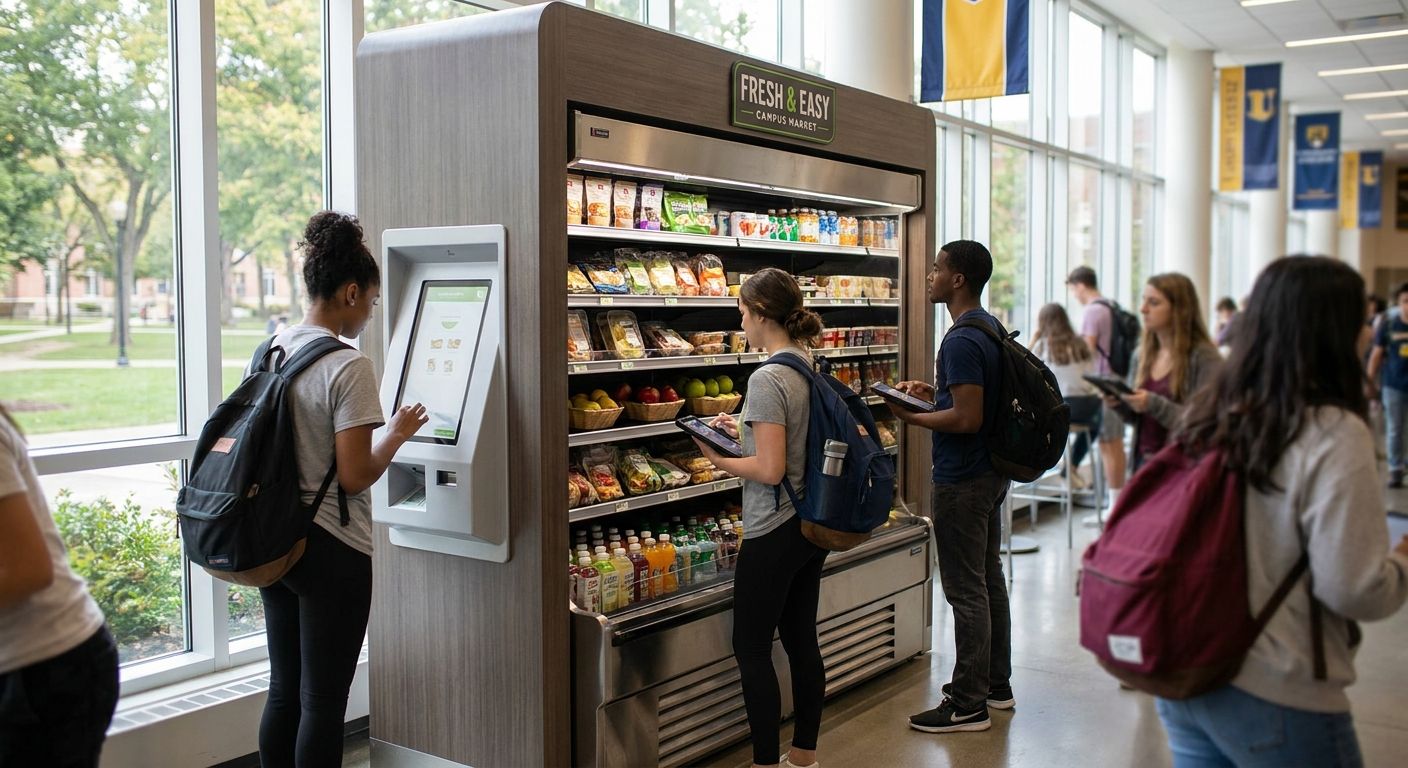
Campus convenience stores run on twelve-minute passing periods, meal-plan swipes, and grab-and-go demand that spikes three times a day at predictable clock times. A grocery kiosk for campus convenience stores has to survive that rush pattern, not the slow, steady foot traffic of a suburban supermarket. This guide breaks down which kiosk models actually hold up on campus in 2026, who needs one, and what to skip.
- A self-ordering kiosk for grab-and-go and made-to-order food is the safe buy for most campus convenience stores in 2026.
- Self-checkout kiosks built for full-basket grocery runs are the wrong fit for single-item campus purchases — skip them.
- Meal-plan and campus card payment support is non-negotiable; a kiosk without it loses the exact traffic it was built to speed up.
- ROI on a campus grocery kiosk typically clears within one academic year when throughput and labor hours are tracked against baseline.
Who this is for
This guide is for the operator running a campus convenience store, C-store adjacent to a dining hall, or a grocery-format shop inside a student union — anyone dealing with three predictable rush windows a day, a small footprint under 2,000 square feet, and a customer base paying with campus cards, meal plans, and phones instead of cash. If your current checkout line backs up every time classes let out, or your made-to-order deli station can't keep pace with grab-and-go demand, a kiosk deployment solves a real labor and throughput problem, not a cosmetic one. Campus stores also deal with a payment mix — meal plan balances, campus card systems, contactless, and student ID swipes — that most off-the-shelf convenience store kiosks weren't built to handle. A convenience store delivery and ordering platform built for that mix matters more here than raw hardware specs.
What to look for in a grocery kiosk for campus convenience stores
Passing-period throughput
Campus foot traffic doesn't arrive evenly — it arrives in three or four dense waves tied to class schedules. A kiosk that processes orders in 20-30 seconds during a normal hour but slows to 90 seconds under load will create the exact line you're trying to eliminate. Ask for throughput numbers under simulated rush conditions, not average-day benchmarks.
Meal plan and campus card payment support
A kiosk that only takes credit cards misses the majority of campus transactions at most dining-adjacent stores. Native support for meal plan balances and campus ID systems, not a bolted-on workaround, determines whether students actually use the kiosk instead of walking to the register.
Footprint that fits a small-format store
Most campus convenience stores run 800 to 2,000 square feet, nothing like a supermarket floor plan. A kiosk footprint under 3 square feet of counter space matters more here than it does in a full-size grocery store, where floor space is less of a constraint.
Menu flexibility for grab-and-go and made-to-order
Campus stores sell packaged snacks and coffee alongside made-to-order sandwiches or hot food, often from the same counter. The kiosk software needs to switch between a simple grab-and-go SKU list and a customizable food order without a separate system for each.
POS and inventory integration
A kiosk that doesn't sync with your existing POS creates a second inventory count to reconcile every night, which defeats the labor savings the kiosk was supposed to deliver. Real-time sync between kiosk orders and store inventory is a baseline requirement, not a premium feature, in 2026.
Uptime during peak traffic
A kiosk that freezes during the 11:45 a.m. rush costs more in lost sales and student frustration than it saves the rest of the day. Ask any vendor for uptime data specific to high-transaction-volume periods, not blended annual uptime.
Top picks for campus convenience stores
The everyday workhorse — self-ordering kiosk. Built for grab-and-go plus made-to-order food from one counter, this is the kiosk model that fits most campus store layouts without a redesign. The best self-ordering kiosk options for grocery and specialty food stores handle menu switching between packaged snacks and customizable orders in the same interface. Verdict: Buy.
The high-throughput pick — self-checkout kiosk. For stores with a basket-shopping component, not just single-item grab-and-go, a dedicated self-checkout lane clears lines faster than a staffed register during passing periods. Review the best self-checkout kiosks for independent grocery stores before committing hardware budget to this format — it's the wrong call for stores under 1,000 square feet with mostly single-item purchases. Verdict: Consider.
The prepared-food specialist — deli and hot food kiosk. Campus stores near dining halls often run a small deli or grill counter that gets slammed at lunch. A kiosk built for prepared food ordering at grocery store delis routes custom orders straight to the kitchen display, cutting the back-and-forth that slows down made-to-order lines. Verdict: Buy for any campus store running a hot food or deli counter.
The budget-justification pick — run the numbers first. Before signing a hardware contract, work through how to calculate ROI on a self-service kiosk using your actual passing-period transaction counts and current labor cost per hour. Most campus stores see payback inside one academic year once throughput gains are counted against staffing hours saved. Verdict: Do this before you buy anything.
See which kiosk model fits your store
Local Express maps kiosk configurations to your traffic patterns and payment mix.
What to avoid
- Full-basket self-checkout kiosks built for supermarket carts. They take up counter space a campus store doesn't have and slow down single-item transactions that make up most campus purchases.
- Enterprise POS kiosk bundles with long implementation timelines. A rollout that takes four months doesn't fit an academic calendar — you need it running before the first rush of the semester, not after.
- Discount hardware without campus card or meal-plan integration. A cheap kiosk that can't take the payment method most students actually use just becomes an expensive paperweight next to the register.
Verdict comparison
| Kiosk type | Best for | Throughput | Meal plan support | Verdict |
|---|---|---|---|---|
| Self-ordering kiosk | Grab-and-go + made-to-order | High during rush | Yes, when configured | Buy |
| Self-checkout kiosk | Basket-shopping stores | Medium | Varies by vendor | Consider |
| Deli/hot food kiosk | Prepared food counters | High | Yes | Buy |
| Generic supermarket self-checkout | Not campus format | Low for single items | Rarely | Skip |
Why this matters
Self-service kiosks generally drive 30% higher order values than staffed counter service and average 150% ROI across aggregated industry data — numbers that hold up especially well in high-volume, low-dwell-time environments like a campus store. Order accuracy on kiosk transactions runs around 99% versus manual order-taking, which matters when a made-to-order deli line is trying to keep pace with a 12-minute passing period. A campus convenience store isn't chasing novelty by adding a kiosk in 2026 — it's fixing a labor bottleneck that shows up at the exact same three times every day.
“If your kiosk can't process an order faster than your busiest register during passing period, it's not solving the problem you bought it for.”
FAQ
What is the best grocery kiosk for a campus convenience store in 2026?
A self-ordering kiosk that handles both grab-and-go and made-to-order food from one counter fits most campus convenience stores in 2026. Stores with a basket-shopping component should add a dedicated self-checkout kiosk alongside it.
How much does a self-service kiosk cost for a campus store?
Costs vary by hardware and software configuration, so run the numbers against your own passing-period transaction volume before budgeting. A dedicated ROI calculation against labor cost per hour gives a more accurate figure than a generic price quote.
Do campus kiosks accept meal plan swipes?
Only kiosks built with native campus card and meal-plan integration accept swipes directly at the kiosk. A kiosk without that support forces students back to a staffed register, which defeats the point of installing one.
Is a self-ordering kiosk better than a self-checkout kiosk for a campus store?
For most campus convenience stores, yes — a self-ordering kiosk handles the grab-and-go and made-to-order mix that dominates campus purchases. Self-checkout kiosks make more sense for stores with heavier basket-shopping traffic.
How fast is the ROI on a campus grocery kiosk?
Most campus stores see payback within one academic year when throughput gains are measured against labor hours saved during rush windows. The exact timeline depends on your baseline transaction volume and staffing cost.
Can a grocery kiosk handle grab-and-go plus made-to-order food?
Yes, a self-ordering kiosk built for grocery and specialty food stores can switch between a simple SKU list and a customizable food order from the same interface. That flexibility matters most for campus stores running a deli or grill counter alongside packaged snacks.
Do campus convenience stores need SNAP/EBT support on kiosks?
Some campus stores serving off-campus students or staff need SNAP/EBT capability, though it's less universal than meal-plan support. Check whether your kiosk vendor supports it natively before assuming it's included.
How long does it take to install a kiosk in a campus store?
Timelines vary by vendor, but a rollout that stretches past a few weeks risks missing the start of a semester rush. Prioritize vendors who can commit to a timeline that lands before your busiest academic weeks.
One last thing
The kiosk that saves the most labor isn't always the one with the most features — it's the one placed closest to the grab-and-go case, since that's where campus stores lose the most register time to card fumbling and loose change. Put the kiosk where the impulse buy already happens, not in a corner near the door.