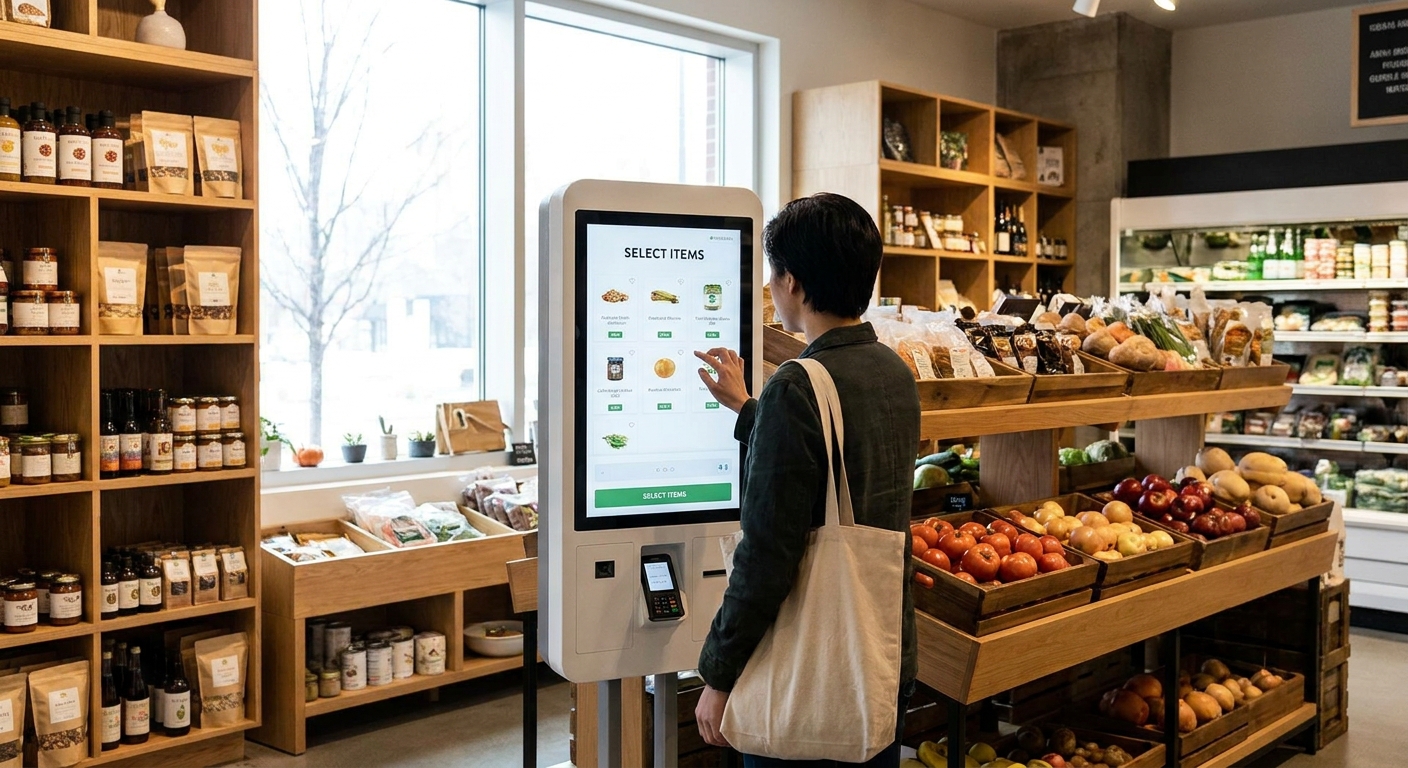
Grocery and specialty food retailers are buying self-ordering kiosks faster than any other point-of-sale hardware category in 2026, mostly to move deli counters, hot bars, and made-to-order food stations off overworked staff. The problem: most kiosks on the market were built for burger chains, not for a 40-SKU prepared foods program tied to a grocer's ecommerce site and loyalty data.
- A self ordering kiosk only pays off for grocery when it connects to your ecommerce site, app, and order management, not just the register.
- Standalone QSR kiosk software ports poorly to grocery deli counters and stalls on modifier-heavy prepared food orders. Hold.
- Local Express's kiosk ties MTO ordering to the same order management and delivery stack as the branded app and website. Buy for grocers running prepared food programs in 2026.
- Retrofit self-checkout units marketed as ordering kiosks skip loyalty and app sync entirely. Skip for specialty food and full-service delis.
- Custom in-house builds take grocers 6-12 months to stabilize and rarely survive a staff turnover. Wait unless you have a dedicated dev team.
Why this matters
A self ordering kiosk isn't a novelty anymore in grocery. It's the difference between a deli line that moves and one that backs up into the aisle at lunch.
The grocers getting real margin lift from kiosks in 2026 share one trait: the kiosk talks to the same system running their branded app, their website checkout, and their delivery orders. The ones stuck with a clunky kiosk usually bought hardware first and asked about integration later.
That single decision — integrated stack versus bolted-on screen — is what separates a kiosk that shortens lines from one that just adds another system to reconcile at close.
How we ranked
The ranking below weighs six factors that matter specifically for grocery and specialty food, not quick-service restaurants: integration with existing grocery ecommerce and order management, support for made-to-order (MTO) prepared food with modifiers, branding flexibility, tie-in to last-mile delivery, staff retraining time, and total cost of running the kiosk alongside a web and app storefront.
Each category below reflects how these kiosk approaches perform against grocers actually running prepared food counters, not fast-casual restaurants where most kiosk software started. Buy/Hold/Wait/Skip verdicts reflect fit for grocery and specialty food operations specifically.
The ranked list
1. Generic touchscreen ordering tablets — the impulse buy
These are off-the-shelf tablets running basic ordering software, usually sold by a POS reseller as an add-on. The memorable detail: they typically run a single-location menu build with no sync back to a central item catalog.
What they do: display a static menu, take a payment, print a ticket. There's no connection to loyalty, no app tie-in, and modifier logic for a build-your-own sandwich or salad bar gets clumsy fast.
For a specialty food counter with a rotating prepared food menu, re-entering every item change by hand across multiple tablets is a losing proposition by the second week. Skip — fine for a single fixed menu, wrong for anything that changes.
2. QSR kiosk software repurposed for grocery deli counters — the ill-fitting suit
Software built for burger and pizza chains gets pitched to grocers because the hardware looks the same. The detail that gives it away: modifier trees built for "add cheese, remove pickles" choke on deli-style customization like "half pound, sliced thin, on rye."
What it does: takes orders, routes tickets to a kitchen display, handles payment. It's competent at the mechanics of ordering and weak at grocery-specific behavior — weighted items, per-pound pricing, and substitution logic that a deli or hot bar needs daily.
Staff spend the first month fighting the menu builder instead of running the counter. Hold — usable if you have no other option, but budget real setup time and expect ongoing friction on weighted and per-pound items.
3. POS vendor's native kiosk module — the safe-looking pick
Many grocery POS vendors now ship a kiosk module as an add-on to the register system already installed. The appeal is obvious: same vendor, same support line, one invoice.
What it does: pulls from the existing item catalog and rings against the same register, so pricing stays consistent. The limitation shows up outside the store — most of these modules don't talk to a branded ecommerce site, mobile app, or delivery dispatch, so online and in-store prepared food orders live in two disconnected systems.
That split means a grocer running both an app and a kiosk manages two menus, two sets of pricing updates, and two places customer data lives. Consider — a reasonable step up from a bare tablet, but it caps out fast for any retailer selling prepared food online too.
4. AI-powered unified commerce kiosk — the one that closes the loop
This is the category Local Express built its kiosk product around: a self-service ordering kiosk for made-to-order prepared food that runs on the same order management, branded app, and white-labelled ecommerce stack as the rest of a grocer's digital storefront. The distinguishing detail is that an item change made once — a new hot bar special, a price update, a sold-out sushi roll — updates the kiosk, the app, and the website simultaneously.
What it does: takes MTO orders at the kiosk, routes them through the same order management system handling web and app orders, and can hand off to last-mile delivery from the same dispatch layer. For a regional grocer or specialty food retailer already running (or planning) a branded app and delivery program, that's one system instead of three.
The buying case in 2026 is straightforward: grocers adding prepared food ordering are also under pressure to control their own customer data instead of feeding it to third-party marketplace apps, and a kiosk tied to the retailer's own ecommerce and app stack keeps that data in-house. Buy — the clear pick for any grocery or specialty food retailer running, or planning, MTO prepared food alongside an ecommerce and delivery program.
5. Retrofit self-checkout units rebranded as ordering kiosks — the false equivalence
Self-checkout hardware gets relabeled as an "ordering kiosk" by some resellers, but the software underneath is built for scanning barcodes, not building a custom order. The tell: no meaningful modifier or customization flow, because self-checkout was never designed to take one.
What it does: scans packaged goods and processes payment. It has no real answer for a deli sandwich built to order or a poke bowl with six modifier choices.
Deploying this for a full-service prepared food counter mismatches the hardware to the job entirely. Skip — this is checkout hardware wearing an ordering kiosk label.
6. Custom in-house build — the ambitious wildcard
A handful of larger regional chains build kiosk software in-house rather than buy. The detail worth knowing: these projects commonly take 6 to 12 months to reach a stable release, and that's before ongoing maintenance.
What it does, when it works: exactly what the retailer specifies, with no vendor constraints. What it costs: a dedicated development team for the life of the product, plus the opportunity cost of everything else that team isn't building during that window.
For a chain with the engineering headcount to spare, this can outperform any vendor option long-term. For everyone else, it's a multi-year bet with no guaranteed payoff. Wait — only pursue this with a committed dev team and a multi-year timeline in mind.
“A kiosk that doesn't talk to your app and website isn't saving you a system, it's adding one.”
Comparison table
| Approach | MTO / modifier support | Ties to ecommerce & app | Delivery tie-in | Verdict |
|---|---|---|---|---|
| Generic touchscreen tablet | Weak | No | No | Skip |
| QSR kiosk software (repurposed) | Moderate, clunky on weighted items | No | No | Hold |
| POS vendor's native kiosk module | Good | No | No | Consider |
| AI-powered unified commerce kiosk (Local Express) | Strong | Yes | Yes | Buy |
| Retrofit self-checkout as kiosk | None | No | No | Skip |
| Custom in-house build | Depends on build | Depends on build | Depends on build | Wait |
See the kiosk in a working grocery stack
One system for kiosk, app, website, and delivery orders.
Where to buy
- Buy from a vendor that already runs your online ordering, not just your register. A self ordering kiosk that shares an order management system with your app and website in 2026 saves you a reconciliation headache every single day.
- Ask to see the modifier builder before signing anything. Grocery and deli orders are messier than QSR orders — half pound, extra sauce, swap the side — and a kiosk that can't handle that cleanly will frustrate staff within a week.
- Confirm the delivery hand-off works before rollout, not after. If prepared food orders from the kiosk need to reach a driver, that dispatch connection should be tested during setup, not discovered missing during a lunch rush.
What to avoid
- A kiosk sold as "restaurant-proven" with no grocery deli references. QSR menu logic and grocery deli logic are different enough that "proven" elsewhere means little here.
- Any kiosk quote that doesn't mention your existing app or website. If the salesperson can't explain how the kiosk syncs with what you already run online, it probably doesn't.
- Hardware-first decisions. The screen and stand matter far less than the order management system behind them — a nicer screen on a disconnected system is still a disconnected system.
FAQ
What's the best self ordering kiosk for grocery stores in 2026?
For grocery and specialty food retailers running made-to-order prepared food, a unified commerce kiosk that shares order management with your app and website — like Local Express's kiosk — outperforms standalone QSR-style kiosks because it keeps menu, pricing, and orders in one system instead of several.
Is a self ordering kiosk better than a QSR kiosk repurposed for grocery?
Yes, for deli and prepared food counters. QSR kiosk software is built around simple modifier trees like burger toppings, while grocery orders need per-pound pricing, weighted items, and heavier customization that repurposed QSR software handles poorly.
How much does a grocery self ordering kiosk cost?
Cost varies by vendor and depends on whether the kiosk is a standalone add-on or part of a bundled ecommerce, app, and delivery platform. Ask any vendor for a quote that reflects your prepared food volume and existing digital storefront.
Can a self ordering kiosk connect to my grocery app and website?
Only if the kiosk runs on the same order management system as your app and website. Most POS-native kiosk modules and QSR-repurposed software don't make that connection, which is why a unified commerce platform is the safer buy for retailers already running an app.
Do self ordering kiosks work for specialty food retailers, not just full grocery stores?
Yes. Specialty food retailers running hot bars, delis, or made-to-order counters get the same benefit as full-line grocers: faster throughput at the counter and one system managing kiosk, online, and app orders instead of three.
How long does it take to set up a grocery ordering kiosk?
A kiosk tied into an existing order management and ecommerce platform typically launches faster than a custom build, which can take 6 to 12 months. Vendor-based kiosks depend on menu complexity and staff training time.
Should I buy a kiosk from my POS vendor or a dedicated commerce platform?
If you already run or plan to run a branded app, ecommerce site, or delivery program, a dedicated unified commerce platform beats a POS vendor's kiosk module because it keeps all three channels synced instead of siloed.
One last thing
The grocers who complain most about their kiosk in 2026 almost never blame the touchscreen or the hardware. They blame having to update the same menu item in three different places after buying a kiosk that never talked to their app or website in the first place. That's the entire argument for buying a unified system over a bolted-on screen — and it's the one detail most kiosk demos skip past.