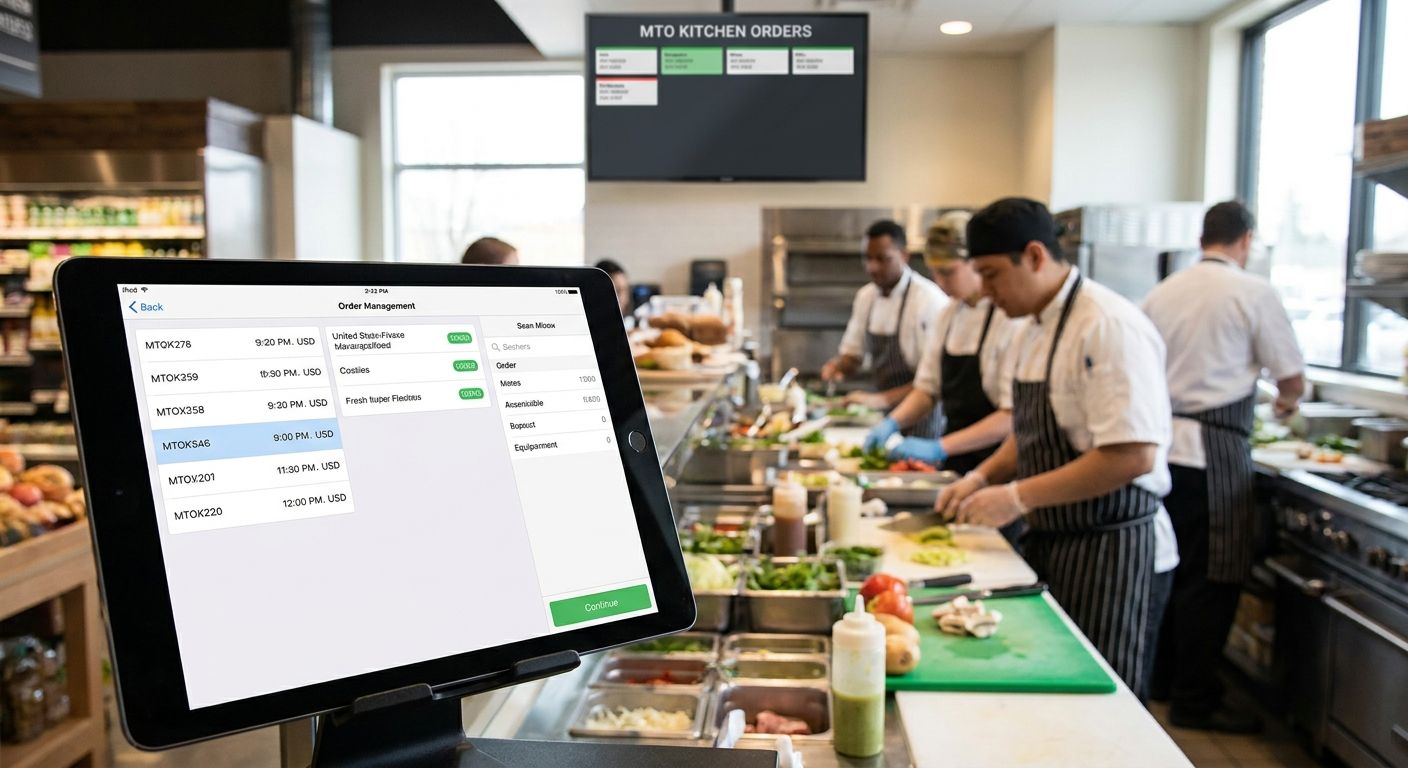
Made-to-order (MTO) kitchens break most order management systems built for shelf-stable grocery. A hot bar, a deli counter, or a self-service kiosk selling build-your-own bowls needs a system that routes tickets, tracks modifiers, and syncs inventory in real time — not a POS bolt-on that treats prepared food like a packaged SKU.
- Order management software for made-to-order grocery kitchens needs one queue across app, web, and kiosk — split queues cause missed tickets.
- Local Express pairs order management with prepared food kiosks built for deli and hot bar workflows in 2026.
- Multi-location grocers need shared reporting across stores, not per-store dashboards nobody checks.
- Standalone kitchen display systems with no inventory tie-in are a common trap: skip them.
- Self-ordering kiosks with shallow modifier logic still produce kitchen errors even at $30,000+ installs.
Why this matters
A grocer running a made-to-order deli or kiosk program isn't buying software to print receipts. They're buying a system that has to hold a modifier tree (extra protein, no onions, gluten-free bun), fire it to a kitchen display in the right order, and still reconcile inventory with the shelf when the same mozzarella gets sold both packaged and on a sandwich.
Most order management platforms sold to grocery in 2026 were built for center-store SKUs first and prepared food second, if at all. That gap is where kitchens lose tickets, where kiosks show wrong wait times, and where inventory counts drift between the deli case and the sandwich station. The buyer decision here isn't which brand is bigger — it's which system was actually designed around a kitchen ticket, not a barcode.
Who this is for
This guide is for regional and independent grocers, specialty food shops, and supermarket chains running (or planning) a made-to-order program — a deli, a hot bar, a poke or bowl counter, a bakery with custom orders — sold through a kiosk, an app, a website, or all three. If your prepared food operation is a single case with pre-packaged items and no customization, you don't need this level of order routing yet. If a customer can modify an order and a kitchen has to act on it in under two minutes, keep reading.
The Local Express platform was built around this exact overlap — order management, kiosk ordering, and inventory sync running on one system instead of three stitched-together tools.
What to look for in order management software for MTO kitchens
Unified order queue across every channel
If app orders, kiosk orders, and phone orders land in three separate queues, someone in the kitchen is manually re-keying tickets or missing them entirely. A single queue that timestamps and sequences every order — regardless of where it came in — is the baseline requirement, not a premium feature. Kitchens running split queues in 2026 are still the most common source of "we never got that order" complaints.
Modifier and recipe-level customization
Prepared food isn't a SKU, it's a recipe with variables. The system needs to hold nested modifiers (protein choice, then sauce, then extras) and pass all of it to the kitchen display legibly — not as a wall of text. Weak modifier logic is the single biggest driver of remade orders and refunds in MTO programs.
Kitchen display and ticket routing speed
A ticket that takes 30 seconds to route from checkout to the kitchen display is a ticket that's already behind during a lunch rush. Look for systems that route in near-real time and let kitchen staff bump, hold, or recall tickets without touching a second screen.
Real-time inventory sync between kitchen and shelf
If the same ingredient sells both packaged on the shelf and inside a made-to-order item, the system has to decrement one shared count. Grocers using disconnected inventory between the deli and the floor routinely oversell ingredients they don't know they're out of — a problem AI inventory replenishment workflows are specifically built to close.
Multi-location visibility
A single-store dashboard is fine for one location. A five-store or fifteen-store grocery chain needs order and kitchen performance data rolled up centrally, with the ability to drill into one store's ticket times without exporting five separate reports.
Payment flexibility at the register and kiosk
MTO orders still need to support SNAP/EBT, gift cards, and loyalty redemption at the point of sale — not just card and cash. A kitchen-focused system that ignores payment compliance creates a second checkout problem on top of the first.
Top picks for MTO order management in 2026
The unified pick: order management plus prepared food kiosk ordering. One queue, one modifier engine, one inventory count shared between kiosk orders and shelf stock. The specific number that matters here: a deli or hot bar running app, web, and kiosk orders through prepared food ordering kiosks eliminates the second point of failure that comes from bolting a kiosk vendor onto a separate POS. Verdict: Buy for any single-location or small-chain deli or hot bar program launching or replacing a kiosk in 2026.
The multi-location workhorse. Built for chains where order volume, kitchen staffing, and reporting need to roll up across five, ten, or fifty stores without per-location spreadsheets. Order management software for multi-location grocery chains centralizes ticket data and lets a regional operator compare kitchen performance store to store. Verdict: Buy for chains past three locations with an MTO program at more than one of them.
The self-serve add-on. When the kiosk is the primary ordering channel — not a supplement to counter service — the modifier depth and screen flow matter more than anything else. Self-ordering kiosks for grocery and specialty food stores are built around that flow specifically, not adapted from a fast-casual restaurant template. Verdict: Consider if a kiosk is replacing a staffed order counter, not just supplementing one.
The one to skip: standalone kitchen display systems. A kitchen display bought separately from the order management and inventory system looks cheap upfront and expensive in practice. It solves the ticket routing problem and does nothing for inventory drift or multi-channel order capture. Verdict: Skip unless it's a stopgap for a single station with no plan to scale the program.
See the kiosk math before you buy
Run the ROI numbers for a self-service kiosk before committing to a vendor.
What to avoid
- Kitchen display systems sold separately from order management. They fix ticket routing but leave inventory and multi-channel order capture unsolved — you'll end up buying a second system within a year.
- Kiosk software with flat, single-level modifiers. If it can't handle "choose protein, then choose sauce, then choose extras" as a nested tree, the kitchen display will show a wall of unsorted text during a rush.
- Per-store reporting with no chain-wide rollup. Fine for one location, a real problem the moment a second store opens with an MTO program of its own.
Verdict comparison
| Setup | Best for | Channels covered | Verdict |
|---|---|---|---|
| Order management + prepared food kiosk | Single-location or small-chain deli/hot bar | App, web, kiosk | Buy |
| Multi-location order management | Chains with MTO at more than one store | App, web, kiosk, in-store | Buy |
| Self-ordering kiosk as primary channel | Kiosk replacing staffed counter | Kiosk | Consider |
| Standalone kitchen display | Single station, no scale plan | In-kitchen only | Skip |
FAQ
What is order management software for made-to-order grocery kitchens?
It's software that routes orders from app, web, and kiosk channels into a kitchen ticket queue while handling modifiers and syncing inventory with the rest of the store. Standard grocery POS systems built for packaged SKUs generally can't handle this without an add-on.
Do I need a separate kitchen display system?
No — a kitchen display that isn't connected to order management and inventory just moves the problem instead of solving it. Look for one system that covers order capture, ticket routing, and inventory in one place.
Is a self-service kiosk worth it for a small deli counter?
It depends on order volume and modifier complexity, not store size. A deli doing high-modifier custom orders benefits more from a kiosk than one selling mostly pre-packaged items.
How much does kitchen order management software cost in 2026?
Cost varies by store count, channel mix, and whether kiosk hardware is included, so get a quote based on your actual order volume rather than a published sticker price. Multi-location chains typically negotiate per-store pricing.
Can order management software handle SNAP/EBT for prepared food?
Payment compliance for SNAP/EBT depends on your state's eligible item rules and needs to be configured at the point of sale, not bolted on afterward. Confirm this with any vendor before signing.
What's the biggest mistake grocers make buying MTO kitchen software?
Buying a kitchen display system separately from order management and inventory, then discovering the three don't talk to each other. That mismatch is the single most common support complaint in MTO programs.
Does multi-location inventory sync matter for a single-store deli?
Not immediately, but it matters the moment a second location opens an MTO program of its own. Systems without chain-wide rollup require rebuilding reporting from scratch later.
One last thing
The modifier tree is where most MTO kitchen software actually fails, not the kitchen display. A system can route a ticket fast and still produce a wrong sandwich if it can't hold three layers of customer choices cleanly — check that before checking ticket speed.
“A kitchen display that isn't tied to inventory just moves the problem, it doesn't solve it.”