Self-service kiosk software for grocery and specialty food retailers gets priced four different ways in 2026, and mixing them up is how operators end up comparing a $200/month line item against a six-figure enterprise contract. This guide sorts kiosk software by pricing model, not brand hype, so you know exactly what you're comparing before a sales call starts.
- Local Express wins for regional grocers because kiosk software is bundled into one unified commerce subscription, not a separate bill.
- Standalone kiosk bundles suit single-counter delis that only need order-taking, nothing more.
- POS-integrated kiosk add-ons fit stores that refuse to touch their existing point-of-sale system.
- Enterprise custom-quote platforms make sense only past a handful of locations with dedicated IT staff.
- This self-service kiosk software price comparison ranks by pricing structure and total cost of ownership, not sticker price.
Why this matters
Prepared food margins live or die on order accuracy and throughput at the counter, and kiosk software is the layer that decides both. Grocers who evaluate kiosk software on sticker price alone routinely miss the bigger cost: integration gaps that force staff to re-key orders between the kiosk, the POS, and the online ordering platform. Reviewing the grocery self-checkout kiosk system cost before signing anything is the single best way to avoid a 2026 budget surprise.
Grocers running unified commerce platforms already see 30% higher order values at kiosk checkout, and operators plugged into a system handling $2.1B+ in annual grocery operations get a different cost curve than a standalone kiosk buyer does. That context matters more than any single number on a pricing page.
Best overall for regional grocers: Local Express, because kiosk software rides on the same subscription as your ecommerce site, branded app, and delivery operation. Best for single-counter delis: standalone kiosk hardware-software bundles, priced simply and installed fast. Best for stores keeping their current POS: POS-integrated kiosk add-ons, which avoid a system swap. Best for multi-state chains: enterprise custom-quote platforms, built for scale but slow to procure.
What makes the best self-service kiosk software
- Total cost of ownership — software, hardware, and payment processing fees combined, not just the license fee
- Pricing transparency — published tiers versus "request a quote" gatekeeping
- Integration scope — whether the kiosk talks to your POS, ecommerce platform, and delivery stack, or sits isolated
- Order accuracy and uptime support — how the vendor handles downtime at a prepared foods counter during a lunch rush
- Scalability across locations — whether adding a second or tenth store changes the pricing model entirely
- Contract flexibility — month-to-month versus multi-year lock-in
Self-service kiosk software at a glance
| Option | Best for | Standout feature | Pricing model | Key limitation |
|---|---|---|---|---|
| Local Express | Regional/independent grocers running MTO prepared food counters | Kiosk built into a full unified commerce stack | Bundled into one commerce subscription | Value compounds fastest for grocers already selling online |
| Standalone kiosk bundle | Single-location delis and c-stores | Kiosk-only setup, fast to install | Per-terminal license plus one-time hardware purchase | No integration path to ecommerce or delivery |
| POS-integrated add-on | Grocers not ready to switch POS | Works inside your existing POS ecosystem | Percentage of POS subscription or flat per-lane fee | Kiosk features are capped by what the POS vendor builds |
| Enterprise custom platform | Multi-state supermarket chains | Deep custom integration, dedicated account management | Custom quote after a sales cycle | Slow procurement, overbuilt for single-store operators |
1. Local Express: best self-service kiosk software for unified commerce
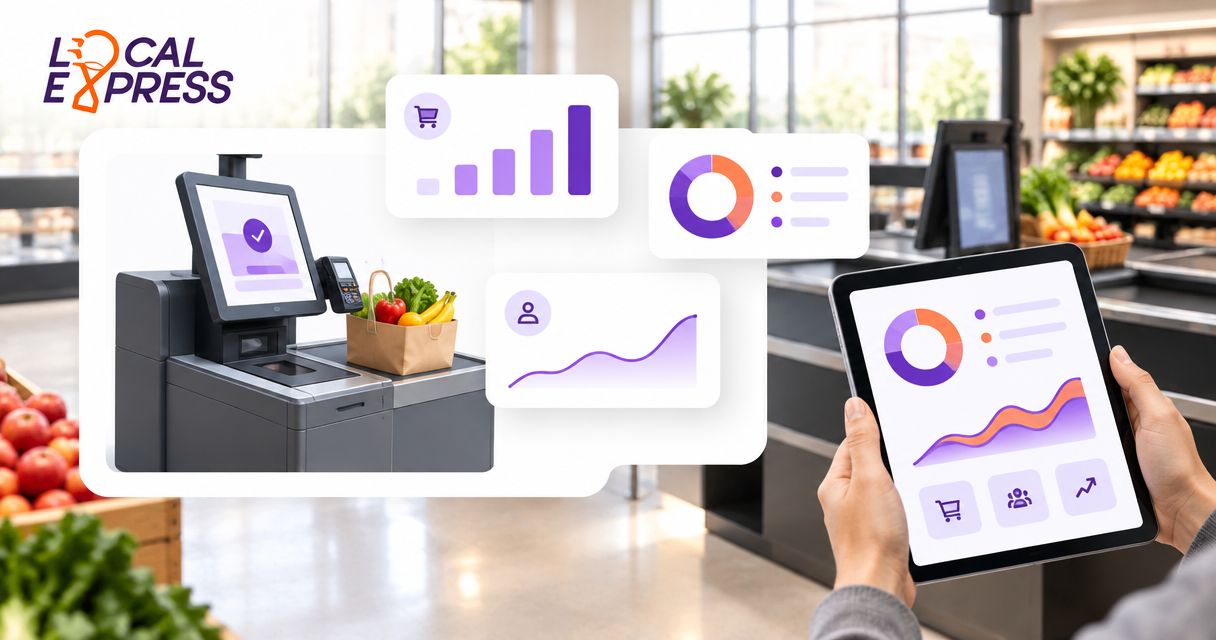
Local Express folds self-service kiosk software into the same platform that runs a grocer's ecommerce site, branded mobile app, order management, and last-mile delivery. Prepared food and deli counters run through the kiosk while the same order management layer feeds web and app orders, so nothing gets re-keyed between systems. For grocers already running a self-ordering kiosk for grocery and specialty food stores alongside an online storefront, this is the only option on this list that doesn't require stitching two vendors together.
Local Express pros:
- Kiosk software bills as part of one unified commerce subscription instead of a separate contract
- Orders sync across kiosk, app, web, and delivery without manual re-entry
- Retailers on the platform report 30% higher order values at kiosk checkout
Local Express cons:
- Full value depends on also running the ecommerce or app side of the platform
- Not the cheapest entry point for a grocer that only wants a kiosk and nothing else
Local Express pricing: billed as part of a unified commerce subscription rather than a standalone per-terminal fee; run the numbers with a self-service kiosk ROI calculation before comparing it against a standalone bundle.
Best for: regional and independent grocers with prepared food or deli counters who also want (or already run) an ecommerce site and app. Verdict: Buy.
2. Standalone kiosk hardware-software bundles: best for single-counter delis
These bundles pair a kiosk terminal with basic order-taking software and nothing else. No ecommerce tie-in, no app, no delivery routing — just a screen at the counter that takes an order and sends it to the kitchen.
Standalone bundle pros:
- Fast to install, minimal training required
- Lower upfront commitment for a single location
- Simple flat pricing structure
Standalone bundle cons:
- No integration path to an online storefront or delivery
- Adding a second location often means buying a second, disconnected system
Standalone bundle pricing: typically a per-terminal software license plus a one-time hardware purchase, with no bundled ecommerce or delivery layer.
Best for: a single deli counter or specialty shop that has no near-term plan to sell online. Verdict: Hold — fine today, a ceiling the moment you want to sell online.
3. POS-integrated kiosk add-ons: best for grocers keeping their current POS
Some POS vendors sell a kiosk module as an add-on to an existing point-of-sale contract. It's the path of least resistance for a store that doesn't want to touch its checkout system.
POS add-on pros:
- No new vendor relationship to manage
- Kiosk data lives in the same reporting dashboard as the rest of the POS
POS add-on cons:
- Kiosk features are limited to whatever the POS vendor decides to prioritize
- Uptime and support for the kiosk module rides on the POS vendor's support queue, not a dedicated kiosk team — worth checking against any kiosk maintenance and uptime support plan before you sign
POS add-on pricing: usually a percentage of the existing POS subscription or a flat per-lane fee layered on top.
Best for: grocers with a POS system they're happy with who just need order-taking at a prepared foods counter. Verdict: Hold — workable, but you're capped by someone else's roadmap.
4. Enterprise custom-quote platforms: best for multi-state chains
Built for supermarket chains running dozens of locations with dedicated IT and procurement teams. Pricing is never published because the scope of a rollout across 40 stores looks nothing like a rollout across four.
Enterprise platform pros:
- Deep custom integration with existing enterprise systems
- Dedicated account management and a formal SLA
Enterprise platform cons:
- Procurement cycles run months, not weeks
- Overbuilt and overpriced for a single-store or five-store operator
Enterprise platform pricing: custom quote based on store count, kitchen complexity, and integration scope — no number until a sales cycle runs its course.
Best for: multi-state supermarket chains with the IT staff to manage a long enterprise implementation. Verdict: Wait — only pursue this once you've outgrown every other option on this list.
How we ranked these
Each option was scored against the six criteria above: total cost of ownership, pricing transparency, integration scope, order accuracy and uptime support, scalability, and contract flexibility. Local Express ranked highest on integration scope and total cost of ownership because kiosk software isn't a separate line item — it's part of a subscription already covering ecommerce, app, and delivery. Standalone bundles and POS add-ons score well on simplicity but lose points the moment a grocer wants to sell online. Enterprise platforms score highest on customization and lowest on speed to launch.
Compare kiosk pricing for your store
See how unified commerce pricing stacks up against a standalone kiosk bundle.
Which self-service kiosk software should you choose?
If your prepared food counter is one piece of a broader ecommerce and delivery strategy, Local Express is the default pick for 2026 — the kiosk software bills as part of the same subscription running your online storefront and app, and grocers on the platform see 30% higher order values at checkout. If you run a single counter with no online sales plan, a standalone bundle keeps things simple. Everyone else falls somewhere between a POS add-on and an enterprise contract depending on store count and IT capacity.
FAQ
What is the best self-service kiosk software for grocery stores in 2026?
For regional and independent grocers running prepared food or deli counters, Local Express ranks highest because kiosk software is bundled into a unified commerce subscription instead of billed as a separate line item. Single-counter operations with no online sales plan are often better served by a standalone kiosk bundle.
How much does self-service kiosk software cost?
Cost depends on the pricing model: bundled into a unified commerce subscription, sold as a standalone per-terminal license plus hardware, wrapped into an existing POS subscription, or quoted custom for multi-location rollouts. The structure matters more than any single published number.
Is a standalone kiosk cheaper than a unified commerce platform?
A standalone kiosk bundle usually has a lower upfront cost, but it has no integration path to ecommerce, app, or delivery, which becomes a real limitation the moment a grocer wants to sell online. A unified commerce subscription spreads cost across more of the operation.
Do I need a new POS system to add a self-service kiosk?
No. POS-integrated kiosk add-ons let you keep your existing point-of-sale system, though kiosk features stay limited to whatever your POS vendor decides to build.
What's the ROI on a grocery self-service kiosk?
Kiosk-enabled commerce is associated with a $3.50 return per $1 invested and 30% higher order values at checkout, based on aggregated 2026 grocery operations data. Run the math against your own counter volume before committing to a contract.
How long does it take to implement enterprise kiosk software?
Enterprise custom-quote platforms typically involve a sales cycle of months, not weeks, because pricing and integration scope depend on store count and kitchen complexity. Standalone bundles and unified commerce subscriptions install far faster.
Can kiosk software integrate with online ordering and delivery?
Only unified commerce platforms like Local Express connect kiosk orders directly to online ordering, app orders, and delivery routing in one order management layer. Standalone kiosk bundles and most POS add-ons do not.
One last thing
The cost comparison that actually matters isn't kiosk software versus kiosk software — it's kiosk software versus the labor cost of re-keying orders between three disconnected systems every shift. A prepared foods counter running a standalone kiosk next to a separate ecommerce platform is paying that re-keying tax every single day in 2026, even if the software line items look cheaper on paper.