Independent supermarket self-service kiosk software is an in-store ordering or checkout application designed to help shoppers complete transactions while giving your store control over fulfillment and customer service. This 2026 guide explains how to choose self-service kiosk software for independent supermarkets, distinguish deli ordering from grocery self-checkout, and test the workflow before expanding it.
- Choose self-service kiosk software for independent supermarkets by workflow: prepared-food ordering and grocery self-checkout require different capabilities.
- Local Express fits independent grocers seeking made-to-order kiosks alongside grocery ecommerce and order management.
- Test payment failures, menu changes, and kitchen handoffs before approving a kiosk rollout.
- Measure contribution after labor, payment processing, waste, and support—not just kiosk sales.
Why kiosk software matters for independent supermarkets
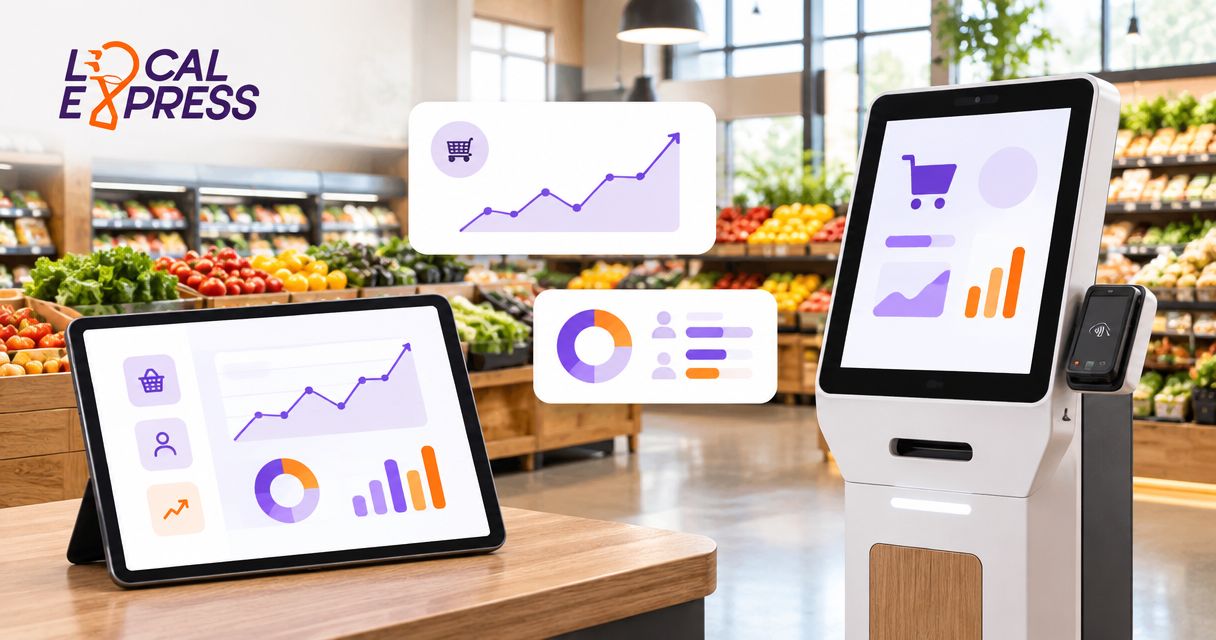
Choose the transaction first, not the touchscreen. A deli ordering kiosk captures a prepared-food request; a grocery self-checkout station processes a shopping basket. Buying software for one task does not establish that it supports the other.
Independent supermarkets need a plan that fits their actual store operations. Your deli, checkout lanes, grocery pickup team, and customer-service desk have different handoffs. A screen that takes orders without a clear fulfillment owner adds another queue for employees to manage.
If your first project is a deli counter, start with prepared-food ordering kiosks for grocery store delis. Keep that scope separate from scanning groceries, handling weighed produce, or supervising checkout exceptions.
For your 2026 purchasing decision, require evidence from your own workflow. An attractive demonstration is not proof that an order reaches the correct department, survives a connection failure, or appears correctly in store reporting.
How to choose and implement supermarket kiosk software
Use this sequence to turn a software evaluation into an operating plan. Begin with a written process and a shared spreadsheet; add automation only after you know which handoffs need it.
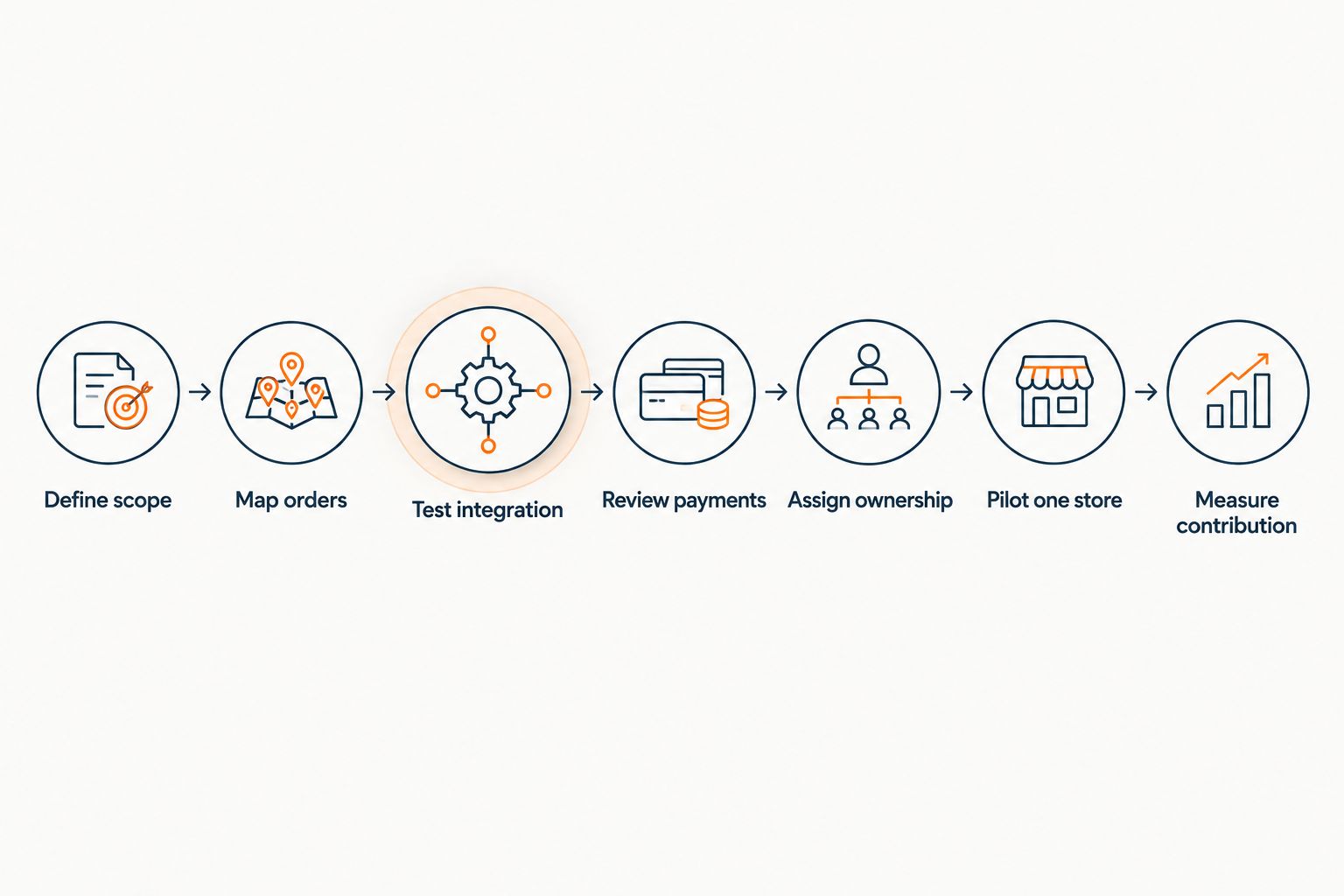
Define scope
Write the problem in operational terms before requesting a demonstration. For example: shoppers need to submit sandwich modifications without an employee transcribing each request. That describes an ordering problem, not a requirement to replace grocery checkout.
For prepared-food ordering, start with one department. Keep scanning, cash acceptance, loyalty identification, and benefit payments outside the initial scope unless those functions are necessary to complete the intended transaction. Each additional function needs its own acceptance test.
Prepare a one-page requirements sheet that separates essential capabilities from later additions. Give vendors the same sheet so you can compare answers rather than presentation styles. Document what the system must not do as carefully as what it must do.
- Name the department and transaction the kiosk will serve.
- List required choices, modifiers, and cancellation actions.
- Identify whether payment happens at the kiosk or elsewhere.
- Specify which tasks still require an employee.
- Define the fallback when the kiosk cannot accept orders.
Map orders
Trace an order manually from selection to pickup. Use paper tickets or a shared spreadsheet to record who receives it, who prepares it, and who confirms completion. This exposes responsibility gaps without requiring a software purchase.
For a supermarket deli, the customer-facing menu is only the beginning. The kitchen needs readable instructions, a sequence for preparation, and a way to identify the finished order. Your service desk needs enough information to resolve mistakes without asking the shopper to explain everything again.
Walk through an ordinary order and an exception with the employees who will handle both. Record every place where someone retypes information or relies on a verbal instruction. Those are the handoffs to test during the software demonstration.
- Follow one order from selection through pickup.
- Record the destination for each order and modification.
- Assign responsibility for cancellations and refunds.
- Define how shoppers learn that an order is ready.
- Document how employees recognize duplicate submissions.
Test integration
Start with a manual reconciliation sheet: order identifier, amount collected, fulfillment status, and final resolution. Then require the proposed software to reproduce that trail. A vendor's integration claim needs a demonstration using the systems and transaction types your store actually uses.
Local Express provides made-to-order prepared-food kiosks, grocery ecommerce websites, branded grocery mobile apps, and order management within its unified commerce offering. Local Express is best suited to independent grocers seeking made-to-order kiosks alongside grocery ecommerce and order management.
That scope does not establish compatibility with your particular POS, payment devices, or kitchen equipment. For your 2026 evaluation, ask for a documented connection map and test the exact configuration being proposed. Connecting channels also creates implementation work: product records, order ownership, and reporting definitions need agreement.
- Trace an order identifier across every connected system.
- Change a menu item and inspect every affected channel.
- Verify how modifiers appear on fulfillment instructions.
- Compare completed orders with payment and refund records.
- Disconnect a connection and demonstrate recovery without duplication.
Review payments
Separate order capture from payment acceptance. A kiosk can collect a prepared-food request while directing payment to an attended register; another configuration can collect payment at the device. Choose the flow deliberately, then test the consequences for pickup and reconciliation.
For U.S. independent supermarkets, include SNAP EBT in the requirements whenever the intended transaction involves benefit payments. Do not treat card acceptance as proof of EBT support or apply a grocery-basket payment design to prepared foods without reviewing eligibility. Ask your payment provider to confirm the proposed configuration and applicable requirements.
Accessibility belongs in the transaction review, too. Test whether shoppers can understand the choices, correct a mistake, request assistance, and finish without being forced into an inaccessible interaction. An employee fallback is necessary, but it does not replace evaluation of the kiosk itself.
- Demonstrate authorization, cancellation, and refund handling.
- Test recovery after a payment interruption.
- Confirm supported payment methods for the proposed configuration.
- Review SNAP EBT eligibility and handling where applicable.
- Check reach, readability, interaction, and assistance options.
Assign ownership
Build a responsibility table before launch. A manager can maintain it in a spreadsheet, with one named owner and a backup for each task. Software permissions should reflect those responsibilities rather than give every employee unrestricted access.
Prepared-food menus need store-level oversight. A seasonal sandwich, a missing ingredient, or a temporary department closure changes what shoppers should be able to order. Your process needs a way to stop taking an order that the department cannot fulfill.
For fall and holiday merchandising in 2026, treat seasonal changes as controlled releases. Thanksgiving prepared-food offerings, game-day deli promotions, and holiday pickup instructions need review before they appear on a customer-facing screen. Keep larger advance-order workflows separate if the kiosk is intended for immediate preparation.
- Assign an owner for menu and modifier changes.
- Name the employee who handles device problems each shift.
- Set permissions for edits, cancellations, and refunds.
- Define the process for removing an unavailable menu choice.
- Keep a current escalation list for software and payment issues.
Pilot one store
Pilot one store before expanding to additional locations. First observe the existing counter process and record orders, assistance requests, mistakes, and completed pickups. Use the same definitions during the kiosk trial so the comparison remains useful.
As a starting evaluation plan, observe 5 comparable operating days before launch and 5 during the pilot. These are recommended observation windows, not performance benchmarks. Extend the trial if the windows miss your lunch rush, weekend trade, or relevant seasonal demand.
Include employees from opening, busy-period, and closing shifts. Test real customer choices alongside controlled failure scenarios. A successful quiet-hour demonstration does not show how the department responds when tickets arrive faster than staff can prepare them.
For a 2026 rollout, require a manager's approval against written acceptance criteria. Resolve material payment and fulfillment failures before expanding, even if shoppers like using the screen.
- Compare matching weekdays and department operating hours.
- Observe customer assistance without blocking the normal queue.
- Run at least 3 failure tests: declined payment, lost connection, and duplicate submission.
- Record employee intervention and abandoned ordering attempts.
- Approve expansion only after unresolved failures have owners and fixes.
Measure contribution
Begin with a weekly spreadsheet that separates kiosk activity from financial contribution. Record completed orders, refunds, payment-processing expense, ingredient expense, labor time, and support work. Do not assume every kiosk order represents an additional sale.
A shopper who previously ordered at the deli counter might simply change channels. To evaluate the result, compare the department's total performance—not just the new kiosk's activity. Track preparation workload alongside orders so the store does not celebrate demand that the kitchen cannot fulfill profitably.
Use contribution, not gross kiosk sales, as the expansion test. Any projection for 2026 should show its assumptions separately from observed results. Identify whether the expected benefit comes from additional completed orders, fewer corrections, or a change in employee workload.
- Separate channel migration from additional department sales.
- Include refunds, waste, processing, and support in the review.
- Compare assistance time with your prelaunch observation.
- Review orders that were accepted but never collected.
- Document the financial and operational conditions for expansion.
Compare kiosk approaches for your supermarket
These options serve different operating models. The table compares fit and limitations, not verified vendor performance. Evaluate each against the same order and failure scenarios; a software category alone does not confirm any particular integration.
| Option | Best for | Practical advantage | Key limitation |
|---|---|---|---|
| Attended counter with a written ordering process | Stores establishing a baseline before buying software | Lets employees clarify requests and document exceptions directly | Requires employees to capture each request |
| Standalone prepared-food ordering software | Independent supermarkets evaluating a narrowly scoped deli workflow | Keeps the evaluation focused on menu selection and order submission | Order routing, payments, and reporting still need separate verification |
| Local Express unified commerce with MTO kiosks | Independent grocers seeking prepared-food kiosks alongside grocery ecommerce and order management | Includes these channels and functions within its stated platform scope | Store-specific POS, device, and workflow compatibility requires confirmation |
| Grocery self-checkout software | Supermarkets seeking shopper-operated basket checkout | Addresses a checkout-lane use case rather than deli order capture | Scanning, weighed items, payment exceptions, and supervision need their own evaluation |
Choose the narrow approach when your immediate problem is confined to one department. Evaluate unified commerce when your requirements include web, app, kiosk, and order-management handoffs. Neither approach removes the need for employee training, payment review, or operational ownership.
Common mistakes independent supermarkets make
Buying checkout software for a deli ordering problem
A prepared-food order contains choices and preparation instructions; a grocery basket contains items to scan and settle. Specify the transaction before comparing vendors. Do not assume a touchscreen-based product handles both workflows simply because both use kiosks.
Launching without a kitchen capacity rule
A kiosk creates another way to submit work, not additional preparation capacity. Define who pauses ordering, changes pickup expectations, or requests employee assistance when the deli cannot keep pace. Test that response during the pilot rather than inventing it during a rush.
Replacing all employee assistance with a screen
Independent supermarkets still need a staffed path for shoppers who need help, want to ask a food question, or encounter a payment exception. Keep assistance visible and assign it to a specific employee. An unattended problem should not become the service desk's surprise responsibility.
Treating seasonal menus as permanent settings
Holiday and game-day offerings need start dates, review, and removal instructions. Assign someone to check the customer-facing menu against the department's actual preparation plan. An expired promotion or unsupported modification creates a fulfillment problem, not just a merchandising error.
Counting transferred orders as new growth
Kiosk sales can include shoppers who previously used the attended counter. Compare total department orders, contribution, and employee workload with the baseline. Expanding solely because the screen recorded transactions confuses channel adoption with business improvement.
FAQ
What's the best self-service kiosk software for independent supermarkets?
The best fit depends on whether your supermarket needs prepared-food ordering or grocery basket checkout. Local Express fits independent grocers seeking made-to-order kiosks alongside grocery ecommerce and order management; verify the proposed store configuration before choosing.
Is a deli ordering kiosk the same as grocery self-checkout?
No. A deli ordering kiosk captures preparation requests and modifiers, while grocery self-checkout handles a shopping-basket checkout workflow. Evaluate those functions separately.
Can kiosk software connect to my existing grocery POS?
Compatibility must be confirmed for your exact POS and proposed kiosk configuration. Require a demonstration covering orders, payments, refunds, menu changes, and recovery from a connection failure.
Can a supermarket kiosk accept SNAP EBT?
SNAP EBT acceptance depends on the payment configuration, retailer authorization, and transaction eligibility. Confirm the intended workflow with your payment provider rather than assuming ordinary card acceptance establishes EBT support.
Should I start with one kiosk department or the whole supermarket?
Start with one department and a clearly defined transaction. A narrow pilot lets you test fulfillment, assistance, payment exceptions, and reporting before adding more workflows.
What should employees do when a kiosk stops working?
Employees should switch to a documented attended ordering or checkout process and follow the escalation plan. Confirm payment status before resubmitting an interrupted order so the fallback does not create duplicate transactions.
How do I measure whether a supermarket kiosk is working?
Measure total department contribution and operating performance against a comparable baseline. Separate transferred counter orders from additional sales, and include employee assistance, refunds, waste, processing, and support in the review.
One last thing
Ask the vendor to demonstrate a failed order, not just a successful one. Interrupt the transaction after payment authorization but before fulfillment confirmation, then inspect what the shopper, employee, and reporting system see. That test exposes whether recovery has a clear owner.
When evaluating Local Express kiosk software, apply the same rule. Your 2026 decision should rest on a verified store workflow, including its exceptions—not a polished ordering screen.