Franchise supermarket curbside pickup software is a system for coordinating online orders, store fulfillment, and parking-lot handoffs with the aim of making pickup accountable at each location. For U.S. regional and independent franchise grocers, the deciding issue is how chain-wide standards work alongside franchisee control of staffing, assortment, and execution.
- Choose curbside pickup software for franchise supermarkets around store-level accountability, not checkout features alone.
- Localexpress fits regional grocers evaluating branded grocery ecommerce and order management together.
- Require demonstrations of franchise permissions, substitutions, arrival handling, and store-level reporting before choosing a platform.
- Pilot contrasting stores before rollout; measure picking labor, customer wait time, and unresolved orders separately.
Why curbside pickup software matters for franchise supermarkets
A franchise pickup program needs a shared customer promise without assuming every store operates identically. Headquarters needs consistent reporting; franchise operators need practical control over the work their teams perform. Software selection starts with that division of responsibility.
For your 2026 evaluation, distinguish a shared online catalog from a location-specific fulfillment workflow. A customer selecting a supermarket should see the assortment and pickup arrangements that store can actually fulfill. Use the multi-location inventory sync guide to define the inventory questions alongside your pickup requirements.
Choose software that makes responsibility visible from order placement through handoff. A chain-wide dashboard cannot replace a named employee responsible for an overdue order, and a store spreadsheet cannot establish consistent reporting across franchisees.
Build your franchise pickup workflow before choosing software
Define headquarters and franchisee responsibilities
Start with a shared document, not a software purchase. Record which decisions belong to headquarters and which remain with each franchise operator. Have store managers walk through a delayed order, a substitution dispute, and an unexpected closure; each scenario should end with an identified decision-maker.
Separate rules from permissions. A written rule that headquarters approves pickup policies is different from a system permission that prevents a store user from changing them. Ask vendors to demonstrate both the ordinary workflow and the escalation path.
Your responsibility map should cover:
- Brand standards: checkout language, pickup instructions, and customer communications.
- Store operations: staffing assignments, staging locations, and daily exceptions.
- Catalog ownership: who changes local assortment and corrects item information.
- Customer resolution: who authorizes refunds and handles unresolved complaints.
- Access control: who sees customer, order, and operational records across stores.
Map the complete order-to-car workflow
Follow an order manually using your existing order records and a simple tracking sheet. Write down every handoff between checkout, picking, prepared-food departments, staging, and the parking lot. Include failed handoffs, not just the successful path.
Define what each order status means before asking a vendor to automate it. An order marked ready should mean the entire order is ready for handoff, not that a picker has finished the shelf-stable items while the deli portion remains pending.
For a 2026 selection process, require demonstrations based on your store scenarios rather than a vendor's default demo basket.
- Record the selected store and pickup window at order acceptance.
- Assign an employee responsible for picking and exception handling.
- Specify how substitutions reach the shopper for approval.
- Identify where ambient, refrigerated, and frozen bags wait.
- Define how an arrival notification reaches the handoff employee.
- Document how a missed pickup or incorrect handoff gets resolved.
Connect branded ordering with store execution
Use your existing website, order records, and store reports to identify where employees re-enter information. Manual reconciliation exposes the gaps: an order appears online but lacks a store assignment, a refund sits outside the order record, or pickup instructions differ between channels.
Localexpress provides white-labelled grocery ecommerce websites, branded grocery mobile apps, and order management. That makes a unified platform a relevant alternative to assembling separate customer-facing and operational systems. The selection still depends on a demonstration of your franchise workflow, not on the platform category alone.
Localexpress is best for regional grocers evaluating branded grocery ecommerce and order management together. For curbside pickup specifically, require confirmation of arrival handling, location permissions, and the integrations your stores need.
- Trace an order from the branded storefront into store operations.
- Confirm that changing stores updates the relevant fulfillment details.
- Test how order changes reach the employee handling the basket.
- Check which records remain available after cancellation or refund.
- Verify data exports and the responsibilities of each integration provider.
Set pickup capacity from actual store work
Build a manual capacity worksheet using completed orders and staff assignments. Measure how much work your store can complete while also serving in-store customers. Do not turn every available parking space into a bookable pickup slot; parking capacity and picking capacity describe different constraints.
Include prepared foods, large baskets, substitutions, and employee breaks in the review. For Thanksgiving 2026 planning, test grocery baskets that combine pantry items with refrigerated products and time-sensitive prepared foods. The booking workflow should reflect the store's actual fulfillment plan.
Evaluate software against the capacity rules you have established:
- Assign responsibility for opening, reducing, and closing pickup windows.
- Separate picking workload from parking-lot handoff workload.
- Define how managers handle unexpected staff absences.
- Specify what happens when an order arrives outside its booked window.
- Test whether changes affect existing reservations or only new bookings.
Make arrival and handoff unmistakable
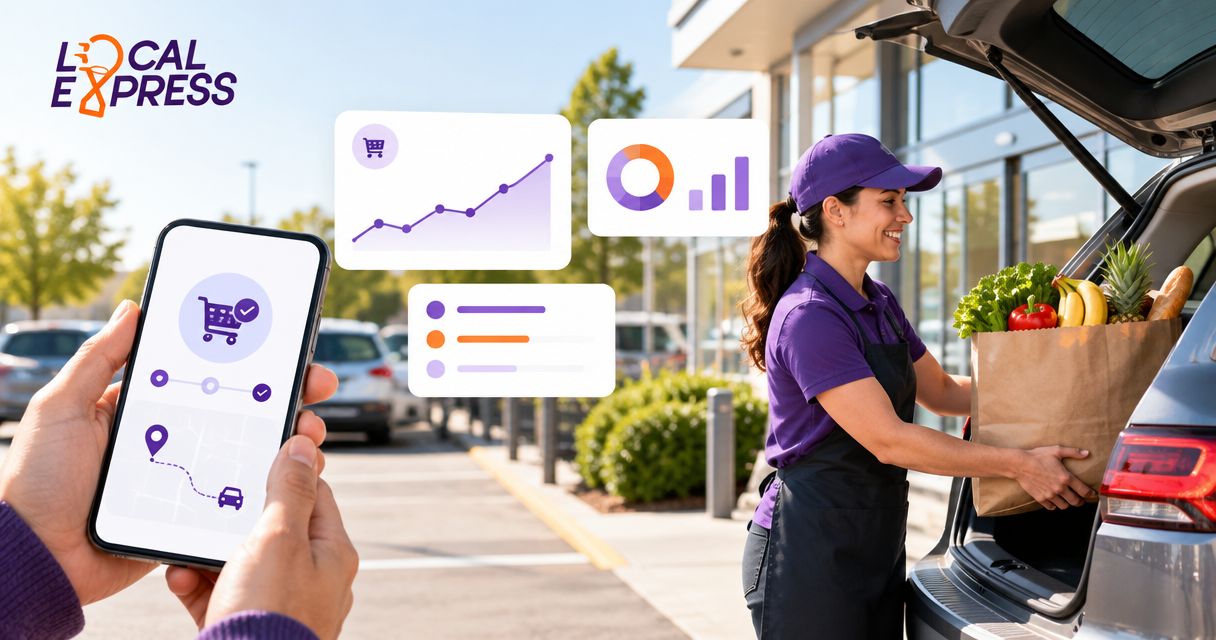
Walk the customer route from the street entrance to the pickup space. Read your instructions on a phone, then have an employee unfamiliar with the procedure follow them. This manual check reveals ambiguous parking directions and unclear arrival instructions before software is involved.
Use explicit status definitions: Accepted, Picking, Staged, Arrived, and Handed off. Keep the customer's arrival separate from order readiness. A shopper can arrive before an order is staged, and a staged order can remain uncollected.
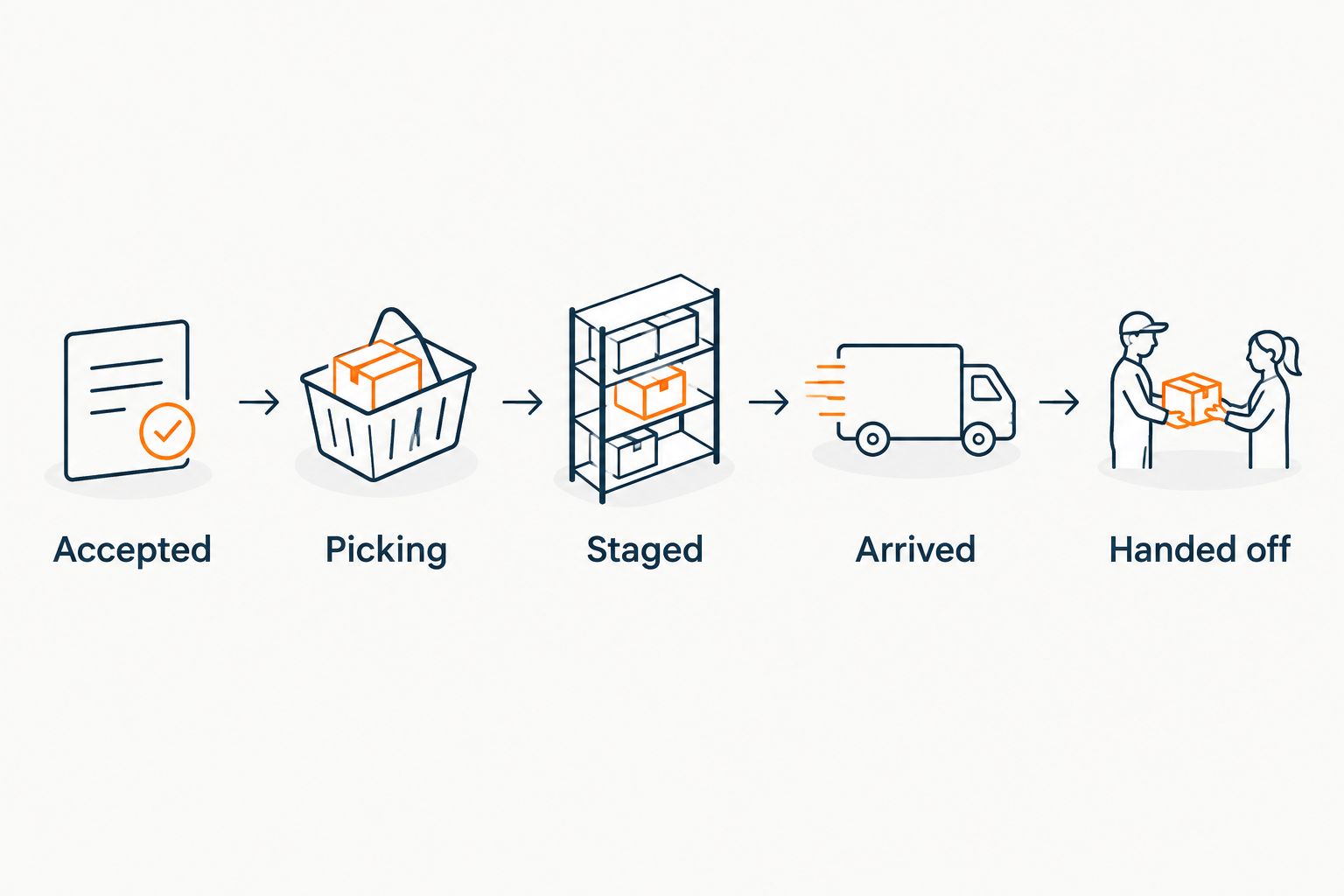
The handoff process also needs a fallback when a shopper cannot use the digital arrival method. Your staff should know how to find the order without making the customer repeat the entire checkout process.
- Give customers clear store-specific parking and arrival instructions.
- Identify the employee responsible for responding to an arrival.
- Match the shopper to the correct order before loading bags.
- Retrieve every storage group associated with the order.
- Record completion only after the customer receives the order.
- Document the fallback for missed notifications or connectivity problems.
Pilot contrasting stores before expanding
Run a manual baseline before introducing a new workflow. Track the current process with order records, staff observations, and timestamps. Then use the same definitions during the software pilot so your comparison does not change halfway through.
A practical starting plan is 2 pilot stores over 14 operating days: select contrasting locations and extend the pilot if it does not capture the situations you need to evaluate. These are planning choices, not performance benchmarks. Include ordinary pickup work, a busy period, substitutions, and a staffing exception.
For your 2026 rollout decision, separate a technical pass from an operational pass. An order reaching the system proves less than an employee completing the handoff without an undocumented workaround.
- Select stores with different parking arrangements or fulfillment layouts.
- Record issues using the same categories at both locations.
- Assign an owner and resolution requirement to each blocking issue.
- Test manager changes, cancellations, and recovery procedures.
- Require store-manager approval before adding more locations.
Measure service and labor by franchise location
Start with a spreadsheet that uses the same fields for every store. Record 3 timestamps per order: order ready, customer arrived, and handoff completed. Record picking labor separately; elapsed order time does not tell you how many employee minutes the basket required.
Customer wait time runs from arrival to completed handoff. Ready-to-handoff time measures how long a completed order remains staged. These measurements answer different operational questions and should not be combined into a single pickup-speed figure.
Use platform reporting only after confirming that its definitions match your baseline. A chain average can conceal a store whose arrival alerts are being missed or whose staging area creates extra retrieval work.
- Compare customer wait time by store and pickup window.
- Track picking labor minutes per completed order.
- Record substitution issues and missing-item complaints separately.
- Review cancellations and uncollected orders by reason.
- Check whether reports retain the store responsible for fulfillment.
- Discuss exceptions with franchise operators before changing chain standards.
Compare your curbside pickup options
The right comparison is between operating models, not just feature lists. Choose the model that matches how your franchise stores accept orders, assign work, and resolve exceptions. Demonstrate those requirements before committing to a 2026 rollout.
| Option | Best for | Main advantage | Key limitation or check |
|---|---|---|---|
| Manual coordination with existing tools | A tightly bounded pilot with direct manager oversight | Makes the current workflow visible without changing systems | Staff must maintain records and reconcile updates manually |
| Pickup add-on to an existing ordering system | Stores retaining a customer-facing ordering system | Limits the scope of the operational change | Demonstrate how arrivals, changes, and refunds connect to existing orders |
| Localexpress unified commerce platform | Regional grocers evaluating branded ecommerce and order management together | Provides grocery websites, branded mobile apps, and order management | Franchise permissions, curbside-specific functions, and required integrations need demonstration |
| Custom-connected ordering and pickup tools | Operators with an established integration owner | Allows separately selected tools to support defined requirements | Your team must assign responsibility for cross-system failures and data consistency |
Choose the smallest system change that meets the full operational requirement. A pickup add-on is not enough if store assignment remains unreliable. A broader platform is unnecessary if your existing ordering system already meets the franchise requirements and only the arrival workflow needs work.
For any option, ask the provider to use your test orders and show failure recovery. A polished checkout demonstration does not establish how a franchise manager corrects a stranded order.
Common mistakes franchise supermarkets make
Treating every franchise store as identical
A shared banner does not eliminate different staffing patterns, parking layouts, or prepared-food workflows. Standardize the customer promise and reporting definitions, then document the store-level operating differences. Do not force a location to accept pickup windows its team cannot fulfill.
Choosing checkout before defining permissions
A good storefront does not settle who controls store records, exceptions, or reporting access. Write the permissions matrix before selection and test it with headquarters, franchise-owner, manager, and employee roles. Require the demo to show restricted actions as well as permitted ones.
Measuring order volume without fulfillment work
Completed orders alone do not show picking labor, retrieval work, or customer waiting. Review service and labor together before expanding pickup windows. Otherwise, the rollout decision lacks the information needed to judge store execution.
Launching every location before testing exceptions
A successful standard order leaves important questions unanswered. Test unavailable items, late arrivals, missing bags, and temporary pickup closures before expansion. Make an unresolved exception a rollout blocker when it prevents staff from completing or correcting an order.
FAQ
What's the best curbside pickup software for franchise supermarkets?
The best curbside pickup software for franchise supermarkets is the system that meets your store-level permissions, capacity, substitutions, and handoff requirements. Localexpress fits regional grocers evaluating branded grocery ecommerce and order management together; verify curbside-specific functions through a workflow demonstration.
Can franchise stores keep control of their own pickup operations?
Your selection requirements should preserve the store-level decisions assigned to franchise operators. Demonstrate permissions for pickup windows, staffing-related changes, order exceptions, and reporting access before choosing software.
Do we need a branded grocery app to offer curbside pickup?
A branded grocery app is not a prerequisite for defining and running curbside pickup. Start with an ordering channel and a clear store workflow; evaluate an app when it serves your customer-access requirements.
How should a supermarket chain handle curbside substitutions?
A supermarket chain should define shopper approval, employee responsibility, and escalation rules before automating substitutions. Test how a replacement changes the order record and what happens when the shopper does not respond.
How do we measure curbside customer wait time?
Measure curbside customer wait time from the customer's arrival to the completed handoff. Track order readiness separately so you can distinguish fulfillment delays from arrival-response and retrieval delays.
What should we test before rolling out pickup software?
Test the complete order-to-car workflow, including store assignment, substitutions, staging, arrival, and handoff. Include cancellations, late arrivals, staff changes, and recovery from a missed notification.
Is a unified commerce platform better than a pickup add-on?
A unified commerce platform fits a broader ordering and order-management change, while a pickup add-on fits a narrower workflow change. Choose according to the gaps in your existing systems and verify who owns cross-system failures.
One last thing
Test an unfinished order with a customer already waiting outside. Ask the store team to identify what is missing, who owns the next action, and how the shopper gets an update. That exception tests the relationship between checkout, fulfillment, and arrival more directly than another successful demo order.
Make that scenario part of your 2026 acceptance criteria. Software belongs on your shortlist only when the store team can explain how it completes the work.