Grocery shrink eats margin before a single item leaves the store, and self-service kiosks either close that hole or blow it wide open depending on the software running underneath. This guide covers what kiosk software for grocery loss prevention actually needs to do in 2026, which setups earn a Buy, and which ones just move the theft somewhere the cameras don't reach.
- Kiosk software for grocery loss prevention only works when checkout, cash drawers, and inventory share one ledger — buy that, skip standalone kiosks.
- Self-checkout kiosks with weight verification catch sweethearting and item-swap fraud before they hit the register total.
- Prepared food ordering kiosks cut counter-level theft in delis by moving cash handling off line staff.
- Cash management software that doesn't reconcile against kiosk drawers is a shrink blind spot, not a fix — skip it in 2026.
Why this matters
Most grocers buy kiosks to cut labor cost and speed up checkout or deli ordering. Loss prevention gets bolted on afterward, if at all, and that's the gap shrink walks through.
A kiosk that processes a sale without touching your live inventory count is a blind spot with a nice screen on it. Voids, refunds, and manager overrides need a login and a timestamp attached, or they're just a hole in the ledger with a receipt printed on top. Independent and regional grocers running centralized order management across web, app, and kiosk channels close that gap because every transaction, no matter the channel, lands in one system instead of three disconnected ones.
The operators getting burned in 2026 aren't the ones without kiosks — they're the ones who bought kiosk hardware and treated the software as an afterthought.
Who this is for
This is for independent and regional grocery operators running one to fifteen stores who already have self-checkout or self-ordering kiosks, or are about to install them, and want the software layer to actually catch shrink instead of just speeding up throughput. If your deli counter, checkout lanes, or cash drawers show unexplained variance month over month, the kiosk software — not the hardware — is usually where the fix lives.
What to look for in kiosk software for grocery loss prevention
Real-time inventory sync
A kiosk transaction that doesn't immediately deduct from your live count creates a window where the same item can be scanned, voided, and walked out before anyone notices the mismatch. Sync has to happen at the transaction, not on a nightly batch job. Grocers running batch reconciliation typically find their shrink numbers a full cycle behind reality.
Weight and barcode verification at checkout
Sweethearting — ringing up a cheap item's barcode while bagging an expensive one — is the most common self-checkout fraud pattern in grocery, and it only gets caught when the kiosk cross-checks scanned weight against the item's expected weight. Software without this check turns your self-checkout lane into an honor system with a card reader attached.
Void, override, and refund audit trails
Every void and manager override needs a login, a reason code, and a timestamp that ties back to a specific employee. Kiosk software without this logging makes overrides untraceable, and untraceable overrides are the single easiest way for shrink to hide in plain sight on a P&L.
Cash drawer reconciliation tied to kiosk sessions
If your kiosk accepts cash, the drawer count needs to reconcile against that specific kiosk's session, not a store-wide cash total. Lumping kiosk cash into one register total makes it nearly impossible to isolate which unit or which shift is running short.
Manager permission tiers
Not every override needs the same authority level. Software that lets any staff badge approve a $150 refund the same way it approves a $4 price correction is asking for abuse. Tiered permissions with dollar thresholds keep the biggest exposure locked behind the fewest logins.
Centralized visibility across channels
Shrink doesn't respect channel boundaries — a customer who orders online, picks up at a kiosk, and gets a refund through the app needs that full sequence visible in one place. Split systems mean nobody sees the pattern until an audit forces the question.
See kiosk loss prevention in one system
Local Express ties kiosk, web, and app orders to one inventory and audit ledger.
Top picks for grocery loss prevention kiosks
Self-checkout kiosks with weight verification — the anti-sweethearting pick
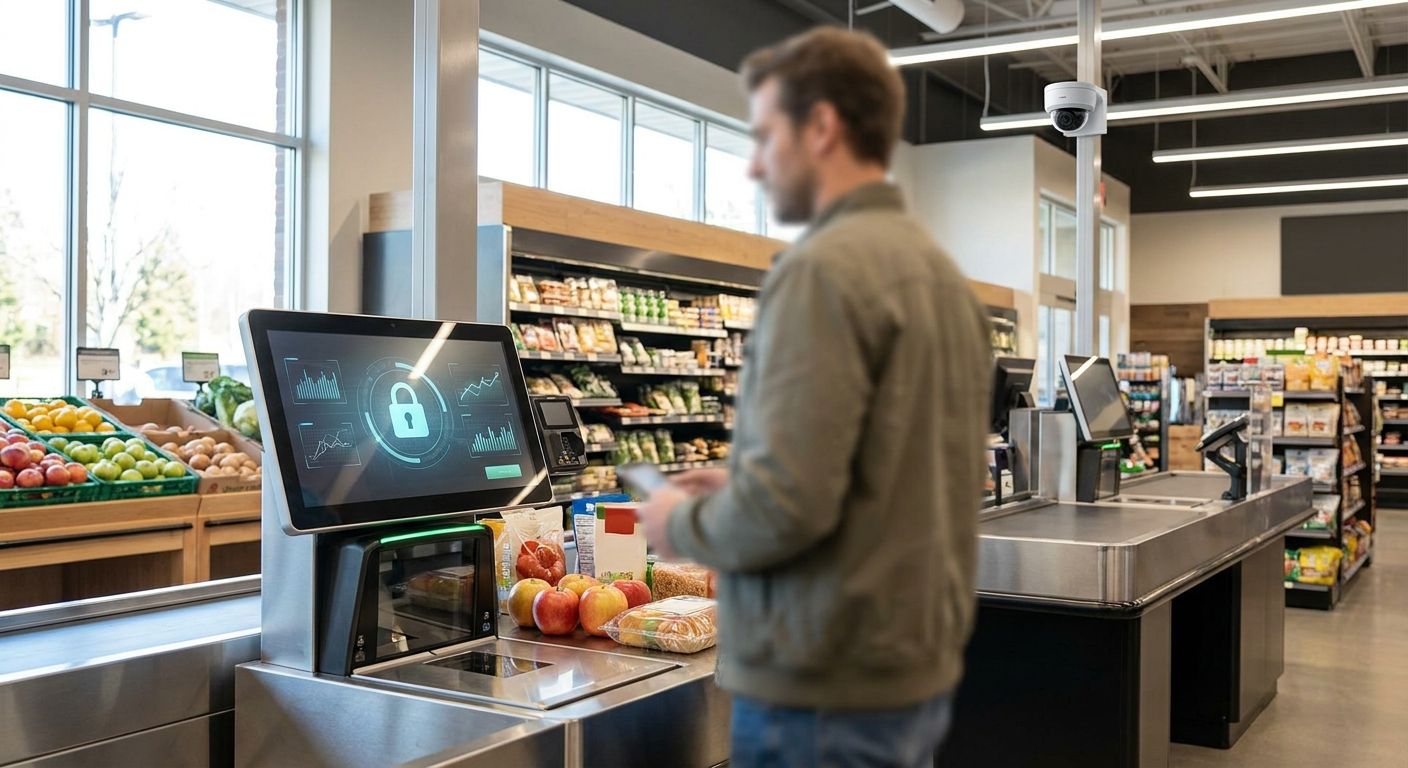
The spec that matters here is the weight-verification check running on every scan, not just random spot checks. Self-checkout kiosks built for independent grocery stores tie that verification directly to live inventory, so a mismatch flags before the transaction closes instead of showing up in next month's count. For any grocer running more than two self-checkout lanes in 2026, this is the baseline, not the upgrade. Verdict: Buy.
Contactless payment kiosk setup — the card-fraud closer
Card-present fraud and skimming attempts concentrate on kiosks with outdated payment terminals, which is exactly where a proper contactless payment setup for grocery self-checkout kiosks earns its keep. Tap-to-pay and tokenized transactions remove the magstripe skim risk entirely and cut the manual card-entry overrides that staff sometimes use to push through declined cards. Verdict: Buy.
Prepared food ordering kiosks for delis — the counter-theft fix
Deli counters are where cash-handling shrink concentrates because staff are taking orders, handling payment, and prepping food at the same time — too many hands in too many parts of the transaction. Prepared food ordering kiosks for grocery store delis move payment off the counter staff entirely, so the person handing over the sandwich never touches the cash drawer. Verdict: Consider if your deli runs more than one shift per day; the labor reshuffle takes planning.
Standalone cash management software, no kiosk tie-in — the false fix
Cash management software that reconciles your registers but never talks to your kiosk drawers looks like a loss-prevention upgrade and isn't. It catches variance at the store level while leaving you blind to which specific kiosk or shift caused it. Verdict: Skip unless it explicitly reconciles per-kiosk sessions, not just store totals.
“If a kiosk can't tie a void to a login, you don't have loss prevention, you have a kiosk.”
What to avoid
- Kiosk hardware sold without a loss-prevention module. A touchscreen with a card reader is not software — ask specifically whether voids, overrides, and weight checks are logged, not just processed.
- Batch inventory sync instead of real-time. Nightly updates mean your shrink report is always a full day behind the theft it's supposed to catch.
- One-size permission logins. If every badge can approve every override, you don't have a permission tier, you have a shared password.
Verdict comparison
| Setup | Inventory sync | Audit trail | Verdict |
|---|---|---|---|
| Self-checkout with weight verification | Real-time | Full void/override log | Buy |
| Contactless payment kiosk | Real-time | Transaction-level | Buy |
| Prepared food ordering kiosk | Real-time | Order + payment log | Consider |
| Standalone cash management (no kiosk tie-in) | None | Store-level only | Skip |
FAQ
What is kiosk software for grocery loss prevention?
It's the software layer running on self-checkout or self-ordering kiosks that logs voids, overrides, and refunds, verifies item weight against barcode scans, and syncs every transaction to live inventory in real time. Hardware alone doesn't prevent shrink — the logging and verification logic does.
Do self-checkout kiosks increase grocery shrink?
They can, if the software doesn't verify item weight or log overrides, because self-checkout removes a staff member from the transaction. Kiosks with real-time weight verification and audit logging close that gap instead of widening it.
How much does grocery kiosk loss prevention software cost in 2026?
Cost varies by store count, kiosk unit count, and whether the software bundles with an existing ecommerce or order management platform. Check current pricing directly with the vendor rather than relying on published averages, since bundled platforms price differently than standalone loss-prevention add-ons.
Is prepared food kiosk ordering better than counter service for theft?
Prepared food ordering kiosks reduce cash-handling shrink at the deli counter because payment moves off the staff member prepping the order. It's a Consider, not an automatic Buy, since multi-shift delis need to plan the labor reshuffle first.
What's the difference between cash management software and kiosk loss prevention software?
Cash management software reconciles register totals at the store level, while kiosk loss prevention software ties reconciliation to individual kiosk sessions and logs every void and override at the transaction level. Store-level cash software alone won't tell you which kiosk or shift caused a shortage.
Can kiosk software integrate with existing grocery inventory systems?
Yes, real-time inventory sync is the baseline requirement for kiosk loss prevention in 2026 — if a kiosk platform can't sync live to your inventory system, it can't flag a weight or count mismatch when it happens.
Do manager overrides need to be logged on grocery kiosks?
Yes, every override should carry a login, a reason code, and a timestamp tied to a specific employee. Untraceable overrides are one of the most common ways shrink hides on a grocery P&L.
One last thing
The override button is the most exploited loophole on any grocery kiosk, not the checkout scanner. Lock overrides behind a manager PIN with a dollar threshold, and shrink tied to voids drops before you touch a single camera or headcount.