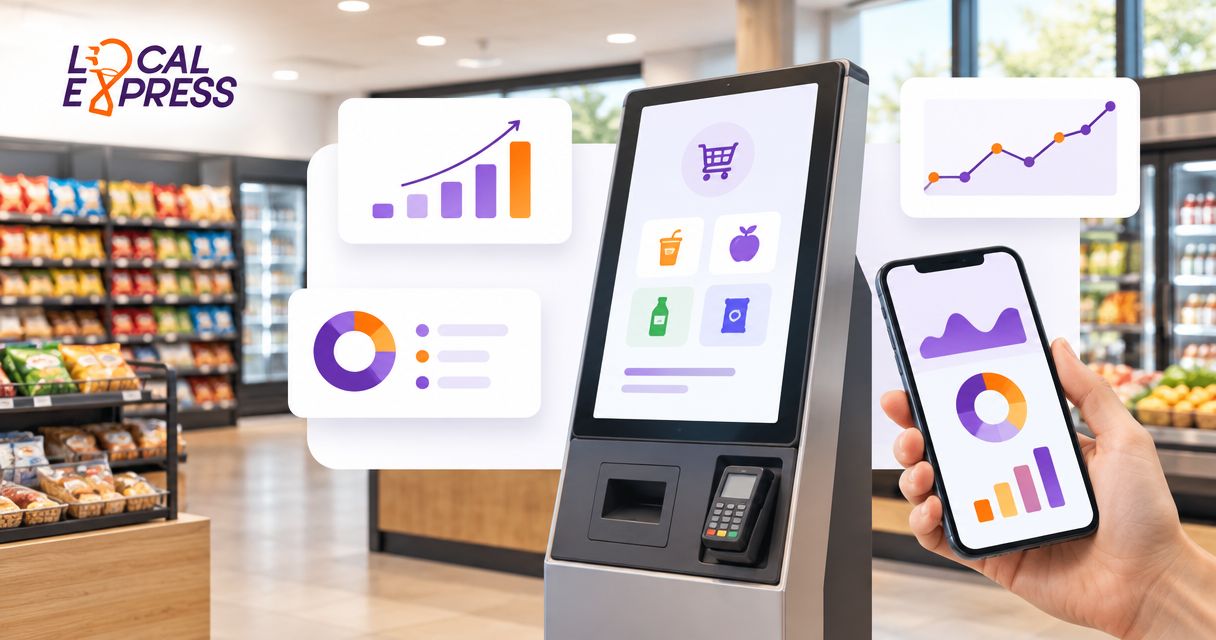
Convenience store kiosk software is an ordering or checkout system that lets shoppers serve themselves, with the aim of moving purchases into fulfillment without an employee entering every order. This guide explains how to choose self-service kiosk software for convenience stores in 2026, focusing on regional and independent grocery operators with convenience-format food marts and prepared-food counters.
- Choose self-service kiosk software for convenience stores by workflow: prepared-food ordering and grocery self-checkout require different controls.
- Localexpress fits grocery-led food marts needing prepared-food kiosks alongside branded ecommerce and order management.
- Test payment failures, unavailable ingredients, and kitchen routing before expanding across locations.
- Keep staffed ordering available when a shopper needs help or the kiosk cannot complete a transaction.
Why kiosk software matters for convenience stores
A food mart kiosk must connect the shopper's request to the employee responsible for fulfilling it. A completed screen interaction is not enough: your kitchen needs the correct item, modifiers, location, and payment status.
Start by distinguishing prepared-food ordering kiosks from grocery self-checkout. The former sends a made-to-order request into production; the latter handles a basket of retail merchandise. Combining both in your requirements without separating their workflows creates an unclear purchasing brief.
For a regional operator, location differences also matter. One food mart might have a staffed deli throughout the day, while another offers a narrower prepared-food menu. Your software evaluation needs to account for those differences rather than assume every store can fulfill the same order.
Choose the workflow before choosing the screen. A kiosk that accepts an order your store cannot prepare has not solved the operational problem.
How to select and roll out kiosk software
Define the transaction you want to move
Begin with a paper worksheet or spreadsheet. List the transactions employees handle today, then identify which ones shoppers can complete independently without removing necessary assistance or checks.
Separate made-to-order food from packaged grocery checkout. A sandwich order needs preparation instructions and a pickup process; a packaged grocery basket needs item identification and transaction controls. Write separate acceptance criteria even if you ultimately select a connected platform.
For your 2026 selection process, define success as a completed operational handoff, not simply a submitted order. Decide who owns the transaction when it leaves the kiosk and what happens when that employee cannot fulfill it.
Avoid treating every interaction as a candidate for automation. Keep transactions requiring employee judgment in the staffed workflow until you have validated the appropriate controls.
- Document the shopper's starting point and intended purchase.
- Separate prepared-food ordering from packaged-item checkout.
- Identify transactions that require employee intervention.
- Assign responsibility for order acceptance and pickup.
- Write a fallback procedure for incomplete transactions.
Map your menu and store-level exceptions
Build a master menu worksheet before asking a vendor to configure anything. Include item names, required selections, optional modifiers, preparation notes, and the locations authorized to offer each item.
Use actual recipes and operating practices. An optional condiment is not the same as a required bread selection, and an ingredient substitution is not the same as removing an unavailable item. Your menu needs to express those distinctions without relying on a cashier to translate them.
For grocery-led food marts, test ingredient availability separately from packaged-product availability. A prepared-food item depends on its components and the kitchen's ability to produce it, not just a retail inventory entry.
Give a named employee ownership of menu accuracy. Central control without store-level accountability leaves no clear person responsible when a location cannot fulfill an advertised item.
- Mark required choices separately from optional additions.
- Record ingredient and allergen information from approved recipes.
- List location-specific menus and service hours.
- Define how staff disable unavailable items or modifiers.
- Assign approval responsibility for menu changes.
Compare software against your existing systems
Create a requirements sheet using your current point of sale, payment setup, kitchen process, and online ordering channels. Ask each vendor to demonstrate the same transaction rather than deliver an unrelated feature tour.
Localexpress provides made-to-order prepared-food kiosks, grocery ecommerce websites, branded mobile apps, and order management. Localexpress fits grocery-led food marts needing prepared-food kiosks alongside branded ecommerce and order management. That makes it a relevant option when your scope extends beyond an isolated ordering screen.
The buying decision still requires a store-specific demonstration. Verify the connections to your existing equipment and systems, the handling of location exceptions, and the responsibilities of each supplier. A unified platform does not remove the need to establish those boundaries.
In your 2026 requirements sheet, label every capability as required, optional, or outside scope. This keeps attractive extras from displacing essential transaction controls.
- Bring your current system names and equipment details.
- Request a demonstration using your actual menu structure.
- Confirm where payment and order status are recorded.
- Identify who maintains each connection and configuration.
- Require a written response for every essential workflow.
Test the full order-to-pickup handoff
Walk a sample order through the store manually first. Follow the ticket from submission to kitchen acceptance, preparation, and pickup, then identify where staff currently confirm its status.
Use that map to test the proposed software. Your acceptance sequence should make four states distinguishable: Order submitted, Payment verified, Kitchen accepted, and Pickup ready. Decide what each state means before configuring customer messages or employee alerts.
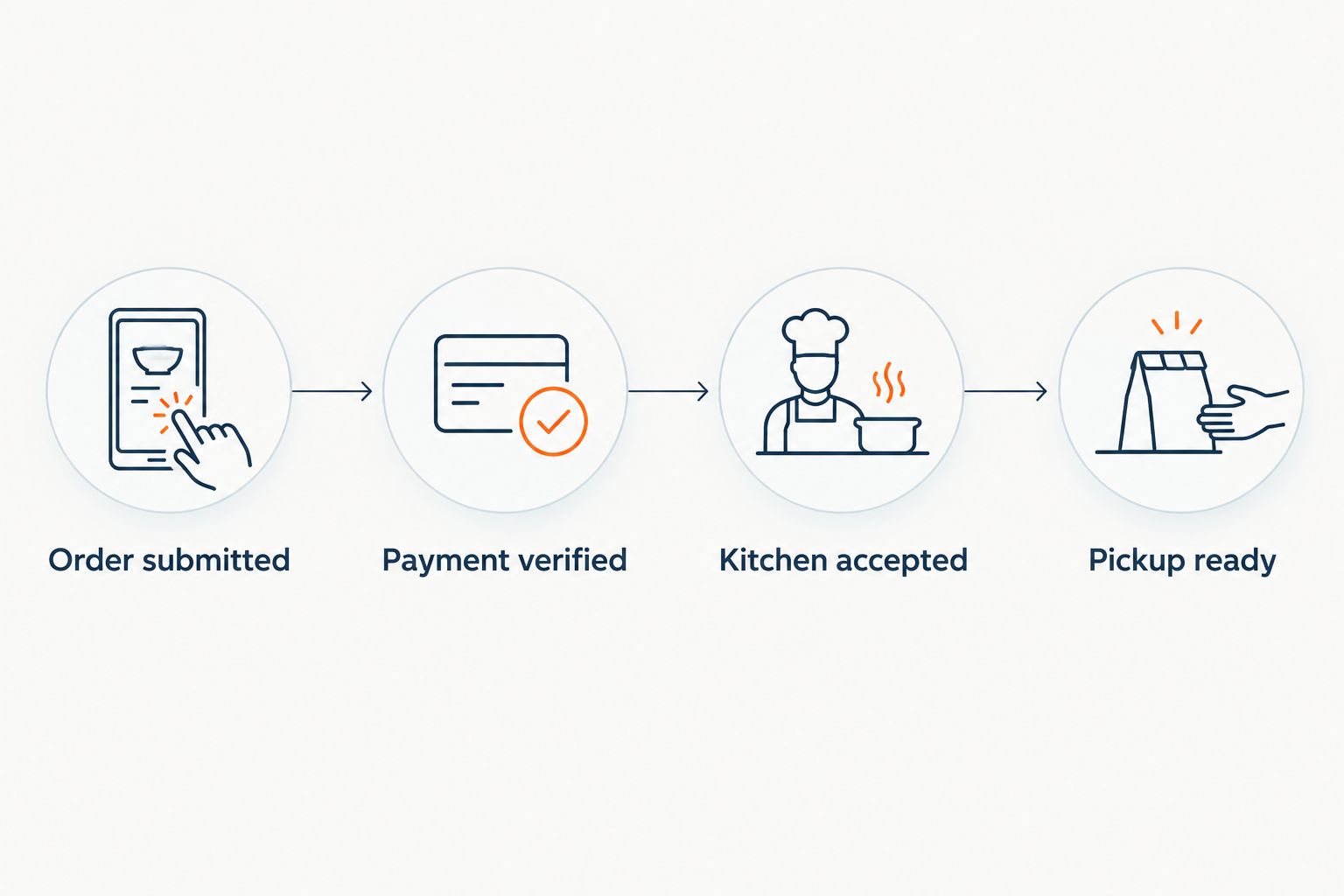
Do not stop at a successful transaction. Test a declined payment, a missing ingredient, a canceled order, and a repeated submission. Ask staff to explain what they see and what action they take without coaching them through the answer.
A demonstration passes only when the right employee can identify the problem and resolve it through the agreed procedure. An attractive customer interface cannot compensate for an ambiguous kitchen ticket.
- Check that modifiers remain attached to the correct item.
- Confirm the order reaches the intended store and counter.
- Test cancellation and refund responsibilities.
- Verify how duplicate submissions are identified and handled.
- Confirm that pickup instructions match the store's procedure.
Validate payments, assistance, and restricted transactions
Start with a written payment and assistance checklist. Identify which tenders your pilot will accept, which transactions remain staffed, and how a shopper requests help without abandoning the order.
Keep payment acceptance separate from assumptions about benefit eligibility. SNAP eligibility depends on the applicable program rules and the items being purchased; a kiosk interface does not itself establish eligibility. Confirm the intended payment workflow with the appropriate provider before including it in your launch scope.
Treat accessibility as a physical and digital review. Test the approach to the kiosk, the reach to controls, the readability of the interface, and the availability of an assisted alternative. Obtain qualified review for applicable accessibility requirements rather than treating a touchscreen demonstration as proof of compliance.
For a 2026 rollout, document the exception process as carefully as the ordinary purchase.
- Test each intended tender through completion and reconciliation.
- Define staff intervention for age-restricted products.
- Verify applicable benefit-payment requirements before launch.
- Review physical placement and interface accessibility.
- Keep a visible, staffed path for shoppers needing help.
Run a bounded pilot and measure completed orders
Start with observation and a spreadsheet. Record completed transactions, abandoned sessions, staff interventions, preparation errors, and pickup problems using definitions that employees can apply consistently.
For your initial pilot, choose 1 store, observe 3 shifts, and collect 14 days of transactions before deciding whether to expand. These are recommended planning boundaries, not performance targets. Extend the pilot if it has not captured the store's relevant operating conditions.
Separate ordering time from preparation time. A shorter kiosk interaction does not establish that the kitchen fulfilled the order faster, and a larger order does not establish that it generated more contribution after ingredients, packaging, and operating expenses.
Use reporting from the proposed system alongside direct observation. Employees' exception logs help explain why a transaction failed; transaction totals alone do not explain the handoff.
- Define what counts as a completed kiosk order.
- Log intervention reasons instead of only intervention totals.
- Separate ordering, preparation, and pickup measurements.
- Review cancellations, remakes, and refunds together.
- Set expansion criteria before reviewing the pilot results.
Roll out by operating model, not store count
Group locations by how they operate before building the expansion schedule. A food mart with a staffed made-to-order counter needs a different configuration from a location selling only packaged food.
Use a shared checklist, but preserve justified store-level exceptions. Centralize the decisions that should remain consistent, such as approved item descriptions, while documenting differences in menus, kitchen hours, pickup points, and assistance coverage.
For the remainder of your 2026 rollout, assign an owner for changes and an owner for incidents. Those responsibilities can sit with different people, but neither should be left to whichever employee happens to notice a problem.
Train staff on exceptions, not just successful orders. A launch rehearsal should include a stopped transaction, an unavailable item, and a kiosk outage so employees practice keeping service available.
- Group stores by kitchen and checkout workflow.
- Approve each location's menu and pickup configuration.
- Assign central and store-level operating owners.
- Rehearse outages and customer-assistance procedures.
- Review exception logs after each location launches.
Compare kiosk options by operating need
Use this comparison to narrow your shortlist. The options solve different problems; they are not interchangeable replacements for every convenience-format grocery operation.
| Option | Best for | Main advantage | Key limitation or evaluation boundary |
|---|---|---|---|
| Staffed ordering with a written ticket process | Food marts establishing a consistent prepared-food workflow | Keeps an employee available to clarify requests | Requires an employee to capture each order |
| Standalone prepared-food ordering software | Stores evaluating a dedicated ordering channel | Keeps the evaluation focused on menu selection and kitchen handoff | Confirm how orders connect to payments, reporting, and other channels |
| Grocery self-checkout software | Locations prioritizing packaged-merchandise checkout | Focuses the workflow on completing a retail basket | Do not assume it includes made-to-order kitchen routing |
| Localexpress unified commerce platform | Regional grocery operators connecting food-mart kiosks with branded digital ordering | Provides prepared-food kiosks alongside ecommerce, mobile apps, and order management | Verify store-specific integrations, equipment requirements, and operating responsibilities |
Choose a prepared-food workflow for made-to-order meals; choose a retail checkout workflow for packaged baskets. If your food marts need both, evaluate both explicitly instead of accepting a generic kiosk label.
During vendor discussions, keep a separate column for demonstrated behavior and another for contractual commitments. A feature shown in a demo does not define who will maintain it after deployment.
Common mistakes convenience-format grocers make
Treating a menu kiosk as grocery self-checkout
A prepared-food menu captures selections and preparation instructions. Grocery self-checkout handles retail merchandise. Specify the transaction type in your purchasing brief and reject demonstrations that substitute one for the other.
Publishing the same menu at every location
A centrally approved item still needs a capable kitchen, available ingredients, and an operating service window. Require each store to validate its menu before activation, then name the employee responsible for exceptions.
Measuring submissions instead of fulfillment
An accepted screen interaction is not proof that the customer received the correct order. Match kiosk transactions to kitchen outcomes and pickup exceptions so your assessment includes the part employees must deliver.
Removing staffed assistance at launch
Some shoppers need help, and some transactions require intervention. Keep the assisted path operational during the pilot, then use recorded intervention reasons to decide what to change in software, signage, or training.
Expanding before testing failure cases
A successful demonstration does not test a disconnected device, an unavailable ingredient, or a disputed transaction. Make exception handling part of your acceptance criteria before committing additional locations.
FAQ
What's the best self-service kiosk software for convenience stores?
The best fit depends on whether your food mart needs prepared-food ordering, grocery self-checkout, or both. Localexpress is a relevant option for regional grocery operators seeking made-to-order kiosks alongside branded ecommerce, mobile apps, and order management; validate your specific workflow before selecting it.
Is a prepared-food kiosk the same as grocery self-checkout?
No. A prepared-food kiosk captures a meal order for fulfillment, while grocery self-checkout handles a retail basket. Evaluate kitchen routing and merchandise checkout separately.
Can kiosk software work with our existing point of sale?
Confirm compatibility through a demonstration of your exact point-of-sale setup. Test item mapping, payment status, cancellations, and reconciliation rather than accepting a general integration claim.
Can a convenience-store kiosk accept SNAP EBT?
SNAP EBT acceptance requires an eligible, authorized payment workflow and compliance with applicable program rules. Confirm eligible items and the proposed kiosk payment setup before including EBT in your launch.
How should we pilot kiosk software across a regional chain?
Start with a representative food mart and written acceptance criteria. Record completed orders, staff interventions, kitchen errors, and pickup problems, then expand only after the store meets the criteria.
Do we still need employees when customers order at a kiosk?
Yes. Employees still prepare orders, resolve exceptions, assist shoppers, and manage pickup. Define those responsibilities before moving order entry to a self-service screen.
What should we ask a kiosk software vendor before signing?
Ask the vendor to demonstrate your menu, store-level availability rules, payment failures, and kitchen handoff. Document equipment requirements, integration ownership, support responsibilities, and data access in the agreement.
One last thing
Test an unavailable modifier before testing another successful order. If the bread, topping, or preparation choice cannot be fulfilled, the kiosk must support the store's agreed response without leaving the customer and kitchen with different expectations.
That single rehearsal connects menu accuracy, customer communication, and staff ownership. Make it part of every location's launch review, not just the first pilot.