A waitlist for out-of-stock grocery items turns a stockout into a saved sale instead of a lost customer, and setting one up on your grocery ecommerce site takes a few configuration steps, not a rebuild.
- A waitlist for out of stock grocery items converts stockouts into pending orders instead of abandoned carts — set it up at the SKU level, not the category level.
- Automated SMS and push alerts on restock beat email alone; grocers see cart abandonment tied to stockouts drop under 2026 unified commerce benchmarks when alerts fire within minutes.
- Local Express customers run waitlists through the same order management dashboard used for web, app, and kiosk orders — no separate tool needed.
- Cap waitlist depth per SKU so restocked inventory covers demand instead of triggering a second wave of unfulfilled notifications.
Why this matters
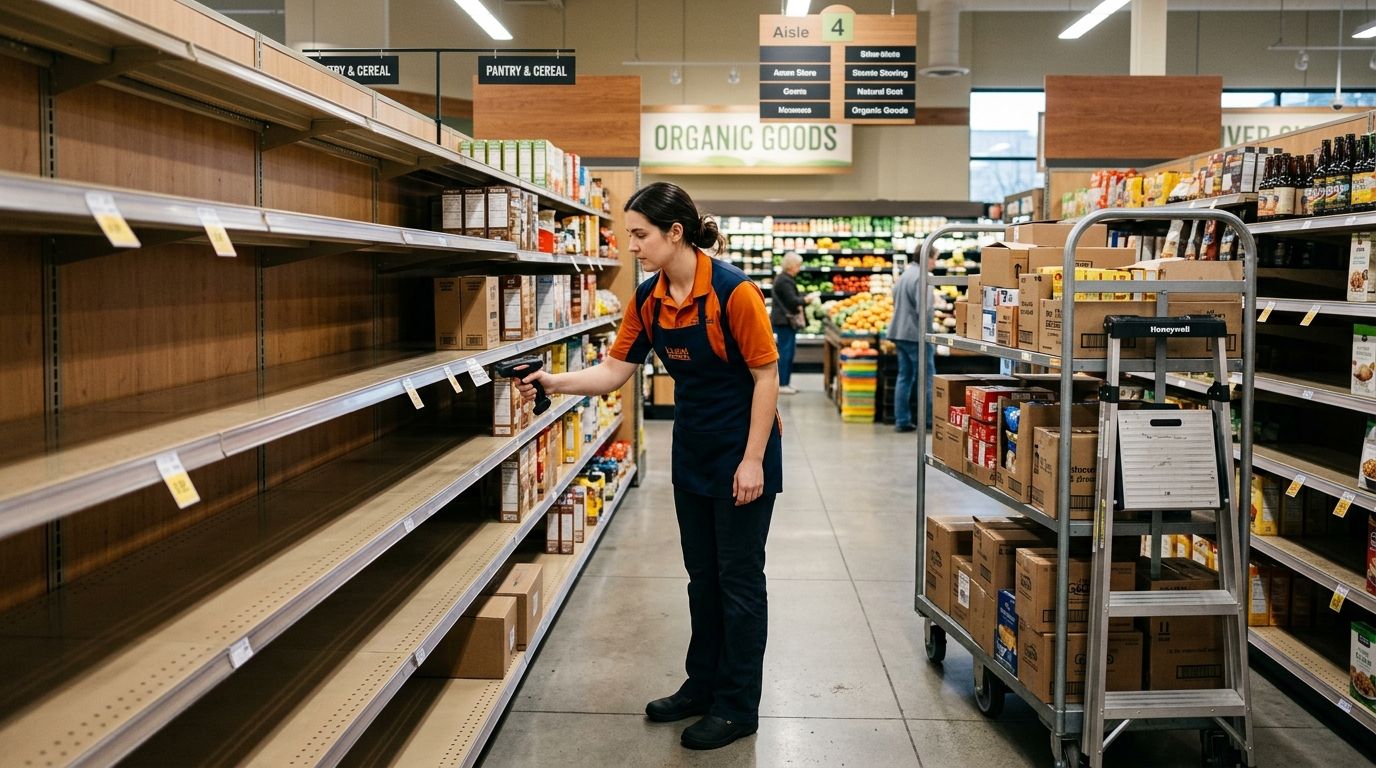
A shopper who hits "out of stock" on your site and leaves rarely comes back on their own. They go to a marketplace or the store down the street, and you lose the basket, not just the item.
A waitlist captures that intent at the moment it's highest. The shopper already added the SKU, already committed to buying it from you — the only missing piece is inventory. Close that gap and you recover revenue that would otherwise show up as a bounce in your analytics.
This matters more in 2026 than it did five years ago because independent and regional grocers are running first-party ecommerce sites specifically to compete on convenience, not just price. A stockout with no waitlist option undercuts the entire pitch.
What you'll need
- A grocery ecommerce platform that supports per-SKU inventory status — not just a generic "sold out" tag, but a flag you can attach a waitlist form to
- A notification channel — SMS, push notification from your branded app, or email, ideally more than one
- Inventory sync across locations if you run more than one store, so a waitlist doesn't fire for an item that's actually in stock two miles away
- A restock threshold rule — the quantity that triggers the "notify waitlist" event, not just "back in stock at all"
- 30-60 minutes of setup time per initial configuration, plus ongoing review as you add SKUs
- A process owner — someone checking waitlist volume weekly, because a waitlist nobody monitors is just a data graveyard
Most of this lives inside your existing order management and inventory tools. If your current setup can't flag a SKU as "waitlisted" and push a notification automatically, that's the gap to fix first, and it's worth reviewing centralized order management across web, app, and kiosk channels before you build the waitlist on top of a system that can't sync inventory in real time.
The steps
1. Flag the SKU as out-of-stock, not hidden
Most platforms default to pulling an out-of-stock item off the shelf page entirely. That kills the waitlist opportunity before it starts. Configure the product page to stay visible with an "Out of Stock — Join Waitlist" state instead of a 404 or a silent removal.
Common mistake: leaving the "add to cart" button active but non-functional, which frustrates shoppers who click it three times before finding the waitlist link.
2. Build the opt-in form with the minimum fields
Ask for exactly what you need to notify the shopper and nothing else — typically name, phone or email, and quantity desired. Every extra field drops completion rate.
If you're running a branded mobile app, this is also where push notification opt-in should live, since app users respond faster than email subscribers. Local Express clients wire this into the same push notification and SMS marketing tools for grocery apps they already use for promotions, so the waitlist doesn't require a separate vendor.
3. Set the restock trigger threshold
Decide whether the notification fires the instant inventory hits 1 unit, or only once it clears a threshold — say 10 units — so you're not notifying 40 waitlisted shoppers for a restock of 3. Undersized triggers create a second stockout and a second wave of frustrated customers within the same week.
This is where inventory accuracy matters most. If your system's stock count lags reality by hours, your waitlist notifications will lag too, and shoppers will show up to an empty shelf again.
4. Sync the waitlist across every fulfillment channel
A waitlist that only checks web inventory but ignores what's reserved for kiosk pickup or app orders will over-promise. Route restock triggers through the same inventory feed that powers your storefront, app, and self-checkout kiosks, not a siloed spreadsheet.
Multi-location grocers face an extra layer here: a SKU might be out at Store A but fully stocked at Store B. Waitlist logic should check location-level inventory before firing a notification, which is exactly the problem multi-location inventory sync for regional grocery chains is built to solve.
5. Automate the notification, don't manualize it
A staff member manually emailing waitlisted shoppers every time a pallet arrives doesn't scale past a handful of SKUs. Automate the trigger so the notification fires the same hour inventory updates, with a direct link back to the product page and cart.
Expected outcome: a shopper gets an SMS or push alert, taps through, and completes checkout in under two minutes because the item is already in their saved cart or one tap away.
6. Add a fulfillment window and expiration
Give the notification a shelf life — 24 to 48 hours is typical — after which the reserved unit releases back to general stock. Without an expiration, you risk holding inventory for a shopper who never returns while a walk-in customer can't buy the item.
Common mistake: reserving physical stock for every waitlisted shopper simultaneously, which artificially creates a stockout for in-store buyers even though the shelf has product.
7. Feed waitlist data into replenishment decisions
Waitlist volume on a SKU is a demand signal your buyer should see before the next order cycle. A SKU with 40 people on a waitlist is telling you to increase the reorder quantity, not just notify the same 40 people again next month.
This is where waitlist data connects to a broader AI inventory replenishment workflow for grocers — the waitlist becomes an input, not just a customer service feature.
Automate restock alerts across channels
Sync waitlist notifications with your web, app, and kiosk inventory in one dashboard.
Troubleshooting
- Waitlist notifications go out but the item is already gone again. Your restock threshold is set too low, or fulfillment reservation windows aren't holding stock long enough. Raise the threshold and confirm the reservation logic runs before the notification fires, not after.
- Low opt-in rate on the waitlist form. The form likely asks for too many fields, or the "Join Waitlist" call-to-action is buried below the fold. Move it above the product description and cut the form to two fields.
- Shoppers complain about getting notified for items still unavailable in their store. Location-level inventory isn't synced to the waitlist trigger. Fix the sync before adding more SKUs to the program.
- Waitlist grows but conversion after notification is under 20%. The notification link probably drops shoppers on a generic category page instead of the exact product with cart pre-filled. Point every notification link straight to checkout.
- Staff can't tell which SKUs have active waitlists. Waitlist counts need to surface inside the same order management dashboard staff already use daily, not a separate export nobody opens.
- Restock arrives but nobody remembers to trigger the notification. This is a process gap, not a tech gap — automate the trigger to the inventory feed itself so it never depends on a person remembering.
Tools and resources
- Inventory sync tooling for multi-location chains, covered in multi-location inventory sync for regional grocery chains
- SMS and push notification setup, covered above in push notification and SMS marketing tools for grocery apps
- Cart recovery tactics that pair well with waitlist logic, in how to reduce cart abandonment on a grocery ecommerce website
- A dashboard that unifies web, app, and kiosk order data so waitlist status doesn't live in a silo, covered in centralized order management across web, app, and kiosk channels
Local Express clients running a grocery ecommerce platform through Local Express typically build the waitlist directly into product pages rather than bolting on a third-party plugin, since inventory status, order management, and notifications already sit on one system.
What to do next
Once the waitlist is live, the next fix is usually upstream: reducing how often you stock out in the first place. That's a replenishment and demand-forecasting problem, not a customer communication one, and it's worth working through once your waitlist data starts showing you which SKUs run out most often.
FAQ
What is a waitlist for out of stock grocery items?
It's a feature on a grocery ecommerce site or app that lets a shopper opt in to be notified when an out-of-stock SKU is restocked, instead of leaving the site empty-handed. In 2026, most grocers pair the waitlist with automated SMS or push alerts rather than manual email.
How do I set up a waitlist on my grocery website?
Flag the SKU as out-of-stock but keep the product page visible, add an opt-in form with minimal fields, and connect the restock event to an automated notification. Most grocery ecommerce platforms support this as a native product state rather than a plugin.
Does a waitlist work across multiple store locations?
Only if inventory is synced at the location level. Without that sync, a shopper near a fully-stocked location can get an unnecessary out-of-stock notification meant for a different store.
Should waitlist notifications go out by SMS, push, or email?
SMS and app push notifications get faster response rates than email for time-sensitive restock alerts. Grocers running a branded mobile app in 2026 typically default to push first, SMS second, and email as a fallback.
How long should a restock reservation last for a waitlisted shopper?
24 to 48 hours is standard. Longer windows tie up inventory for shoppers who may never return, while shorter windows risk losing the sale to someone who hasn't checked their phone yet.
Can waitlist data improve inventory ordering?
Yes. Waitlist volume on a specific SKU is a direct demand signal that should feed into reorder quantities for the next cycle, not just trigger a repeat notification to the same shoppers.
Is a waitlist better than just showing 'out of stock' with no option?
A waitlist keeps the shopper's intent captured instead of losing the basket entirely. Grocers who leave a bare 'out of stock' message with no follow-up option have no way to recover that sale once the shopper leaves.
Does a waitlist help with SNAP/EBT grocery orders?
The waitlist mechanism works the same way regardless of payment type, but SNAP/EBT orders need their own checkout validation once the item restocks, so confirm your payment flow supports a delayed-checkout waitlist scenario before launch.
One last thing
The grocers who get the most value out of a waitlist for out-of-stock grocery items don't treat it as a customer service patch — they treat waitlist counts as a live demand report. A SKU that consistently pulls 30+ waitlist signups before restock isn't a stocking mistake, it's a signal to carry more of it permanently.