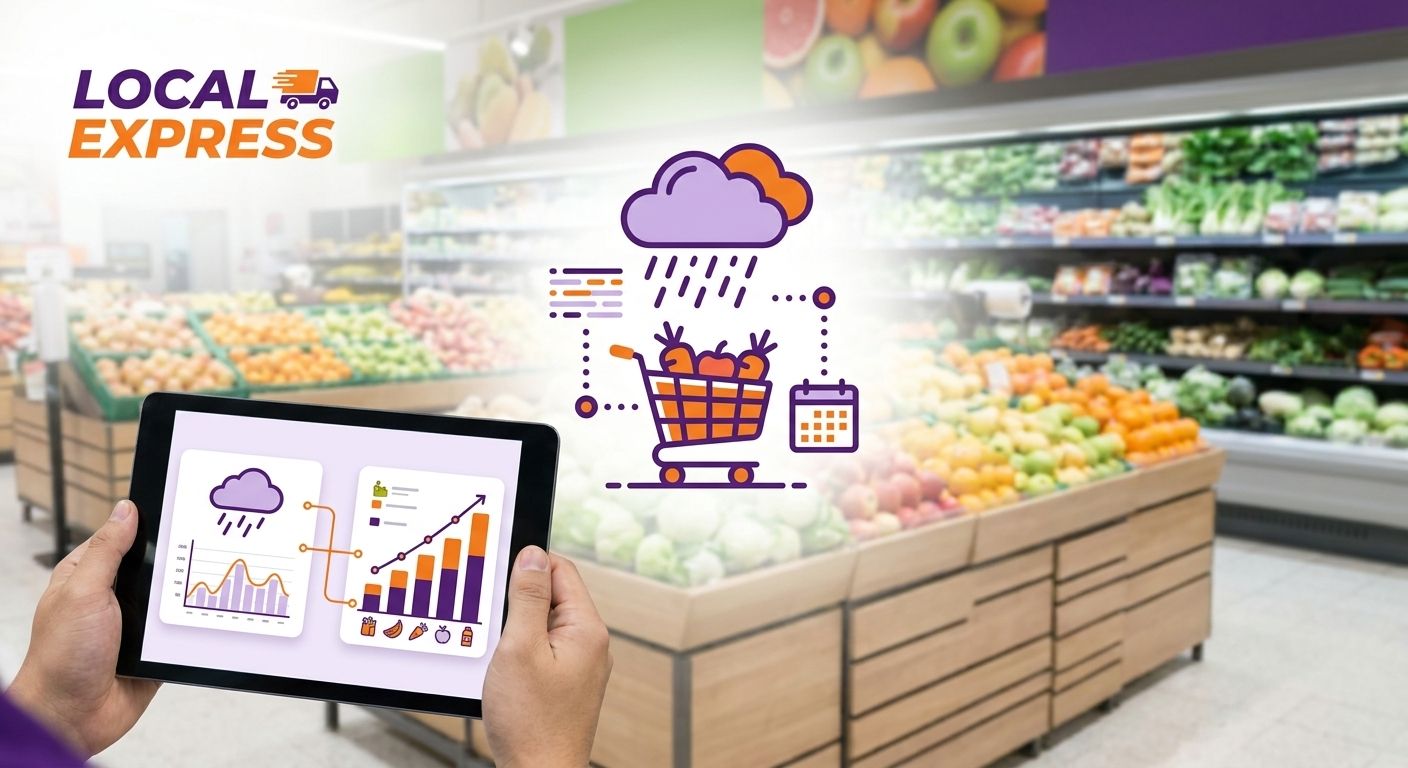
Grocers who wait for a storm to hit before adjusting orders lose the sale to whoever restocked bottled water and bread three days earlier. Weather driven grocery inventory planning turns a 10-day forecast into a working calendar for purchasing, staffing, and promotions.
- Weather driven grocery inventory planning runs on three forecast checkpoints: 7-day, 72-hour, and 24-hour before an event.
- Grocers using an AI inventory replenishment workflow catch demand shifts for storm and heat SKUs before shelves clear out.
- Multi-location inventory sync lets a regional chain move stock between stores ahead of a forecasted event, not after.
- Push notifications and weekly circular updates convert forecast data into same-day sales instead of wasted markdowns.
Why this matters
A cold front, a heat advisory, or a hurricane watch changes what a shopper puts in their cart within hours, not days. Bread, milk, bottled water, batteries, and ice move fast before winter storms; grills, ice, and cold beverages spike ahead of heat waves. Independent and regional grocers who treat weather as a planning input, not a surprise, protect margin twice: once by not running out of the items customers came in for, and again by not sitting on markdown inventory after the event passes.
Regional chains with multiple stores feel this harder than a single location does, because a storm track that hits one zip code can miss another 20 miles away. Without a system to move inventory between stores in real time, one location overstocks while another runs dry on the exact SKUs a forecast should have flagged a week out.
What you'll need
- A 7-day extended forecast source (NOAA or a commercial weather API) for every store's zip code
- A running list of weather-trigger SKUs by event type: winter storm, heat wave, hurricane watch, flood advisory
- Inventory visibility across every channel — in-store, ecommerce, and delivery — updated in real time
- A promotions calendar that can push a change same-day, not next week's print circular
- Staffing and delivery capacity numbers for a normal week versus a storm week
- A post-event debrief template to capture what sold, what didn't, and what to adjust next time
The steps
1. Build a weather-trigger SKU calendar
Start by mapping which SKUs move on which weather event, by season and by region. A Midwest store's winter-storm list (salt, batteries, bottled water, canned goods, bread) looks different from a Gulf Coast store's hurricane list (generators, ice, non-perishables, propane). Grocers who skip this step end up reacting store by store instead of pulling from a standard playbook, which slows down every future event.
Common mistake: building one national list and applying it to every store. A heat-advisory list in Phoenix and one in Minneapolis share almost nothing in common.
2. Set a three-checkpoint monitoring cadence
Check the forecast at 7 days out, 72 hours out, and 24 hours out. The 7-day checkpoint drives purchase orders. The 72-hour checkpoint drives store-to-store transfers and delivery staffing. The 24-hour checkpoint drives final shelf placement and any last push notification to customers.
This cadence matters because forecasts firm up as the event gets closer — a 7-day snow forecast can shift 100 miles in either direction, but a 24-hour forecast rarely does. Ordering everything off the 7-day number alone leads to overstock when the storm track moves.
3. Pre-position inventory across every store in the chain
Once the 72-hour checkpoint confirms an event, move stock from stores outside the forecast zone into stores inside it. This only works if inventory is visible across locations in real time — a spreadsheet updated once a day is too slow for a 72-hour window.
A multi-location inventory sync system shows every store's on-hand count for storm SKUs at once, so a regional chain can shift a pallet of water from an unaffected store instead of placing a rush order that won't arrive in time.
Expected outcome: the affected stores enter the event with 2-3 days of coverage on trigger SKUs instead of the standard weekly reorder point.
4. Let AI replenishment flag the demand shift automatically
Manual reorder points built for a normal week under-order the moment a heat advisory or winter storm watch goes up. An AI inventory replenishment workflow pulls in forecast data alongside sales history, so the reorder trigger for bottled water or ice adjusts automatically instead of waiting for a manager to notice the shelf is empty.
Common mistake: leaving reorder points static year-round. A store that resets its par levels only in December misses every off-season heat wave or flash flood that hits in spring or fall.
5. Adjust staffing and delivery capacity for the event window
Storm and heat events spike both in-store traffic and delivery order volume in the 24-48 hours before the event, then drop off sharply once it passes. Pull extra staff for that window from the 72-hour checkpoint forward, and confirm delivery vehicle and driver availability before the rush hits, not during it.
Expected outcome: order fulfillment times stay flat through the event window instead of stretching out as drivers and pickers get overwhelmed.
6. Trigger weather-based promotions the same day the forecast confirms
A printed weekly circular can't react to a heat advisory issued on Tuesday for Thursday. A digital weekly ad and circular that updates same-day lets a store promote ice, cold beverages, or grill items the moment the forecast confirms, and pull the promotion just as fast once the event passes.
“If your circular can't update faster than the forecast changes, you're always promoting last week's weather.”
7. Run a post-event debrief within 48 hours
Capture what sold out, what sat on shelves, and how close the 7-day forecast prediction matched actual demand. Feed that back into the SKU calendar from step one. Skipping this step means every event teaches the same lesson twice.
Automate weather-driven reorder points
See how Local Express syncs inventory and promotions across every channel.
Troubleshooting
- Overstocked on storm SKUs after the forecast track shifted. Hold a portion of the reorder for the 24-hour checkpoint instead of committing fully at 7 days out, and use multi-location transfers to redistribute rather than markdown.
- Stockouts on batteries or water despite advance warning. Check whether reorder points reset after the last event — a static par level set for a normal week will always under-order for a storm week.
- Delivery delays during the event window. Confirm driver and vehicle staffing at the 72-hour checkpoint, not the day of, and flag delivery zones most likely to see road closures.
- Spoilage on perishables after a heat wave promotion. Shorten the promotion window to match the advisory period exactly rather than running a full week's circular price on a three-day event.
- Customers missing the promotion entirely. A printed circular alone won't reach shoppers fast enough; pair it with push notifications tied to the same forecast trigger.
Tools and resources
- AI inventory replenishment workflow for grocers — automates reorder points against demand shifts
- Multi-location inventory sync for regional grocery chains — real-time visibility across every store
- Digital weekly ad and circular software — same-day promotion updates tied to forecast triggers
- NOAA's 7-day and 10-day forecast tools for setting checkpoint dates by zip code
A regional or independent grocer running these pieces on one AI-powered unified commerce platform sees the forecast, the inventory count, and the promotion trigger in the same place instead of stitching together three separate tools during a storm week. Local Express connects that inventory data to the ecommerce site, the branded app, and in-store kiosks so a weather-triggered price change or reorder shows up everywhere at once, not just on the shelf tag.
What to do next
Once the weather-trigger calendar and monitoring cadence are running, the next gap is usually the promotion side — getting the right message to the right customer the moment a checkpoint confirms an event, rather than a day later. That's a push notification and SMS problem, not an inventory problem, and it's worth solving separately once the inventory side is stable.
FAQ
What is weather driven grocery inventory planning?
Weather driven grocery inventory planning ties purchase orders, store transfers, and promotions to forecast checkpoints — typically 7 days, 72 hours, and 24 hours before an event. It prevents stockouts on trigger SKUs like water, batteries, and bread ahead of storms, and ice or cold beverages ahead of heat waves.
How far in advance should a grocery store order for a forecasted storm?
Place initial purchase orders at the 7-day forecast mark, then confirm or adjust at the 72-hour mark once the storm track firms up. Ordering everything off the 7-day number alone risks overstock if the forecast shifts.
What SKUs spike before a winter storm versus a heat wave?
Winter storms typically drive demand for bottled water, bread, batteries, salt, and canned goods. Heat waves drive demand for ice, cold beverages, and grill items. The exact list varies by region, so build a separate calendar for each store's climate zone.
Can a regional grocery chain move inventory between stores ahead of a storm?
Yes, if inventory is visible across all locations in real time. A multi-location inventory sync system lets a chain shift stock from stores outside the forecast zone into stores inside it before the event hits, instead of placing rush orders that arrive too late.
Is a printed weekly circular fast enough for weather-based promotions?
No. A printed circular locks in pricing days or weeks ahead, which can't react to a forecast that changes within 72 hours. A digital weekly ad that updates same-day can launch and pull weather promotions on the same timeline as the forecast.
How does AI help with weather driven grocery inventory planning?
An AI inventory replenishment workflow pulls forecast data alongside sales history so reorder points adjust automatically for demand spikes, instead of relying on a manager to notice low stock after the fact.
What's the biggest mistake grocers make with storm inventory?
Using a static, year-round reorder point instead of adjusting it for the event window. That leads to stockouts during the storm and overstock after it, since the par level never reflects the actual demand curve.
Should staffing change during a weather event?
Yes. Traffic and delivery order volume typically spike in the 24-48 hours before an event and drop sharply after. Adjust staffing and delivery vehicle availability at the 72-hour checkpoint so fulfillment times don't slip during the rush.
One last thing
The most overlooked part of weather driven grocery inventory planning isn't the order — it's the pull-back. Grocers that build a fast trigger for storm promotions but forget to build an equally fast trigger to end them end up running a heat-advisory ice discount for a full week after the advisory expired in 2026, eating margin on a promotion nobody asked for anymore.