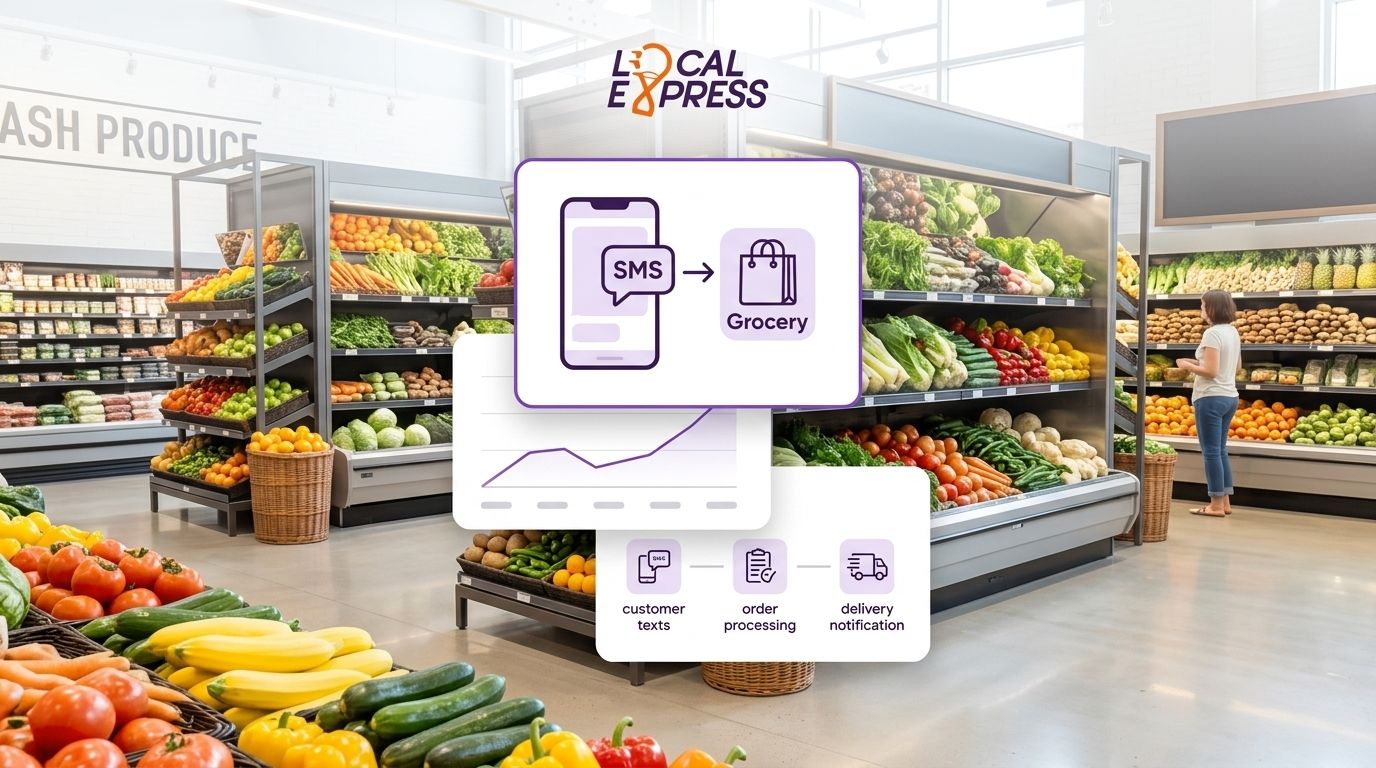
Grocery stores lose orders every week to shoppers who own a phone but refuse to download another app — and texting a number is the fastest way to capture that order instead of losing it to a competitor or a marketplace. SMS ordering works because it needs zero install, zero login, and zero learning curve: the customer texts, gets a reply, and pays.
- SMS ordering for grocery customers without apps needs a dedicated number, a lightweight catalog, and a payment link — no app download required.
- Local Express routes text orders into the same order management queue as web, app, and kiosk orders, so nothing gets missed.
- Best for elderly shoppers, one-time holiday buyers, and rural customers with spotty app updates or low storage.
- Launch as a companion channel to a branded app, not a replacement — repeat shoppers still convert better inside an app.
Why this matters
Most regional and independent grocers already run a website, maybe a branded app, and a checkout kiosk. None of that helps the customer who won't install a fifth app for a single order of Thanksgiving sides or a prescription pickup reminder.
SMS ordering closes that gap without asking the retailer to build a new storefront. It's a channel, not a platform — and in 2026, it's the cheapest way to stop losing orders to customers who are willing to buy but not willing to download.
That channel only works if the orders land somewhere real. Text orders that live in a separate inbox, disconnected from the Local Express order management system, turn into missed pickups and angry phone calls by the second week.
How to launch grocery ordering by text for customers without apps
SMS ordering for grocery customers without apps comes down to six steps, in this order:
- Get a dedicated SMS number. A single ten-digit or short-code number, separate from your store's main phone line, keeps text orders from getting buried under customer service calls.
- Connect the number to order management, not a spreadsheet. Text orders need to land in the same queue as web, kiosk, and app orders — otherwise your prep team is checking three screens instead of one. Local Express handles this through push notification and SMS marketing tools built into the same order management layer as the rest of the store.
- Build a short, text-friendly menu. A full 8,000-SKU catalog doesn't work over SMS. Start with a curated list — deli platters, weekly specials, prescription refills — that customers can order by name or number.
- Set up an SMS-to-payment link. The reply to a text order should include a secure payment link, not a request to read a card number back over text. This is the step most DIY setups skip, and it's the one that causes the most chargebacks.
- Route confirmed orders into fulfillment automatically. Once payment clears, the order should appear in the same picking or prep screen used for web and app orders — no manual re-entry.
- Set response-time rules and train staff. Customers expect a reply within minutes during business hours. A missed text is a lost sale in a way a missed app notification usually isn't.
| Step | Owner | Time to set up |
|---|---|---|
| Dedicated SMS number | Marketing/ops | Same day |
| Order management connection | IT/platform vendor | 1-2 weeks |
| Text-friendly menu | Merchandising | 2-3 days |
| Payment link flow | Platform vendor | 1 week |
| Staff training | Store manager | 1-2 days |
The setup that fails most often skips step 2 — plugging a text line straight into a personal phone instead of the same order management system running the store's web, app, and kiosk channels. That's how orders get double-booked or forgotten during a rush.
Why grocery customers order by text instead of downloading apps
- App fatigue. Most shoppers already carry a banking app, a streaming app, and two food delivery apps — a fifth app for one grocery run is a hard sell.
- Elderly and homebound shoppers. Text is often the only digital ordering method this group is comfortable using without help.
- One-time or seasonal buyers. A customer ordering a holiday ham once a year won't install an app for a single transaction.
- Storage limits on older phones. Budget devices common among lower-frequency shoppers often can't take another app install.
- Rural connectivity gaps. SMS works on a weak signal where an app update or a heavy storefront page might time out.
- Language and interface comfort. Texting in plain language beats navigating an unfamiliar app menu for some shoppers.
Do I still need a branded app if I offer SMS ordering?
Yes — SMS ordering is a companion channel, not a replacement for a branded app. Repeat shoppers convert at higher rates inside a full app experience with saved carts and loyalty tracking; SMS exists to catch the shoppers who won't get there. Retailers running a branded mobile app platform alongside SMS ordering cover both ends of the customer base without picking one channel over the other.
How do text orders get paid for?
Text orders get paid through a secure payment link sent back in the SMS thread after the order is confirmed, never by reading a card number over text. The link should route to the same checkout used on the store's website so payment data isn't handled in a separate, unmonitored system.
Can SMS ordering work for delivery, not just pickup?
SMS ordering works for delivery when it's connected to the same fulfillment and routing system used for app and web orders — otherwise dispatch has no visibility into a text-only order until someone manually adds it. Stores already running same-day delivery without third-party marketplaces can extend that same delivery flow to text orders instead of building a separate process.
Add SMS ordering to your store
Route text orders into the same system as web, app, and kiosk sales.
Elderly and homebound customers are the group most likely to rely on SMS ordering permanently rather than as a stopgap. Grocers building out this channel in 2026 should read the specific guidance on delivery options for elderly and homebound customers before finalizing time slots and delivery instructions for this group.
Every text order still needs to show up on the same screen your pickers already use — a second inbox is how orders get missed. That single rule is the difference between SMS ordering that scales and SMS ordering that creates a support headache by week three.
FAQ
What is SMS ordering for grocery customers without apps?
SMS ordering for grocery customers without apps lets a shopper text a store's number, receive a short list of items or specials, and complete payment through a text-delivered link with no app download required. It works as a companion to a website or app rather than a full replacement.
How much does it cost to add SMS ordering to a grocery store?
Cost depends on the order management platform a store already runs and whether SMS is added as a module to that system or built as a standalone tool. Check current platform pricing directly with the vendor rather than assuming a flat rate.
Is SMS ordering secure enough for grocery payments?
SMS ordering is secure when payment happens through a link that routes to a proper checkout, not through a card number typed into a text message. Retailers should never accept raw card details over SMS.
Can SMS ordering replace a grocery delivery app entirely?
No, SMS ordering does not replace a full delivery app for most stores — it catches the shoppers who won't install an app, while repeat customers still convert better through a branded app with saved carts and loyalty tracking.
Do text orders need to connect to the same system as web orders?
Yes, text orders need to land in the same order management queue as web, app, and kiosk orders so prep and pickup staff work from one list instead of checking multiple inboxes.
Who uses SMS ordering the most at grocery stores?
Elderly shoppers, homebound customers, and one-time or seasonal buyers use SMS ordering the most because they are the least likely to install a store-specific app for infrequent purchases.
Can SMS ordering handle delivery, not just store pickup?
SMS ordering can handle delivery when the text order is connected to the same routing and dispatch system used for app and web deliveries, so drivers see the order without manual entry.
One last thing
The stores that get the most out of SMS ordering in 2026 don't market it as a new "channel" — they market it as a phone number printed on the receipt and the weekly flyer, aimed directly at the shoppers who already call the store to ask if something's in stock. That's the audience this feature was built for, not the app-first crowd.