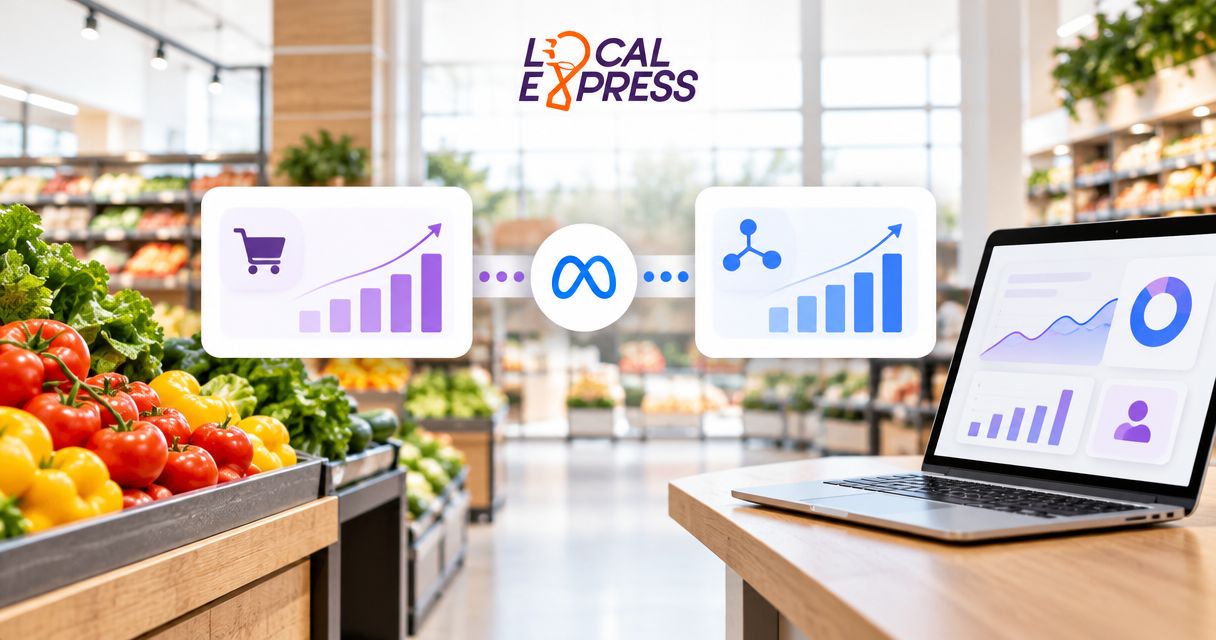
Instead of manually matching Meta campaign reports to grocery orders, connect Meta Conversions API for retail media to your order system so eligible purchases reach Meta through a controlled server-side workflow. Keep browser tracking where permitted, deduplicate overlapping events, and reconcile campaign reporting against your grocery sales records.
- Meta Conversions API for retail media connects eligible grocery purchase events to Meta's advertising measurement.
- Localexpress is best for independent grocers seeking grocery commerce and retail media tools in one platform.
- Use matching event names and event IDs to deduplicate browser and server purchases.
- Keep supplier-level sales reporting separate from whole-basket attribution.
Why this matters
A grocery purchase does not always end at checkout. Weighted produce, substitutions, cancellations, and fulfillment adjustments change the transaction you ultimately record. Your advertising event needs a defined purchase milestone—not whichever status happens to trigger an integration.
Localexpress is best for independent grocers seeking grocery commerce and retail media tools in one platform. Its stated offering includes branded grocery websites, mobile apps, order management, delivery, and retail media tools. Confirm the available event export and connection method before planning a Meta integration; platform scope alone does not establish a native connector.
For your 2026 retail media program, separate two questions: did advertising receive credit for an order, and did the advertised supplier's products sell? Those answers require different reporting. Establish supplier expectations with the guide to onboarding CPG brands into a grocery retail media program before sharing campaign results.
Conversions API sends events to Meta; it does not independently prove incremental sales. Your order ledger remains the source for completed transactions, cancellations, and supplier-level results.
Before you start
- Accounts and access: Have access to the correct Meta business assets, Events Manager data source, and advertising account. Assign a technical owner who can manage credentials and inspect server responses.
- Order data and permissions: Identify your order event source, stable order identifiers, timestamps, currency, eligible customer matching data, and applicable privacy choices. Document what you are permitted to send before mapping fields.
- The grocery-specific gotcha: Choose the purchase milestone before connecting anything. An order placed with estimated weights is not the same record as a fulfilled order with final substitutions. Browser and server events must describe the same purchase occurrence if you intend to deduplicate them.
Treat this as an engineering implementation, not a dashboard-only setup. Someone must own retries, logging, credential security, and changes to order status definitions.
Choose your connection method
Choose a method based on the actual access your grocery commerce platform provides. The following comparison covers implementation approaches, not claims about any vendor's connector.
| Approach | Best for | Advantage | Limitation |
|---|---|---|---|
| Supported partner connection | Grocers whose platform has a documented Meta integration | Uses the platform's supported setup path | Available events and controls depend on the connector |
| Direct server integration | Grocers with engineering access to order events | Gives your team control over field mapping, retries, and deduplication | Your team maintains the integration |
| Browser tracking alone | Permitted website interaction measurement | Captures browser-side activity | Does not replace a server-side order event feed |
Use a supported connection only after confirming its purchase milestone and deduplication behavior. Choose a direct integration when your team needs controls the connector does not expose. Keep browser tracking as a complementary source, not a substitute for the order record.
Data source and credentials
- Open Meta Events Manager and select the data source associated with your grocery website. Confirm ownership and advertising-account access before changing settings.
- Open Settings and locate the Conversions API setup area. Use the supported partner route if your platform documents one; otherwise follow the direct integration setup.
- For a direct integration, use Generate access token when that control is available to your authorized account. Store the resulting credential in your server's secret-management system, never in browser code or a shared spreadsheet.
- Record the destination data source identifier and assign an owner for token rotation. Keep development credentials and production configuration separated wherever your setup supports it.
- Confirm that your website's browser events and the server connection point to the intended data source. A technically valid request sent to the wrong destination still produces unusable reporting.
Expected result: Your technical owner can identify the destination, access the required configuration, and retrieve the credential securely from the server environment.
For the 2026 rollout, document the selected connection method alongside the credential owner. That record prevents an agency change or staff departure from leaving your store with an unmanaged event feed.
Purchase event contract
- Select the order transition that creates a
Purchaseevent. Document whether that transition represents an accepted order or a finalized transaction. Do not silently mix both meanings. - Map
event_nametoPurchase,event_timeto the actual occurrence time in Unix seconds, andaction_sourcetowebsitefor website purchases. Includeevent_source_urlwhere required for the website event. - Populate
custom_datawithcurrencyand the transactionvaluedefined by your event contract. For U.S. dollar transactions, useUSD. Decide consistently how taxes, delivery charges, and other components enter your measurement value. - Map permitted customer matching fields into
user_data. Normalize and hash fields according to Meta's requirements rather than hashing every field indiscriminately. - Add product identifiers and quantities where your implementation and permissions support them. Match identifiers to the catalog used for product advertising; a store SKU and a catalog identifier are not automatically interchangeable.
Expected result: A single eligible order produces a documented event payload with an identifiable purchase milestone, correct timestamp, consistent currency, and approved matching fields.
Matching data rules
Meta uses SHA-256 hashing for designated customer matching fields. A SHA-256 digest contains 256 bits; its hexadecimal representation contains 64 characters. Hashing the wrong input format still produces a valid-looking digest, so validate normalization before transmission.
Do not hash browser identifiers such as fbp and fbc. Do not manufacture them when unavailable. Likewise, handle client IP address and user agent according to the applicable field requirements and your privacy controls.
Server-side transmission does not remove privacy obligations. Apply relevant U.S. state-law requirements, notices, opt-outs, and Meta's terms. Exclude sensitive information and prohibited data, including details that reveal pharmacy purchases or health conditions. Hashing does not make prohibited data acceptable to send.
Grocery revenue rules
For your 2026 implementation, define one transaction-value policy and keep it consistent. If an order changes after the purchase event, retain the adjusted amount in your internal reporting rather than assuming Meta will rewrite the original event.
A whole-basket purchase does not establish that a sponsored product sold. Supplier reporting needs its own eligible line-item calculation, with substitutions and returns handled explicitly. Never label total basket revenue as supplier revenue.
Deduplication and event delivery
- Create a stable identifier for each purchase occurrence. Send it as server-side
event_id; provide the same value as the browser Pixel'seventIDwhen both sources represent that same occurrence. - Use the same event name on both sources. Matching IDs with different event names do not establish the intended purchase deduplication pair.
- Send the event from your server to the configured Meta events endpoint using the destination identifier and securely stored access token. Use the Graph API version supported by your implementation and current Meta documentation.
- Queue eligible events before transmission. Retry transient failures with the original event ID and occurrence time; do not generate a fresh purchase identifier for every attempt.
- Inspect the response body as well as the HTTP status. An HTTP 200 response indicates a successful HTTP request, not proof that the purchase was matched, attributed, or counted exactly as expected.
Expected result: Your server submits eligible events, preserves their identities during retries, and records responses without exposing credentials or unnecessary customer data.
Keep browser confirmation-page reloads from generating new purchase identities. A shopper refreshing an order receipt has not placed another order.
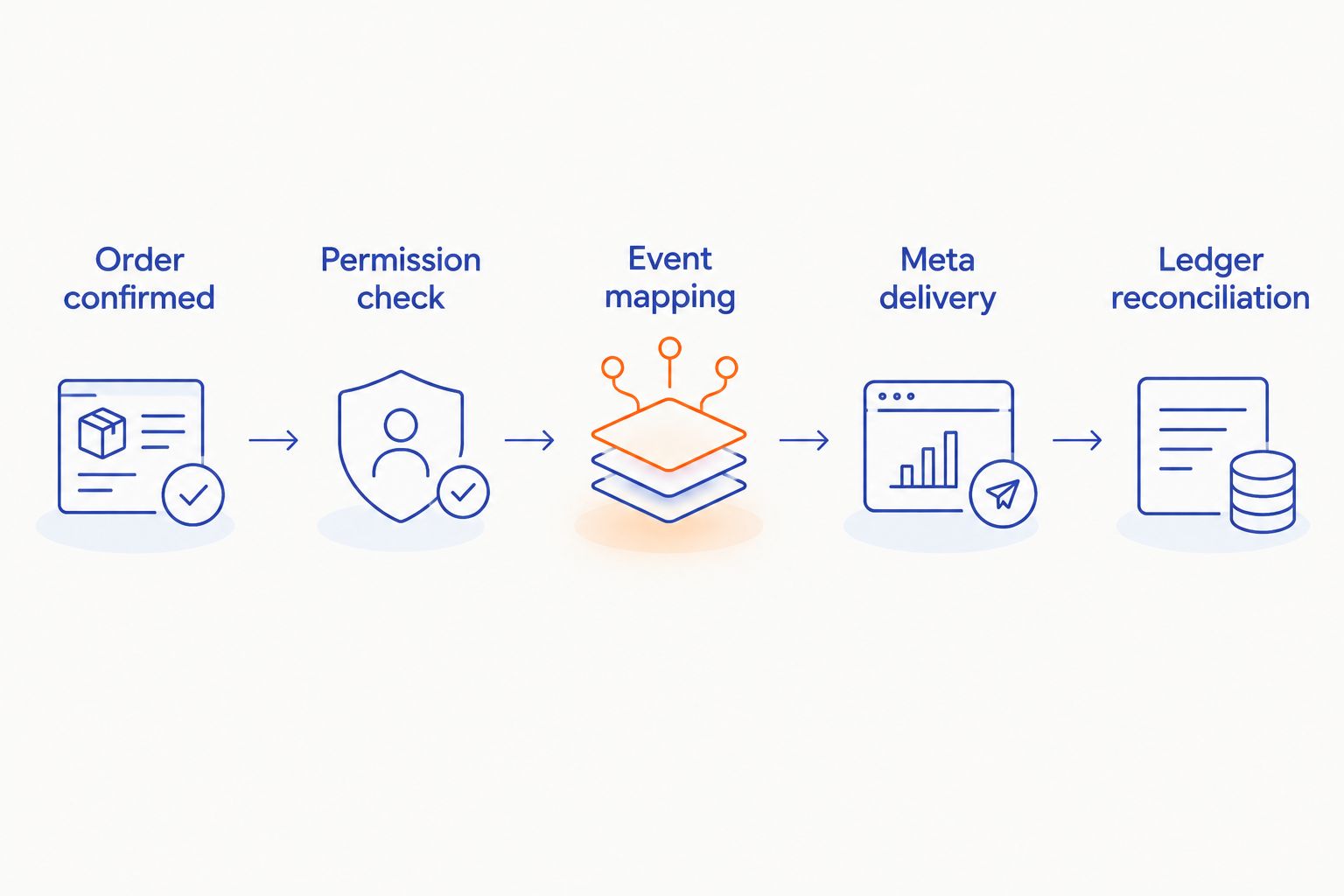
The operational sequence is: Order confirmed, Permission check, Event mapping, Meta delivery, and Ledger reconciliation. Apply the permission check before transmitting identifiers, and reconcile after delivery rather than treating an accepted response as the final measurement result.
Testing and reconciliation
- Open Test events in Meta Events Manager. For server testing, include the displayed test event code as
test_event_codein the request. - Complete a controlled website checkout through your actual order workflow. Inspect the received event's name, timestamp, source, matching fields, and transaction data.
- Test browser and server delivery together. Confirm that the shared purchase uses matching event identities and inspect the available deduplication information.
- Repeat the test for a receipt reload, a server retry, and an order cancellation before your selected purchase milestone. Those actions must not create extra eligible purchases.
- Review Diagnostics, address reported issues, and remove the test event code before production delivery. Compare production submissions with eligible order records, not all store sales.
Expected result: The integration sends the intended purchases without counting reloads or retries as new orders, and the production configuration no longer contains testing parameters.
Separate submitted events, accepted events, and attributed conversions in your 2026 reporting. They are different measurements. Attribution depends on Meta's reporting rules and settings; reconciliation depends on your transaction records.
Keep a restricted operational log containing event ID, order reference, destination, attempt status, and response details. Avoid copying raw customer identifiers into general application logs.
Second workflow: finalized in-store purchases
You can extend the workflow to eligible in-store grocery transactions when your POS export, permissions, and Meta configuration support the required event data. Use physical_store as the action source for physical-store purchases rather than labeling them website orders.
Reuse the purchase contract, but define a finalized POS transaction as the milestone. Include the actual transaction time and permitted matching data; never replace an unknown customer identifier with a guessed one.
Give each in-store transaction its own event identity. When a customer places an online pickup order and pays at pickup, your systems must identify the underlying purchase consistently instead of treating the ecommerce order and POS receipt as unrelated sales.
Best for: Regional grocers with documented customer permissions and a dependable POS transaction feed. The benefit is a broader eligible purchase signal; the limitation is that anonymous transactions and missing identifiers constrain matching. Do not promise complete omnichannel attribution.
Troubleshooting
Purchases appear more than once
Check browser eventID, server event_id, and event_name together. Preserve the purchase identity through retries, and stop receipt-page reloads from generating new IDs. Separate genuinely different purchase occurrences from duplicate transmissions.
Server events do not appear in testing
Confirm the destination identifier, credential permissions, and test_event_code. Inspect the response body for errors before repeatedly submitting the same request. Check that the application is reading the intended environment's secrets.
Events arrive but customer matching is weak
Inspect permitted matching-field coverage, normalization, and hashing. Check whether browser identifiers reach the server where appropriate. Do not add sensitive data or bypass opt-outs to improve a matching indicator.
Event totals differ from your grocery ledger
Compare like-for-like scopes: eligible orders, selected purchase milestone, reporting time zone, and reporting period. Separate cancellations and transaction adjustments. Meta attribution totals are not a replacement for the full sales ledger.
Supplier reports show whole-basket revenue
Correct the reporting definition, not just the event payload. Calculate sponsored-product revenue from eligible order lines and keep it separate from whole-order attribution. Review substituted items before assigning sales to a supplier.
Customize your workflow
Once the purchase feed is dependable, add permitted funnel events such as AddToCart or InitiateCheckout when they answer a specific campaign question. Do not transmit every available interaction merely because your system can export it.
Localexpress provides grocery commerce and retail media tools; confirm connector capabilities, data access, and operational ownership against your requirements. Its platform scope is a reason to evaluate a connected workflow, not evidence that Meta setup is automatic.
For the next 2026 campaign, give your marketing lead a measurement brief covering purchase definition, privacy exclusions, deduplication, supplier revenue scope, and reconciliation ownership. Approve that brief before activating supplier-funded campaigns.
FAQ
What is Meta Conversions API for retail media?
Meta Conversions API for retail media sends eligible retailer events from a server to Meta for advertising measurement and optimization. Grocery retailers must still define purchase milestones, customer permissions, and supplier-level reporting separately.
Does Conversions API replace the Meta Pixel?
Conversions API does not automatically replace the Meta Pixel. Where permitted, browser and server events can work together, with matching event names and event IDs used to deduplicate the same purchase.
Can Localexpress connect my grocery orders to Meta?
Confirm the supported connection method and event access with Localexpress before implementation. Its stated offering includes grocery commerce and retail media tools, but that scope does not establish a native Meta connector.
Should I send an order when it is placed or when it is fulfilled?
Choose the milestone that matches your measurement contract and apply it consistently. Grocery weights, substitutions, and cancellations make accepted-order values different from finalized sales; browser and server deduplication must describe the same occurrence.
Can I send in-store grocery purchases to Meta?
Eligible in-store purchases can use a physical-store event workflow when your data source, permissions, and Meta configuration support it. Use the actual transaction time and permitted matching data, and prevent pickup orders from becoming duplicate online and POS purchases.
Does hashing customer information remove privacy requirements?
Hashing does not remove privacy requirements or make prohibited data acceptable. Apply relevant notices, opt-outs, and Meta's terms, and exclude sensitive information before transmission.
Does a Meta purchase conversion prove a sponsored grocery product sold?
A whole-order purchase conversion does not prove a sponsored grocery product sold. Supplier reporting requires eligible line-item sales, with substitutions, cancellations, and returns treated consistently.
One last thing
A successfully delivered event can still measure the wrong thing. Before expanding the workflow, trace a grocery order from checkout through substitution, fulfillment, and final reporting. If your team cannot explain which amount belongs in the event and which belongs in the supplier report, fix the contract before adding more events.