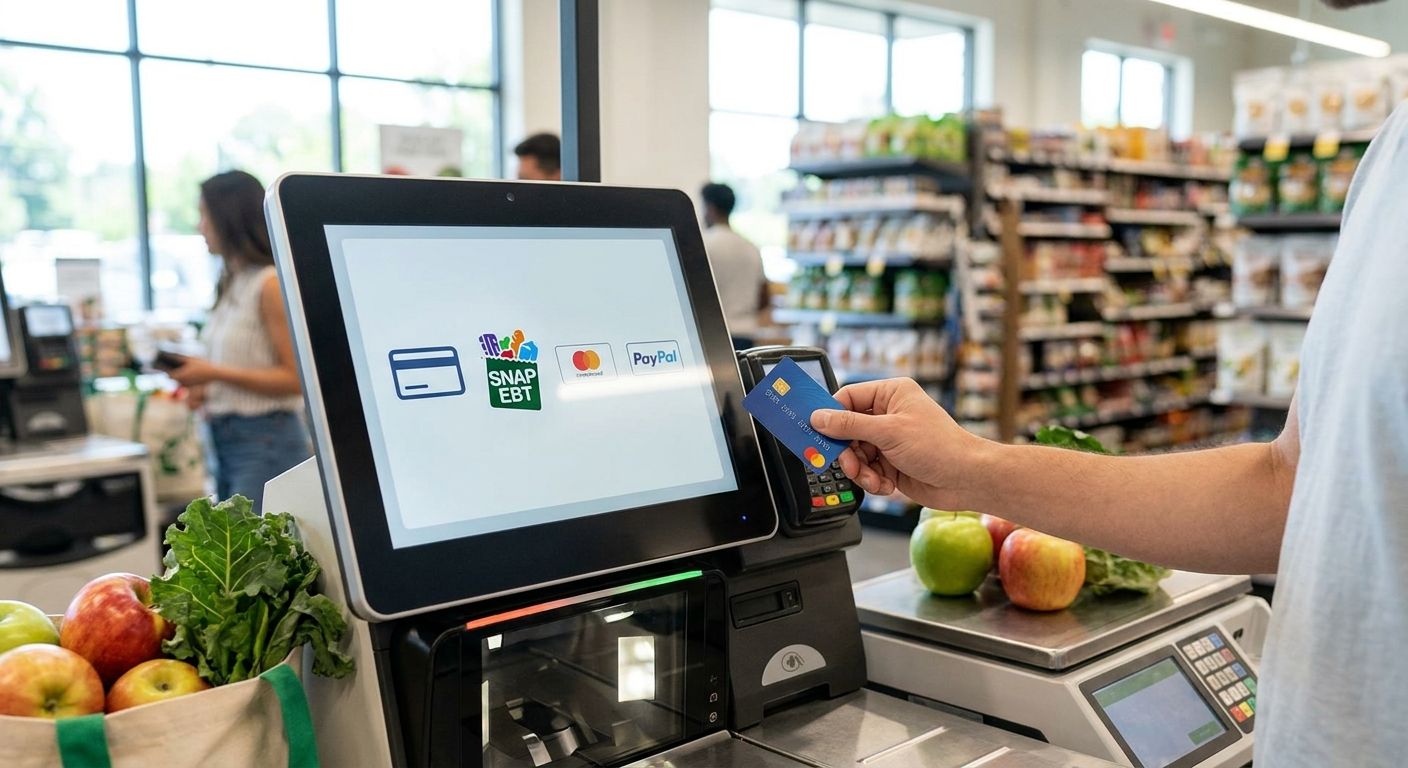
Adding SNAP EBT acceptance to a self-checkout kiosk means more than plugging in a card reader — it requires USDA authorization, a certified EBT processor, and SKU-level eligibility rules built into the kiosk software before you flip the switch. This guide walks through the setup in order, from federal paperwork to the first live transaction.
- A snap ebt self-checkout kiosk needs USDA FNS retailer authorization before any hardware setup starts.
- EBT transactions require a certified PIN pad and a 4-digit PIN — no cash back is allowed, ever.
- Split-tender logic is mandatory: most real carts mix SNAP-eligible and ineligible items in one transaction.
- Local Express configures SNAP eligibility at the SKU level so kiosks never guess what qualifies.
- Skip the attendant call button and you'll see abandoned transactions the first week you go live in 2026.
Why this matters
SNAP is federally administered by the USDA Food and Nutrition Service (FNS), and every retailer that wants to accept it — kiosk or not — has to be authorized first. That's a separate step from getting a payment processor to certify your terminal for EBT.
Self-checkout complicates things because a kiosk has to make real-time decisions a cashier used to make by eye: is this item SNAP-eligible, does the cart need split tender, and does the PIN pad meet federal PCI PIN Entry Device standards. Get any one of those wrong and you either lose the sale or process a transaction that fails an audit later.
Grocers running self-checkout without EBT support are turning away a payment method a meaningful share of their local shoppers rely on weekly. The setup below gets a snap ebt self-checkout kiosk compliant and live without guesswork.
What you'll need
- Active USDA FNS retailer authorization for SNAP acceptance (apply before ordering hardware)
- An EBT-certified payment processor contracted separately from your general card processor
- A PIN pad rated for PCI PIN Entry Device (PED) compliance on each kiosk
- SKU-level eligibility data for every item you sell, flagging what qualifies under SNAP rules
- Split-tender capable kiosk software that can separate eligible and ineligible items in one cart
- Signage at the kiosk stating SNAP is accepted and cash back is not
- 2-4 weeks of lead time for processor certification and staff training before your target go-live date
The steps
1. Confirm your SNAP retailer authorization is active
Before anything touches the kiosk, your store needs FNS authorization on file — this is a store-level approval, not a hardware approval. If you're already accepting SNAP at a staffed register, this step is likely done; if you're a new location or expanding into online SNAP orders alongside kiosk, check status before you order equipment.
Common mistake: assuming online SNAP authorization automatically covers in-store kiosk acceptance. It doesn't — confirm both are active for your location.
2. Contract with an EBT-certified payment processor
Your general credit card processor is not automatically EBT-certified. EBT runs on a separate network, and the processor has to certify each terminal model you plan to deploy at the kiosk.
Ask for certification timelines in writing before you commit to a kiosk hardware vendor — mismatched timelines between hardware delivery and processor certification are the single biggest cause of delayed go-live dates in 2026.
Common mistake: buying kiosk hardware first, then discovering the PIN pad model isn't on the processor's certified list.
3. Configure SNAP eligibility at the SKU level
Every item in your catalog needs an eligibility flag: SNAP-eligible or not. Hot prepared foods, alcohol, tobacco, and non-food items are excluded under federal rules, and the kiosk has to know this before checkout, not guess at the point of payment.
Local Express builds this eligibility logic directly into the contactless payment setup for grocery self-checkout kiosks, so the SKU database drives what the kiosk will and won't apply EBT funds to — no manual override needed at checkout.
Common mistake: flagging categories instead of individual SKUs. A prepared rotisserie chicken and a raw whole chicken sit in the same department but have different SNAP eligibility.
4. Install and test the PIN pad hardware
EBT purchases require PIN entry, same as a debit card, using a 4-digit PIN. The PIN pad has to be PCI PED-compliant and certified by your EBT processor for that exact model and firmware version.
Run a live test transaction with a real EBT card before opening the kiosk to shoppers — a bench test with a card emulator isn't the same as a live network authorization.
Common mistake: installing a PIN pad that passed general credit card PCI compliance but was never separately certified for the EBT network.
5. Build split-tender logic for mixed carts
Most real grocery carts mix eligible and ineligible items — cereal and dish soap in the same transaction. The kiosk needs split-tender logic to apply SNAP funds only to the eligible subtotal and prompt for a second payment method on the rest.
This is where most self-checkout kiosk failures happen: the software either blocks the whole transaction or applies EBT to items it shouldn't.
Common mistake: treating split tender as optional. In practice it's the majority case, not the edge case.
Get your kiosk EBT-ready
See how Local Express configures SNAP eligibility and split tender at the SKU level.
6. Set the cash-back rule to zero, every time
Federal rules prohibit cash back on EBT transactions — the kiosk should be configured so cash back is not offered as an option once a shopper selects EBT as the payment type. This isn't a preference setting; it's a compliance requirement.
Common mistake: leaving a generic "cash back" prompt active on the kiosk's payment screen for all tender types, including EBT.
7. Train staff to handle kiosk assist calls
Even a well-configured kiosk generates edge cases: a card that won't read, a balance dispute, a split-tender error. Staff need a clear process for walking a shopper through it without abandoning the transaction.
Build this into your existing kiosk attendant workflow rather than treating EBT as a separate training track — the best self-ordering kiosk for grocery and specialty food stores setups that run smoothest treat payment-method training as one module, not three.
Common mistake: training staff on general kiosk troubleshooting but skipping EBT-specific scenarios entirely.
8. Post signage and go live
Signage at the kiosk should state SNAP is accepted and that cash back is not available. Run a soft launch for the first few days, watch for transaction failures, and confirm your processor's reporting matches what the kiosk logs.
Common mistake: going live storewide on day one instead of piloting on one or two kiosks first.
Troubleshooting
- PIN pad rejects the card repeatedly: confirm the terminal model and firmware are on your processor's certified EBT list — an uncertified update can break acceptance overnight.
- Split tender charges the wrong subtotal: check SKU eligibility flags first; a miscategorized item is the most common cause, not a software bug.
- Kiosk shows a decline despite a known balance: this is usually a network authorization timeout, not an eligibility issue — check connectivity before troubleshooting the card itself.
- Cash-back prompt still appears for EBT: revisit tender-type configuration; this setting has to be explicit per payment method, not inherited from card defaults.
- Attendant call button goes unanswered: staffing gaps during peak hours cause abandoned kiosk transactions — this shows up fastest during high-traffic SNAP disbursement days.
- Processor certification delayed past your go-live date: push your kiosk launch back rather than opening with an uncertified terminal — a failed EBT transaction at launch damages shopper trust fast.
Tools and resources
- USDA Food and Nutrition Service retailer authorization portal
- Your EBT-certified payment processor's terminal certification list
- SKU-level eligibility data from your grocery ecommerce platform
- Kiosk hardware rated for PCI PIN Entry Device compliance
- Best self-checkout kiosks for independent grocery stores for hardware and software pairing options
What to do next
Once the kiosk is live, run the numbers on whether the hardware investment is paying off. The how to calculate ROI on a self-service kiosk for your store guide breaks down what to track in the first 90 days — transaction volume, average basket, and labor hours reallocated away from staffed registers.
FAQ
Can a self-checkout kiosk accept SNAP EBT payments?
Yes, a self-checkout kiosk can accept SNAP EBT once the store has active USDA FNS authorization and the kiosk runs a PIN pad certified by an EBT-approved payment processor. Hardware alone isn't enough — the retailer authorization has to be in place first.
Does EBT allow cash back at a kiosk?
No, federal rules prohibit cash back on EBT transactions at any point of sale, including self-checkout kiosks. Kiosk software should be configured so the cash-back option never appears once EBT is selected as the tender type.
What is split tender and why does it matter for SNAP kiosks?
Split tender lets a kiosk apply SNAP funds only to eligible items in a cart while prompting for a second payment method on the rest. Most real grocery carts mix eligible and ineligible items, so split tender isn't optional — it's the majority use case.
How long does it take to set up SNAP EBT on a self-checkout kiosk?
Plan for 2-4 weeks between EBT processor certification and staff training before a realistic go-live date in 2026. Timelines stretch further if the store's USDA FNS authorization isn't already active.
What items are not eligible for SNAP EBT purchase?
Hot prepared foods, alcohol, tobacco, and non-food items are excluded from SNAP eligibility under federal rules. Kiosk software needs SKU-level flags to enforce this automatically at checkout.
Do I need a different payment processor for EBT than for credit cards?
Often yes — EBT runs on a separate network and requires its own certification, even if your general card processor handles Visa and Mastercard already. Confirm EBT certification in writing before ordering kiosk hardware.
What PIN pad requirements apply to EBT kiosks?
EBT kiosks need a PCI PIN Entry Device (PED) compliant PIN pad certified by your EBT processor for that specific terminal model and firmware. A device that's PCI-compliant for credit cards isn't automatically EBT-certified.
Can online grocery orders also accept SNAP EBT?
Yes, SNAP EBT online ordering requires its own USDA authorization separate from in-store kiosk acceptance. Retailers running both channels need to confirm authorization status for each one individually.
One last thing
The SKU eligibility file is the part retailers underestimate most — it's not a one-time setup. New products get added weekly, and a single miscategorized SKU can trigger a compliance flag or a frustrated shopper at the kiosk during a busy SNAP disbursement window. Review it monthly, not annually.
Related guides
- How to set up SNAP EBT online ordering for your grocery store
- Contactless payment setup for grocery self-checkout kiosks
- Best self-ordering kiosk for grocery and specialty food stores
- How to calculate ROI on a self-service kiosk for your store
- Best self-checkout kiosks for independent grocery stores