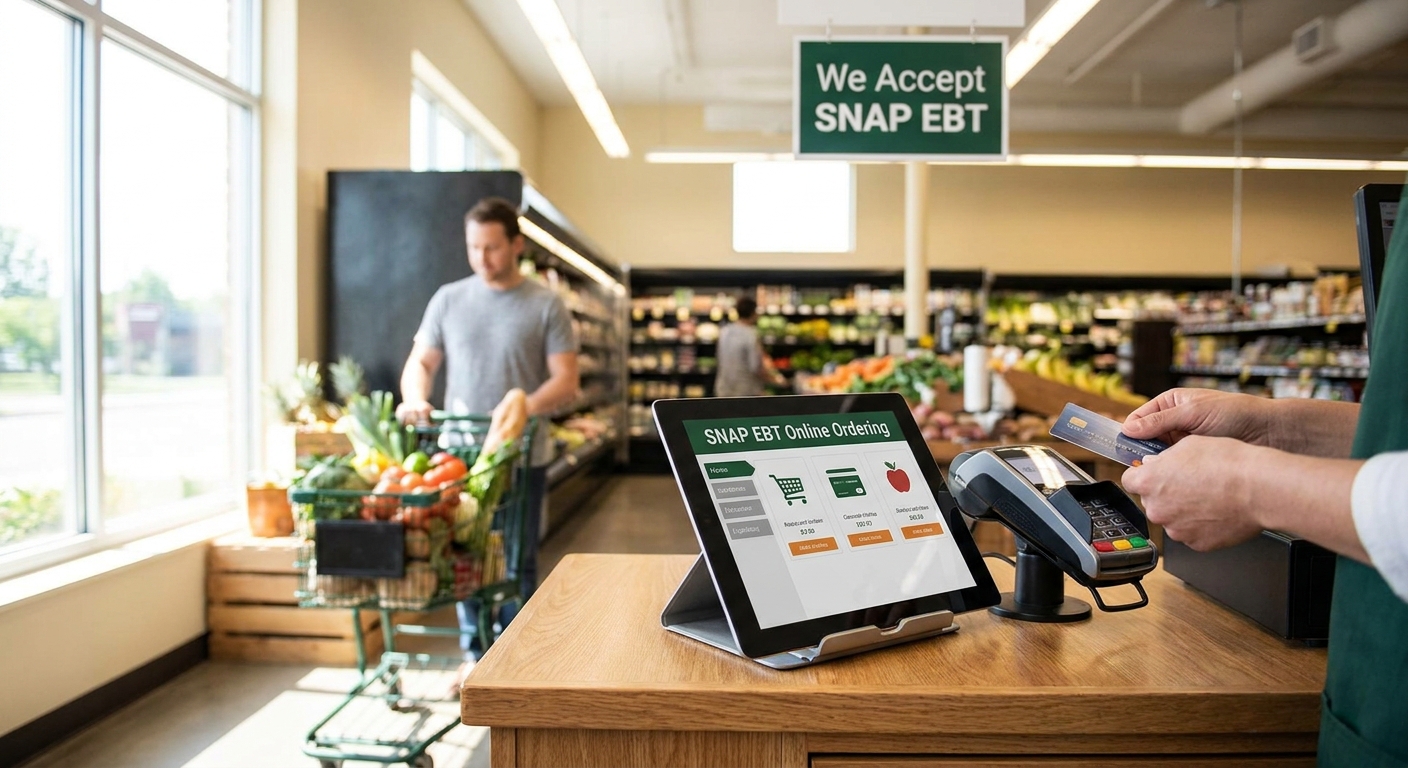
Setting up SNAP EBT online ordering means getting USDA FNS approval, integrating an EBT processor with your ecommerce platform, and configuring split-tender checkout so SNAP-eligible items get charged separately from everything else.
- SNAP EBT online ordering requires USDA FNS authorization before any transaction goes live in 2026.
- Split-tender checkout is mandatory: SNAP covers eligible food only, never delivery or service fees.
- Catalog tagging errors are the #1 reason retailers fail their FNS compliance review.
- A platform built for grocery ecommerce cuts setup time versus retrofitting a generic cart.
Why this matters
SNAP EBT online ordering isn't optional anymore for grocers competing on convenience. USDA's Online Purchasing Pilot, which started in 2020 with a handful of retailers, now runs in all 50 states as of 2026, and customers expect to use their benefits the same way they use a debit card at checkout.
Independent and regional grocers who skip this lose SNAP households to chains and to delivery apps that already support it. Local Express works with grocers building EBT-compliant ecommerce and mobile ordering, and the setup mistakes are consistent across every retailer type — from health food stores to international grocers with high SNAP volume.
Get this wrong and you risk a failed compliance review, a delayed launch, or worse, an FNS violation that puts your SNAP authorization at risk. Get it right and SNAP customers become one of your most reliable online order segments.
What you'll need
- An active SNAP retailer authorization (FNS number) in good standing
- USDA FNS approval for online SNAP purchasing — separate from your in-store authorization
- An EBT payment processor certified for card-not-present SNAP transactions
- A grocery ecommerce platform that supports split-tender checkout
- A fully tagged product catalog separating SNAP-eligible from non-eligible items
- A compliant PIN entry method for online EBT authentication
- A plan for handling delivery, service, and tip charges outside SNAP
The steps
1. Confirm your FNS SNAP authorization is current
Your existing in-store SNAP authorization doesn't automatically cover online sales. Check your FNS number status and renewal date before applying for anything else in 2026 — a lapsed authorization stalls the entire process.
Common mistake: retailers assume online approval is bundled with in-store status. It isn't, and finding out mid-application costs weeks.
2. Apply for USDA FNS online SNAP purchasing authorization
Submit your application through the FNS Retailer Portal specifically for online transactions. This step verifies your business can meet EBT security and reporting standards for card-not-present orders.
Expect a review period measured in weeks, not days. Retailers who prepare their processor and platform documentation in advance move through review faster than those who apply first and scramble for technical details second.
3. Choose an EBT-integrated ecommerce platform
Your ecommerce and mobile ordering system needs native support for split-tender checkout, not a bolt-on workaround. A platform built for grocery — like the ones Local Express runs for independent and specialty grocers — already handles the item-level SNAP eligibility logic that generic carts don't.
Common mistake: retailers pick a general-purpose ecommerce platform, then discover mid-build that SNAP split-tender requires a custom integration nobody budgeted for.
4. Tag every SNAP-eligible item in your catalog
Go through your full product catalog and flag which SKUs qualify under SNAP rules — most staple foods qualify, hot prepared foods and non-food items generally don't. This tagging feeds directly into your checkout logic.
Missing even a handful of tags creates a compliance gap that shows up during your FNS review or, worse, during a customer complaint. Budget real time for this step; it's manual and it's the step most retailers underestimate in 2026.
5. Configure split-tender checkout
Set up your checkout so SNAP-eligible items get charged to the EBT card first, with any remaining balance — taxes on non-eligible items, delivery fees, tips — charged to a second payment method. SNAP never covers delivery or service fees, full stop.
Expected outcome: a customer with a $60 cart containing $45 of SNAP-eligible groceries pays $45 on EBT and the remainder plus fees on a debit or credit card, automatically, without manual splitting at the register.
Common mistake: building split-tender so the delivery fee gets bundled into the EBT charge attempt, which fails the transaction and frustrates the customer at the worst possible moment.
6. Configure secure PIN entry
Online EBT transactions require a compliant PIN entry method that meets the same security standards as an in-store PIN pad. Your processor should provide this as part of certification — confirm it before launch, not after your first live order.
A weak or non-compliant PIN flow is a fast way to trigger a security review that pauses your entire online SNAP program.
7. Test transactions before going live
Run test orders covering every scenario: SNAP-only cart, mixed cart with split tender, cart with delivery fees, and a declined-card scenario. Catching a checkout bug in testing costs an afternoon; catching it after launch costs customer trust.
Expected outcome: every test transaction settles correctly with the right amount hitting EBT and the right amount hitting the secondary payment method, every single time.
Troubleshooting
- Split-tender transactions fail at checkout — usually a sign the delivery fee or tip got routed into the EBT charge instead of the secondary payment method. Recheck your checkout logic against item eligibility, not just cart total.
- Non-eligible items get charged to EBT — almost always a catalog tagging gap. Audit new SKUs weekly, not just at initial setup, since new products get added faster than tags get applied.
- FNS review delays — incomplete processor documentation is the most common cause. Submit processor certification alongside your application, not after a follow-up request.
- Customers confused about delivery fees — SNAP never covers delivery, service fees, or tips, and this surprises first-time online SNAP shoppers. State it clearly at checkout before payment, not after.
- PIN entry errors on mobile — some older mobile ordering builds don't support compliant PIN capture. Confirm your mobile app vendor has EBT-specific certification, not just generic payment processing.
Tools and resources
- USDA FNS Retailer Portal — where online SNAP authorization applications get submitted and tracked
- An EBT-certified payment processor with card-not-present SNAP support
- A grocery-specific ecommerce and mobile ordering platform with split-tender built in, rather than retrofitted — Local Express builds this for specialty and independent grocers where SNAP order volume tends to run high
- A catalog management workflow that flags SNAP eligibility at the SKU level, not the category level
- A staff training checklist covering split-tender explanations for customer service
Launch SNAP EBT ordering the right way
See how a grocery-built platform handles split-tender checkout and FNS compliance.
What to do next
Once SNAP EBT ordering is live, watch your first 30 days of transaction data closely. Look for declined split-tender attempts, catalog tagging gaps that surface as customer complaints, and any FNS reporting mismatches — these show up fast if something in setup was missed, and they're far cheaper to fix in week one than after a compliance review flags them in 2026.
FAQ
What is SNAP EBT online ordering for grocery stores?
SNAP EBT online ordering lets customers pay for SNAP-eligible groceries with their EBT card during an online or app checkout, using split-tender payment for anything SNAP doesn't cover. It requires separate USDA FNS authorization from in-store SNAP acceptance.
Which states allow SNAP EBT online grocery purchases in 2026?
All 50 states participate in USDA's Online Purchasing Pilot as of 2026. Individual retailer approval still runs through FNS regardless of state.
Does SNAP cover delivery fees or tips?
No. SNAP EBT only covers eligible food items, never delivery fees, service charges, or tips, which must be charged to a separate payment method through split-tender checkout.
How do I get approved for SNAP EBT online ordering?
Apply through the USDA FNS Retailer Portal specifically for online purchasing authorization, separate from your existing in-store SNAP authorization. Processor certification and platform documentation speed up the review.
What is split-tender payment in grocery ecommerce?
Split-tender checkout charges SNAP-eligible items to the EBT card and routes the remaining balance, including taxes on ineligible items and delivery fees, to a second payment method automatically in a single checkout flow.
How long does USDA FNS approval take for online SNAP?
Review periods typically run several weeks. Retailers who submit complete processor and platform documentation upfront tend to clear review faster than those who apply before their technical setup is finalized.
Can convenience stores accept SNAP EBT online orders?
Yes, provided they hold FNS authorization for online SNAP purchasing and use a platform with compliant split-tender checkout, the same requirement that applies to full grocery retailers.
Do online SNAP orders need a special PIN entry method?
Yes. Online EBT transactions require a PIN entry method certified to the same security standard as in-store PIN pads, which your EBT processor should provide as part of certification.
One last thing
The retailers who launch SNAP EBT ordering smoothest in 2026 aren't the ones with the biggest tech budgets — they're the ones who finish catalog tagging before writing a single line of checkout logic. Get the eligibility data right first, and the rest of the build moves fast.