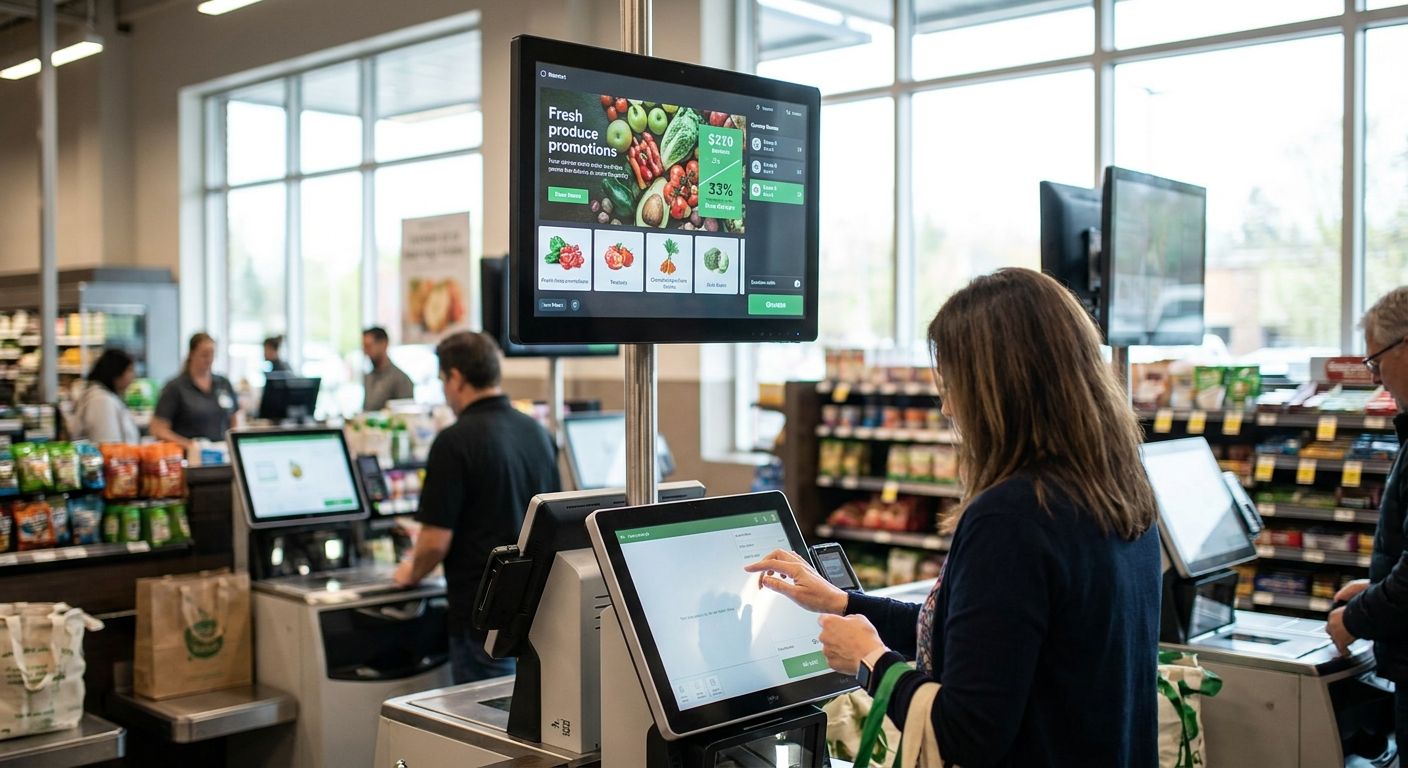
Self-checkout lanes are where grocers either capture an extra sale or lose a customer to a stuck screen. Digital signage software for grocery self-checkout lanes decides which one happens, and most retailers pick the wrong tool because they buy signage as an afterthought to the hardware.
- Kiosk-native signage synced to POS data is the safe buy for grocery self-checkout lanes in 2026.
- Standalone signage overlays cost less upfront but break price sync with self-checkout kiosks — Consider only for single-lane pilots.
- Retail media-powered signage turns checkout screens into a CPG revenue line, not just a UX feature.
- Digital signage software grocery checkout tools without real-time inventory sync display stale promos — Skip these outright.
- Contactless payment prompts built into the signage layer cut lane friction more than any static ad ever will.
Why this matters
A self-checkout lane with a blank or generic screen is wasted real estate. Grocers running signage tied to kiosk hardware and live inventory data have reported order values climbing 30% compared to lanes with no signage at all, and kiosk-based ordering already hits 99% order accuracy when the software talks directly to POS and inventory systems.
The gap between a signage tool that helps and one that just sits there is integration depth, not screen resolution. Cheap signage software shows a static loop of ads. Software built for self-checkout kiosks pulls real-time price changes, out-of-stock flags, and promo timing straight from the store's system, so what the shopper sees at checkout matches what's actually on the shelf.
Who this is for
This guide is for independent and regional grocery operators running 1 to 30 self-checkout lanes who already have kiosks installed or are budgeting for them in 2026 and want the screen to do more than show a store logo. It's built for owners and IT leads deciding between a bolt-on signage app and software that ties into POS, inventory, and payment systems at the lane.
What to look for in digital signage software for grocery checkout
Real-time POS and inventory sync
Signage that can't pull live price and stock data will show a promo for an item that sold out an hour ago. That's not a cosmetic issue at checkout — it erodes trust in the self-checkout experience right when the transaction closes.
Kiosk and hardware compatibility
Software built to run on the same hardware stack as the self-checkout kiosk avoids a second vendor relationship and a second point of failure. Ask any vendor exactly which kiosk models and screen sizes they've deployed on in the last 12 months, not just what they claim to support on paper.
ROI tracking, not just impressions
Most signage vendors report screen impressions. Grocers need conversion data: did the promo shown at checkout move a basket total up or down. Run the math the way you would for any kiosk investment before signing — see how to calculate ROI on a self-service kiosk for the framework.
Retail media and sponsored placement support
Checkout signage is inventory a grocer can sell to CPG brands, not just a UX layer. Software without sponsored-placement support leaves that revenue on the table entirely.
Remote content management
A store manager should be able to swap a weekly promo without opening a ticket with IT. Software that requires a developer to push a content update will fall two weeks behind every sale cycle.
Payment and checkout flow integration
Signage that prompts contactless payment steps at the right moment reduces lane friction more than any ad ever will. If the signage layer and payment flow are separate systems, expect glitches during peak hours.
Top picks for grocery self-checkout lane signage
Kiosk-native signage synced to hardware — the safe pick. One spec that matters: real-time price and promo sync pulled directly from inventory, not a nightly batch update. Grocery kiosks running this kind of integrated signage are tied to the 99% order accuracy numbers seen across 2026 kiosk deployments. Verdict: Buy — this is the default for any grocer with kiosks already on order or installed.
Standalone signage overlay software — the retrofit pick. Cheaper to bolt onto existing screens, but it runs as a separate system from the kiosk and POS. Price sync usually lags by hours, sometimes a full day. Verdict: Consider only for a single-lane pilot before a wider rollout, not for a full store.
Retail media-powered checkout signage — the monetization pick. This turns the lane screen into sellable ad inventory for CPG brands rather than a pure customer-experience feature. It requires a program structure behind it — see how independent grocers launch a retail media program without a national network before committing budget here. Verdict: Buy if checkout foot traffic supports a media program; Skip for stores under a few hundred daily transactions.
Payment-prompt signage — the friction killer. This pairs the display directly with the contactless payment setup at self-checkout kiosks, guiding shoppers through tap-to-pay steps instead of just showing ads. Verdict: Buy for any lane where staff report frequent payment fumbling.
Generic ad-loop signage with no integration — the wildcard nobody should pick. No POS tie-in, no inventory sync, no ROI data beyond screen-on time. Verdict: Skip. It looks like signage software but functions as a slideshow.
See signage built into checkout hardware
Local Express ties digital signage to live inventory and payment data at the lane.
What to avoid
- Signage locked to a separate content management portal that doesn't touch your POS — it looks like a full solution in a demo but breaks the moment a price changes mid-week.
- Vendors that quote impressions instead of order value lift — impressions don't tell you whether the checkout screen changed a basket size, and the 30% order value gains reported at signage-enabled kiosks only show up when conversion, not exposure, is tracked.
- Hardware bundles that force a second kiosk contract — running signage software from a different vendor than your self-checkout kiosks means two support lines and no single source of truth when something breaks at the lane.
Verdict comparison table
| Option | POS/inventory sync | Payment integration | Revenue potential | Verdict |
|---|---|---|---|---|
| Kiosk-native signage | Real-time | Built-in | Moderate | Buy |
| Standalone overlay | Delayed (hours-days) | None | Low | Consider |
| Retail media signage | Real-time | Partial | High | Buy (traffic-dependent) |
| Payment-prompt signage | Real-time | Full | Low-moderate | Buy |
| Generic ad-loop | None | None | None | Skip |
FAQ
What is digital signage software for grocery checkout?
It's software that runs promotional and informational content on screens at self-checkout lanes, ideally synced to live POS and inventory data. The 2026 versions worth buying tie directly into kiosk hardware rather than running as a separate ad-loop app.
Does digital signage at self-checkout actually increase sales?
Kiosk-enabled signage has been linked to order values climbing 30% compared to lanes with no signage at all. The lift comes from real-time promo targeting, not from screens alone.
Is kiosk-native signage better than a standalone signage app?
Yes for most grocers, because kiosk-native signage syncs with inventory and pricing in real time while standalone overlays often lag by hours or a full day. Standalone apps only make sense for a short single-lane pilot.
Can checkout signage generate revenue from CPG brands?
Yes, through a retail media program that sells sponsored placement on checkout screens. This only works with enough daily transaction volume to justify a program structure and reporting.
How much does digital signage software for grocery checkout cost?
Cost varies by whether it's bundled with kiosk hardware or sold as a standalone add-on. Ask vendors for total cost including hardware, integration, and content management, not just a monthly license fee.
Does signage software need to integrate with contactless payment?
It should if the goal is reducing lane friction, not just displaying ads. Signage tied to the payment flow can prompt tap-to-pay steps at the right moment instead of running unrelated content during checkout.
What's the biggest mistake grocers make buying checkout signage?
Buying signage as a separate system from the self-checkout kiosk and POS. That gap is why most signage software ends up showing stale prices and unsold inventory.
How do I measure ROI on checkout signage?
Track order value lift and conversion on promoted items, not screen impressions. Run the same ROI math used for the underlying self-service kiosk investment before adding signage cost on top.
One last thing
The screens most grocers ignore are the ones already paid for. If your self-checkout kiosks shipped with a display and it's running a static logo loop in 2026, that's a kiosk you already own sitting idle as ad inventory, promo space, and a payment-friction fix all at once.