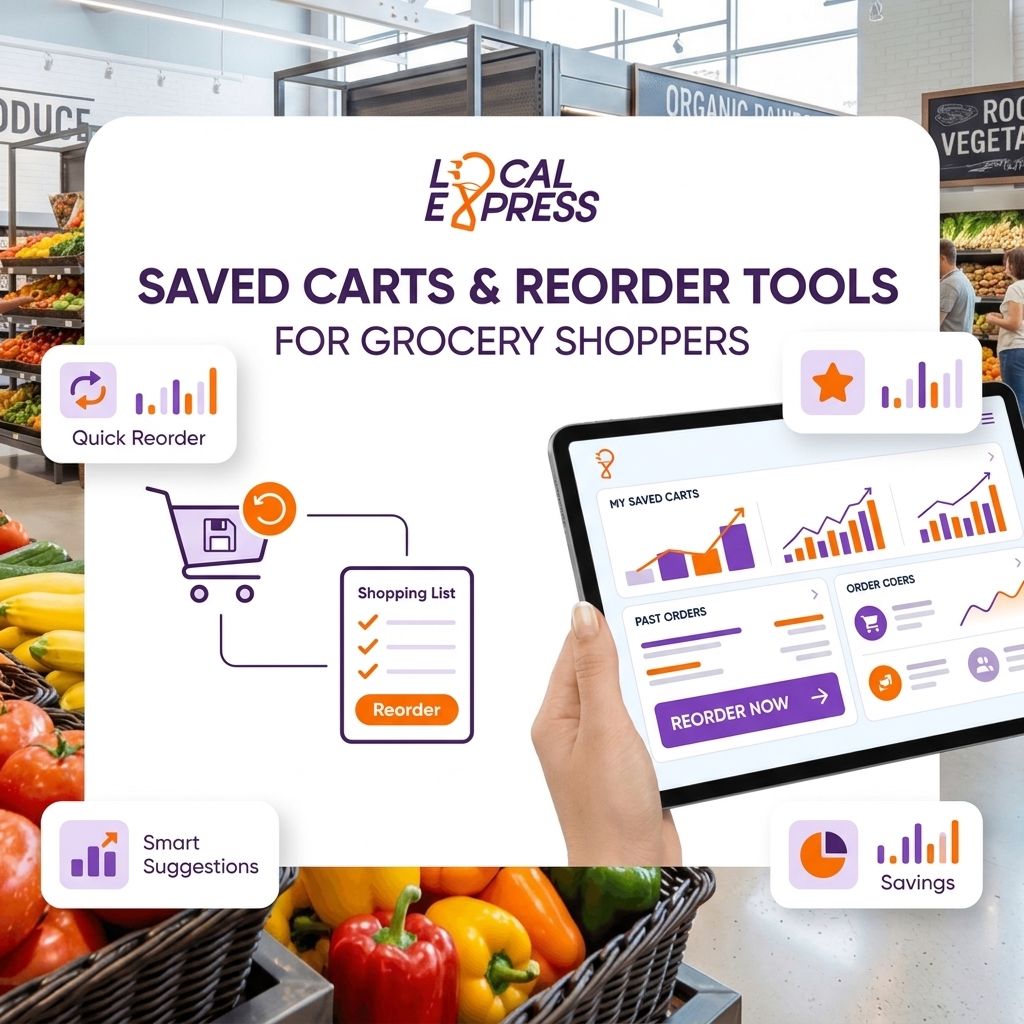
Saved carts and one-click reorder tools cut the time a shopper spends on a repeat grocery order from a full browse-and-checkout cycle down to a handful of taps, and in 2026 that speed is the difference between a shopper who reorders weekly and one who drifts to a marketplace app. The setup itself takes a working product catalog, a logged-in shopper account, and a reorder trigger — either a saved cart button, a "buy again" list pulled from order history, or a scheduled autoship rule for staples like milk, eggs, and coffee.
- Saved carts and reorder tools for grocery ecommerce turn repeat staples into a 3-tap checkout instead of a full re-browse.
- Order history is the foundation — reorder tools can't work without a synced order management system feeding them.
- Independent grocers see the fastest adoption on perishable staples: dairy, produce boxes, and bread, not one-off specialty items.
- Pair reorder buttons with SMS or push reminders timed to typical purchase cycles for the biggest lift in repeat orders.
- Skip building this on a generic ecommerce cart plugin — grocery SKUs, substitutions, and out-of-stock swaps need a purpose-built flow.
Why this matters
Grocery shoppers buy the same 15 to 20 items on repeat most weeks. Forcing them to re-search a catalog every time is the single biggest reason independent grocers lose share to national chains and marketplaces that already have one-click reorder built in.
A saved cart isn't a nice-to-have feature buried in account settings. It's a retention lever — the shopper who reorders in three taps this week is the shopper who doesn't open a competing app next week. Regional and independent grocers running their own branded ecommerce site in 2026 need this parity, not as an experiment but as a baseline expectation.
How do you set up saved carts and reorder tools for grocery shoppers?
Setting up saved carts and reorder tools for grocery ecommerce takes five steps, in this order:
| Step | What happens | Who owns it |
|---|---|---|
| 1. Sync order history | Every completed order (web, app, kiosk) feeds a single shopper profile | Order management system |
| 2. Enable "buy again" | Past purchases surface as a reorderable list, ranked by frequency | Ecommerce platform |
| 3. Add saved cart / favorites | Shoppers manually bookmark a cart or item list for later | Storefront UI |
| 4. Handle substitutions | Out-of-stock SKUs trigger a swap rule instead of a dead-end error | Inventory sync |
| 5. Trigger reminders | SMS or push nudge sent near the shopper's typical reorder window | Marketing automation |
The order matters. Step 1 has to work before any of the others do — a reorder tool built on stale or fragmented order data just reproduces last month's cart, wrong quantities and all. This is the exact gap centralized order management across web, app, and kiosk channels is built to close: one order record instead of three disconnected ones.
Saved carts: the manual reorder path
A saved cart is a shopper-initiated bookmark — they build a list once (a weekly staples run, a recipe kit, a household restock) and reuse it on demand. This works best for predictable, planned purchases: the Sunday grocery run, a standing coffee-and-creamer order, a household's core dairy and produce list.
Best for: shoppers with a consistent weekly basket who want control over timing. Trade-off: it requires the shopper to remember the feature exists — adoption depends on visibility, not automation.
Buy-again lists: the automatic reorder path
A buy-again list pulls straight from order history with zero setup from the shopper. It surfaces the top items they've purchased in the last 30 to 90 days, ranked by frequency, and lets them add the whole set or individual items back to cart in one tap.
Best for: high-frequency staples — milk, eggs, bread, produce boxes — where the shopper doesn't think about reordering, they just expect the item to be there. Trade-off: it needs clean SKU-level order history; a store still running paper receipts or a disconnected legacy POS can't power this without a synced system.
Autoship and subscription reorders
For true staples — coffee, pet food, household paper goods — some grocers add a subscription layer on top of reorder tools so the cart rebuilds and checks out automatically on a set cadence. This is a step beyond a reorder button; it's covered in more depth in subscription and membership tools for grocery ecommerce.
Best for: commodity items with a fixed replenishment cycle. Trade-off: perishables and produce don't fit a fixed schedule — a subscription cart for lettuce just generates cancellations.
Why reorder tool adoption varies by store
Not every grocer sees the same lift from saved carts and reorder tools. The gap usually comes down to a handful of operational factors:
- Catalog cleanliness — reorder tools break when SKUs get renamed, discontinued, or duplicated without a mapping rule.
- Substitution logic — a reorder that hits an out-of-stock item and dead-ends the checkout trains shoppers to stop trusting the button.
- Order history depth — a shopper needs at least two or three completed orders before a "buy again" list has anything meaningful to show.
- Cross-channel sync — if web, app, and kiosk orders live in separate systems, the reorder tool only sees a fraction of what the shopper actually bought.
- Reminder timing — a reorder nudge sent too early feels pushy; sent too late, the shopper has already restocked elsewhere.
- Category mix — specialty and international grocers with a long tail of niche SKUs see slower reorder-tool adoption than stores built around a tight staples assortment.
Independent grocers running saved carts on a unified order management system typically see the feature used within the shopper's second or third visit — not the first. That's the realistic adoption curve, not an overnight switch.
“A reorder button that dead-ends on an out-of-stock item is worse than no reorder button at all.”
Related questions
Does a saved cart tool require a mobile app, or does it work on a grocery website?
A saved cart tool works on either — the reorder logic lives in the order management layer, not the front-end channel. Grocers running both a branded mobile app and a website need the reorder data synced across both, or the shopper's cart history splits and neither channel shows the full picture.
How do reorder tools handle out-of-stock items?
Out-of-stock items in a reorder flow need a substitution rule, not a hard stop. The tool should either auto-swap to a comparable SKU, flag the item for manual review at checkout, or remove it and notify the shopper before the order confirms — a dead-end error is the fastest way to kill trust in the feature.
Should reorder reminders go out by SMS, push notification, or email?
SMS and push notifications outperform email for reorder reminders because grocery restock decisions happen fast and often on mobile, close to the moment the shopper realizes they're out of something. Grocers running push notification and SMS marketing tools can time reminders to a shopper's historical reorder window instead of blasting the full list on a fixed schedule.
Do saved carts help with loyalty program engagement?
Saved carts and loyalty programs reinforce each other when they're connected to the same shopper profile — a reorder that automatically applies earned points or a loyalty discount removes another point of friction from the repeat purchase. This only works when loyalty data is synced across every channel, which is why syncing loyalty points across POS and app is usually a prerequisite step, not an afterthought.
For grocers weighing whether to build this in-house or on a platform designed for it, a unified commerce system that already connects order history, inventory, and the storefront removes most of the sync work described above.
See saved carts and reorder tools in action
One order system powering web, app, and kiosk reorders for independent grocers.
FAQ
What is a reorder tool in grocery ecommerce?
A reorder tool is a feature that lets a shopper repurchase items from a past order in one or two taps instead of re-browsing the full catalog. It pulls from synced order history and typically surfaces as a 'buy again' list or a saved cart button on the storefront.
How much does a saved cart feature cost to add to a grocery website?
Cost depends on whether it's built into an existing ecommerce platform or bolted onto a legacy site as a custom integration. Platforms with order management already built in typically include reorder tools as a standard feature rather than a separate line item.
Is a buy-again list better than a manual saved cart?
A buy-again list works better for high-frequency staples because it requires zero setup from the shopper, while a manual saved cart works better for planned, recurring baskets the shopper wants to control directly. Most grocery ecommerce sites in 2026 offer both rather than picking one.
Can reorder tools work across a website, app, and self-checkout kiosk?
Yes, but only if all three channels feed into a single centralized order management system. Without that sync, a shopper's kiosk purchase won't show up in their app's reorder list, and the feature loses most of its value.
Do reorder tools reduce cart abandonment?
Reorder tools reduce a major driver of cart abandonment by cutting the number of steps between intent and checkout for repeat purchases. They work alongside broader cart abandonment fixes like clear substitution rules and simplified checkout flows.
How do grocers remind shoppers to reorder?
Grocers send SMS or push notification reminders timed to the shopper's historical purchase cadence rather than a fixed weekly blast. This keeps the reminder relevant instead of feeling like generic marketing noise.
What happens to a reorder when an item is discontinued?
A well-built reorder tool flags the discontinued SKU and either suggests a substitute or removes it from the cart with a clear note to the shopper. Without that logic, the reorder either fails silently or checks out with a wrong item.
One last thing
The grocers who get the most out of saved carts and reorder tools in 2026 aren't the ones with the flashiest storefront design — they're the ones with the cleanest order history feeding the feature. Fix the data sync first; the reorder button is the easy part. A shopper's third or fourth visit is where the habit actually forms, so measure adoption over a full month, not the first week after launch.
Related guides
- How to reduce cart abandonment on a grocery ecommerce website
- Best subscription and membership tools for grocery ecommerce
- How to sync loyalty points across in-store POS and grocery app
- Push notification and SMS marketing tools for grocery apps
- Centralized order management across web, app, and kiosk channels