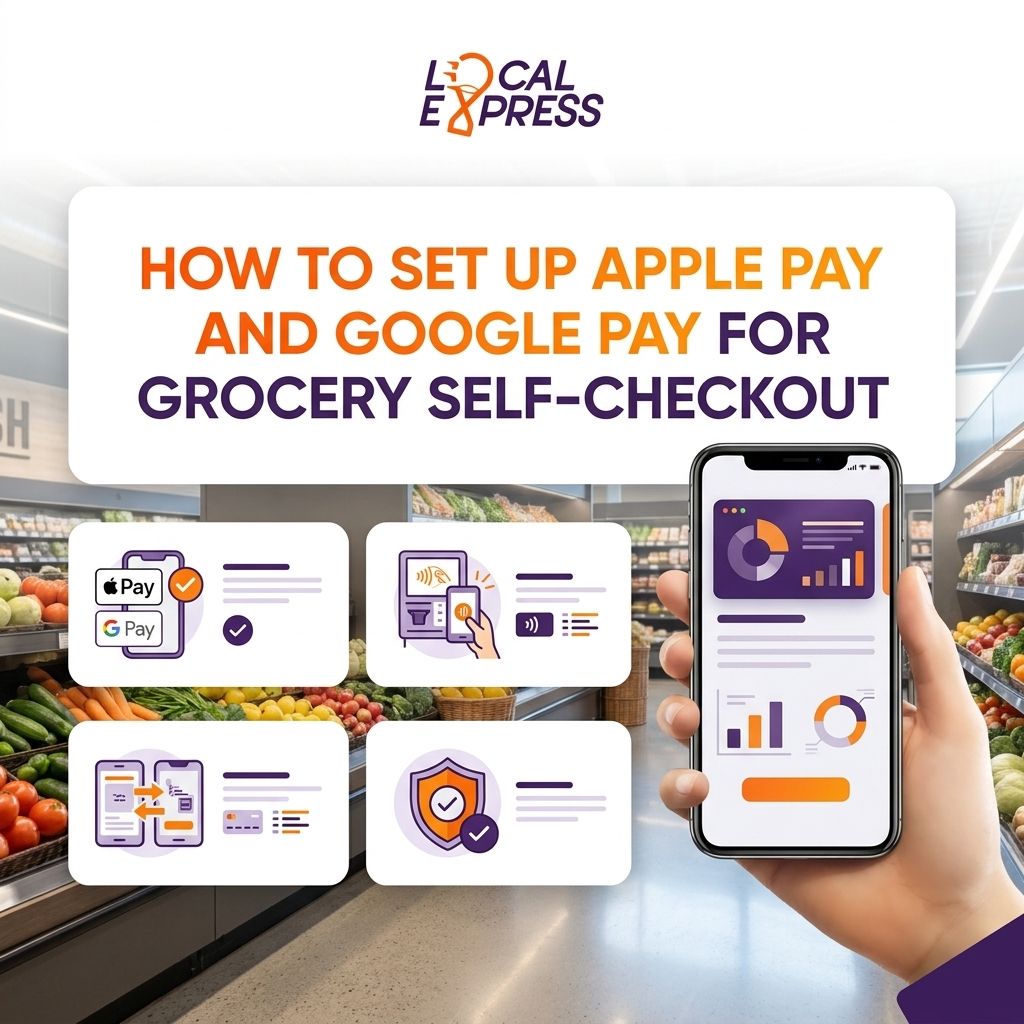
Grocery self-checkout kiosks need three things before a customer can tap an iPhone or Android phone at the lane: an NFC-enabled contactless terminal, a PCI DSS-compliant payment processor certified for tokenized wallets, and merchant enrollment with Apple Pay and Google Pay through that processor or your POS provider. The step retailers underestimate isn't the wallet enrollment itself — it's confirming every kiosk terminal is actually NFC-certified, because a software update alone won't turn a legacy card reader into a contactless one.
- Setting up Apple Pay and Google Pay for grocery self-checkout requires NFC-certified terminals plus a PCI DSS Level 1 processor before either wallet works.
- SNAP EBT still can't route through Apple Pay or Google Pay under current USDA rules, so kiosks need a separate PIN pad for benefit cards.
- Contactless payment setup for self-checkout kiosks is part of Local Express's unified commerce platform, not a bolt-on module.
- Kiosk hardware without an NFC reader needs a terminal swap, not a patch, before wallets go live in 2026.
Why this matters
Customers walking up to a self-checkout kiosk in 2026 expect to tap a phone and walk out, the same way they do at a coffee shop or gas pump. Independent and regional grocers that only accept chip-and-PIN or swipe at self-checkout are asking shoppers to dig for a physical card at the one lane designed to be fast. That friction shows up as abandoned baskets and longer lines at the staffed register instead.
Tokenized wallet payments also change your fraud exposure. Apple Pay and Google Pay never pass a raw card number to your terminal — they pass a device-specific token — which narrows the cardholder data your store actually touches. For an independent grocer running contactless payment setup for self-checkout kiosks, that's a smaller PCI compliance footprint than storing or transmitting full card numbers.
How do you set up Apple Pay and Google Pay for grocery self-checkout?
The setup runs through your payment processor and kiosk vendor, not through Apple or Google directly. Follow this sequence:
- Audit every kiosk terminal for an NFC/contactless reader. Some older self-checkout units shipped with chip-and-swipe only; those need a terminal replacement, not a firmware push.
- Confirm PCI DSS Level 1 compliance with your processor. Wallet transactions still route through your existing merchant account — the processor certifies the tokenization handling.
- Enable Apple Pay and Google Pay merchant capability. Your processor or POS provider flips this on at the account level once hardware and compliance checks pass.
- Configure kiosk software for EMV contactless routing. The kiosk needs to recognize a contactless tap and route it through the EMV contactless protocol, separate from chip-insert logic.
- Test across card networks and both wallets. Run live transactions with Visa, Mastercard, Amex, and Discover cards loaded into both an iPhone and an Android device.
- Add lane signage and train front-end staff. Shoppers still ask cashiers whether tap-to-pay works — a small decal at the kiosk cuts that question at the source.
- Monitor transaction logs after launch. Failed taps usually trace back to a terminal that slipped through the hardware audit; ongoing kiosk maintenance and uptime support catches that before it becomes a customer complaint.
Apple Pay vs. Google Pay at the self-checkout kiosk
From the retailer's side, the two wallets require the same terminal and the same processor certification. The difference lives entirely on the customer's device.
| Feature | Apple Pay | Google Pay |
|---|---|---|
| Device support | iPhone, Apple Watch | Android phones, Wear OS |
| Payment tech | NFC with Secure Element tokenization | NFC with network tokenization |
| Terminal requirement | NFC-enabled, EMV contactless certified | NFC-enabled, EMV contactless certified |
| SNAP EBT support | Not supported (federal PIN requirement) | Not supported (federal PIN requirement) |
| Store-side setup work | Same processor certification as Google Pay | Same processor certification as Apple Pay |
Verdict: neither wallet requires separate kiosk hardware once your terminal is NFC-certified — the certification and processor setup covers both at the same time.
Why setup requirements vary by store
No two grocers start from the same hardware or contract, so timelines and scope shift based on a handful of factors:
- Kiosk hardware age. Units installed before contactless readers were standard need a physical terminal swap.
- Depth of POS integration. A kiosk tightly wired into your existing POS and inventory system takes longer to reconfigure than a standalone unit.
- Processor certification backlog. Some processors batch-process merchant tokenization requests, which affects how fast the wallet capability actually flips on.
- Existing PCI scope. Stores already at PCI DSS Level 1 move faster than those still closing compliance gaps.
- SNAP EBT lane requirements. Stores that process EBT at self-checkout need to keep a separate PIN-based path alongside the new contactless one.
- Number of locations. A single-store rollout is a hardware audit and a processor call; a regional chain needs a phased rollout across every lane at every location.
Does Apple Pay work with SNAP EBT at self-checkout?
No, Apple Pay and Google Pay do not currently support SNAP EBT transactions at self-checkout under federal program rules, which require EBT to run through a PIN-based debit path rather than a tokenized mobile wallet. Grocers offering EBT at the kiosk still need a dedicated PIN pad alongside the contactless reader — see how to accept SNAP EBT payments at a self-checkout kiosk for how that lane is configured separately from the wallet path.
Do older self-checkout kiosks need new hardware for Apple Pay and Google Pay?
Yes, if the existing terminal lacks an NFC reader, it needs a hardware replacement — no software update turns a chip-and-swipe-only terminal into a contactless one. Grocers evaluating a refresh anyway should compare current NFC-ready options against what's already installed; see the best self-checkout kiosks for independent grocery stores for what ships NFC-certified out of the box in 2026.
Is Google Pay setup different from Apple Pay for grocery kiosks?
No, Google Pay setup is nearly identical to Apple Pay setup from the retailer's side — both ride the same NFC terminal and the same processor tokenization certification, with the wallet choice made entirely by the shopper's device.
Get contactless kiosks set up right
Confirm NFC readiness and PCI scope before you flip on Apple Pay and Google Pay.
Local Express builds contactless payment setup for grocery self-checkout kiosks directly into its unified commerce platform, so tokenized Apple Pay and Google Pay transactions, EBT handling, and order data all sit in one system instead of three disconnected vendors. That's the difference between a retailer bolting wallets onto an aging kiosk and one running contactless as a native part of the checkout stack from day one.
FAQ
What is the best payment setup for grocery self-checkout in 2026?
The best setup pairs an NFC-certified terminal with a PCI DSS Level 1 processor that supports both Apple Pay and Google Pay tokenization, plus a separate PIN pad for SNAP EBT. Grocers running this combination avoid the two most common failure points: uncertified hardware and missed EBT compliance.
Is Apple Pay or Google Pay better for grocery self-checkout?
Neither is better from the retailer's side because both use the same NFC terminal and processor certification. The choice is made entirely by the shopper's phone, not the store's setup.
How much does it cost to add Apple Pay and Google Pay to a self-checkout kiosk?
Cost depends almost entirely on whether existing terminals are already NFC-certified. Stores with modern hardware add wallets through a processor certification step; stores with legacy card readers need a terminal replacement first.
Can SNAP EBT customers use Apple Pay or Google Pay at self-checkout?
No, SNAP EBT transactions cannot route through Apple Pay or Google Pay under current federal program rules. EBT still requires a PIN-based debit path run separately from the contactless wallet reader.
Do customers need the store's app to use Apple Pay or Google Pay?
No, wallet payments at self-checkout work directly from the customer's phone through the NFC terminal. A branded grocery app adds convenience for loyalty and reordering but isn't required for the tap-to-pay transaction itself.
What happens if a self-checkout kiosk isn't NFC certified?
An uncertified kiosk will reject or fail to read a contactless tap regardless of software updates. The terminal itself needs replacement with NFC-enabled, EMV contactless-certified hardware before Apple Pay or Google Pay will work.
How long does Apple Pay and Google Pay setup take for a grocery store?
Timeline depends on hardware readiness and how quickly your processor completes tokenization certification. Stores with already-NFC-ready terminals move through certification faster than stores waiting on a hardware swap.
Do Apple Pay and Google Pay reduce chargebacks at self-checkout?
Tokenized wallet transactions replace the raw card number with a device-specific token, which narrows the cardholder data exposed at the terminal compared to a swiped or manually keyed card.
One last thing
The detail most retailers miss isn't the wallet setup — it's that tokenization shrinks your PCI scope. Once Apple Pay and Google Pay route through a device token instead of a raw card number, your self-checkout terminal handles less sensitive cardholder data than it did with swipe or manually keyed cards, which is a compliance win most grocers don't realize they're getting until an auditor points it out in 2026.