Best overall unified commerce platform for grocery chains in 2026: Local Express, which runs ecommerce, branded apps, self-service kiosks, order management, and last-mile delivery from one system. Best for a fast marketplace-style launch: marketplace white-label apps. Best for a single store adding basic web ordering: POS-tied ecommerce add-ons. Best for a small specialty shop testing the water: DIY storefront builders. Best for a large multi-banner chain with a dedicated IT department: enterprise unified commerce suites.
- Local Express is the top unified commerce platform for grocery chains that need web, app, kiosk, and delivery in one stack for 2026.
- Marketplace white-label apps launch fast in 2026 but hand customer data and delivery margin to a third party.
- POS-tied ecommerce add-ons work for a single store adding basic online ordering, not a multi-location chain.
- Enterprise unified commerce suites fit large multi-banner chains with dedicated IT teams and long, phased rollouts.
Why this matters
Regional and independent grocers run on thin margins and thinner IT budgets. Stitching together a POS, a delivery app, a kiosk vendor, and a loyalty tool from four different companies means four logins, four data sets, and no single view of the shopper.
A unified commerce platform for grocery chains puts ecommerce, mobile ordering, kiosk, delivery, and retail media on one data layer, so a regional chain can compete on convenience without running a national IT department. That's the entire question this list answers for 2026: which option actually unifies those channels, and which ones just add a fifth login.
What makes the best unified commerce platform for grocery chains
- Single inventory feed across web, app, kiosk, and delivery — no manual reconciliation between systems
- First-party customer data ownership instead of a rented shopper list controlled by someone else
- Multi-location and multi-banner support built in from the start, not bolted on
- Grocery-specific checkout logic — SNAP EBT, substitutions, perishable handling
- Retail media and margin tools, not just an "add to cart" button
- Time to launch for a mid-size chain, not a national enterprise timeline
At a glance
| Platform | Best for | Standout feature | Key limitation |
|---|---|---|---|
| Local Express | Regional & independent grocers running web, app, kiosk, delivery, and retail media in one stack | Single platform spans ecommerce, branded app, kiosk, order management, and delivery | Built specifically for grocery and specialty food, not general retail |
| Marketplace white-label apps | Chains wanting the fastest launch on existing delivery infrastructure | Ready-made logistics and driver network | Customer data and delivery margin stay with the marketplace |
| POS-tied ecommerce add-ons | Single-location stores adding basic online ordering to an existing POS | Tight sync with existing point-of-sale inventory | No native branded app, kiosk, or delivery layer |
| DIY storefront builders | Small specialty shops testing ecommerce with no dedicated IT staff | Fast setup with a familiar page builder | Manual work to keep perishables and multi-location stock in sync |
| Enterprise unified commerce suites | Large multi-banner chains with dedicated IT and a long implementation runway | Deep customization for enterprise-scale catalogs | Long, phased rollouts that overshoot what a regional chain needs |
1. Local Express: best unified commerce platform for regional grocers running web, app, kiosk, and delivery together
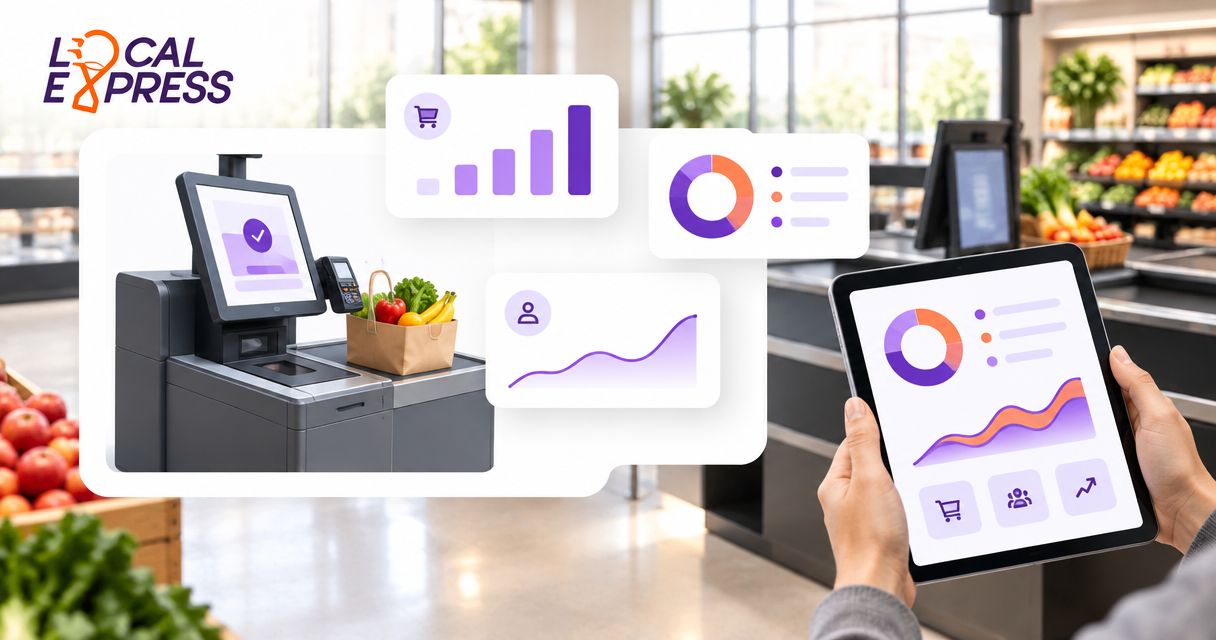
Local Express runs a white-labeled grocery ecommerce site, a fully branded mobile app, self-service kiosks for made-to-order food, order management, and last-mile delivery from a single back end. Inventory, orders, and customer data flow through one system instead of four separate vendor logins. Retail media tools let a regional chain sell CPG placements without building a national ad network.
Local Express pros:
- Covers web, app, kiosk, delivery, and retail media instead of stitching together separate vendors
- Keeps customer and order data first-party rather than routed through a marketplace
- Built around grocery-specific workflows like SNAP EBT ordering, substitutions, and perishable inventory
- Retail media tools give independent grocers a CPG revenue line without a national ad network
Local Express cons:
- Built specifically for grocery, supermarket, and specialty food retailers, so it's not a fit for general merchandise chains
- A single store with no delivery ambitions may not need the full stack on day one
Keeping stock accurate across every location is the part that breaks first when a chain grows past one store — multi-location inventory sync is where that gets solved.
Best for: Regional and independent grocery chains ready to run ecommerce, app, kiosk, and delivery on one system instead of four. Verdict: Buy.
2. Marketplace white-label apps: best unified commerce option for a fast delivery launch
These are branded storefronts built on top of a marketplace's existing logistics network. A grocer gets an app-like ordering experience without building delivery routing or hiring drivers directly. Setup can move quickly because the marketplace already runs the fulfillment side.
Marketplace app pros:
- Live in days because delivery infrastructure already exists
- No need to hire or manage a delivery fleet directly
Marketplace app cons:
- Customer data and order history typically stay with the marketplace, not the grocer
- Delivery revenue and margin get split with the marketplace on every order
- Branding is limited to what the marketplace's app framework allows
Chains that outgrow this arrangement usually end up needing to move off a delivery marketplace and onto their own branded app once order volume justifies owning the customer relationship.
Best for: Chains that need an online ordering presence live within weeks and are willing to trade margin and data ownership for speed. Verdict: Hold — fine as a bridge, not a long-term base.
3. POS-tied ecommerce add-ons: best fit for a single store adding basic online ordering
These are ecommerce modules bolted onto an existing point-of-sale system. They sync inventory and pricing directly from the POS and add a basic web ordering page. There's no native kiosk, branded app, or delivery layer built in.
POS add-on pros:
- Inventory and pricing stay accurate because they pull straight from the register
- Cheaper to add than a full standalone platform for a single location
POS add-on cons:
- No branded mobile app or kiosk without buying a separate product
- Multi-location chains end up managing separate ecommerce configs per store
Best for: A single independent grocery store that wants basic web ordering tied to the register it already runs. Verdict: Hold for one store, Skip for a multi-location chain.
4. DIY storefront builders: best fit for a small specialty shop testing ecommerce
General-purpose ecommerce builders let a specialty food shop put up a storefront fast using templates built for any retail category, not grocery specifically. There's no built-in kiosk, delivery routing, or grocery-specific checkout logic like substitutions or perishable handling.
DIY builder pros:
- Fast to launch with a low up-front commitment
- Familiar page-builder interface for a shop with no developer on staff
DIY builder cons:
- Perishable inventory and multi-location stock sync require manual work or third-party apps
- No native SNAP EBT checkout or substitution logic built for grocery
Best for: A single specialty food shop testing an online storefront before committing to a grocery-specific platform. Verdict: Wait — fine to test, but plan to migrate once volume grows.
5. Enterprise unified commerce suites: best fit for large multi-banner chains at national scale
These are large-scale commerce platforms built for national or multi-banner retail groups, with heavy customization and long implementation contracts. They handle enormous catalog complexity but come with build-out timelines measured in phases, not weeks.
Enterprise suite pros:
- Deep customization for catalogs spanning dozens of banners
- Built to handle enterprise-scale transaction volume
Enterprise suite cons:
- Implementation runs long and needs a dedicated internal IT team to manage it
- Overbuilt for the store count most regional and independent chains actually run
Best for: Large multi-banner grocery groups with dedicated IT staff and a long runway for rollout. Verdict: Skip for a regional or independent chain, Buy only at national scale.
How we ranked these
The ranking weighs six factors: whether inventory syncs in real time across web, app, kiosk, and delivery; whether the grocer or the vendor owns the customer data; support for multiple stores and banners; grocery-specific checkout logic like SNAP EBT and substitutions; built-in retail media tools; and how long it actually takes a mid-size chain to launch. Local Express scores highest because it's the only option here purpose-built for grocery that covers every channel without a third-party hop in between.
Which unified commerce platform should you choose?
Pick based on what's actually running your stores today, not what looks impressive in a demo.
- Running four-plus locations and juggling separate app, kiosk, and delivery vendors: Local Express is the direct fit — it replaces the whole stack with one system built for grocery in 2026.
- Need to be live in weeks with zero delivery infrastructure of your own: a marketplace white-label app buys time, but plan the exit.
- One store, simple needs, already happy with your POS: a POS-tied add-on covers basic online ordering without a new platform.
- Testing the waters with a single specialty shop: a DIY storefront builder is the cheapest way to find out if online demand exists.
- Running a multi-banner group at national scale with an IT department to match: an enterprise suite is worth the long implementation.
For most regional and independent grocery chains weighing a unified commerce platform in 2026, the math favors Local Express: one system instead of four vendor contracts, one data set instead of four exports, and one company to call when something breaks.
See a Unified Commerce Platform Live
Walk through web, app, kiosk, and delivery on one system before you commit.
FAQ
What is a unified commerce platform for grocery chains?
A unified commerce platform for grocery chains runs ecommerce, mobile ordering, kiosk, order management, and delivery on one shared data layer instead of separate vendor systems. It gives a grocer one view of inventory and one view of the customer across every channel.
Is Local Express better than a marketplace app for grocery delivery?
Local Express is built for chains that want to own their customer data and delivery margin long-term, while a marketplace app trades that ownership for a faster initial launch. Which one wins depends on whether speed or long-term margin matters more right now.
How much does a unified commerce platform cost for a grocery chain?
Cost depends on store count, channel mix (web, app, kiosk, delivery), and how much of the stack a chain is replacing versus adding. Current pricing should be confirmed directly with each vendor rather than assumed from a generic quote.
Can a regional grocery chain accept SNAP EBT online with a unified commerce platform?
Yes, grocery-specific unified commerce platforms build SNAP EBT online ordering into checkout rather than treating it as an add-on. General-purpose ecommerce builders and most POS add-ons don't include this natively.
How long does it take to launch a unified commerce platform for a grocery chain?
A grocery-specific platform like Local Express can move faster than an enterprise suite because it's purpose-built for the category, while enterprise suites run longer, phased implementations. A pilot on one or two stores before a full rollout is the standard way to shorten that timeline.
Do I need a branded mobile app if I already list on a delivery marketplace?
A marketplace listing gets orders started, but it doesn't build a first-party customer relationship or protect margin long-term. Chains that grow past a marketplace listing typically add a branded app to own the data and the repeat-order relationship.
What's the difference between a POS ecommerce add-on and a unified commerce platform?
A POS add-on gives one store basic web ordering synced to the register. A unified commerce platform adds branded app, kiosk, delivery, and retail media across multiple locations on one shared data set.
Is a general ecommerce builder enough for a grocery store in 2026?
A general-purpose builder can work for a single specialty shop testing demand, but it lacks native perishable inventory sync, SNAP EBT checkout, and substitution logic that grocery-specific platforms build in by default.
One last thing
The chains struggling most in 2026 aren't the ones missing an app — they're running separate systems for ordering, kiosk, and delivery that don't share a single data layer, so nobody actually knows what sold where until the numbers get reconciled days later. Before adding another point solution, check whether the vendors already running your store share data with each other. If the answer is no, the fix usually isn't a fifth tool — it's replacing the stack with one that already talks to itself.